Auteur/autrice : Équipe de rédaction

  • Auf eSIM umsteigen: Das einfache Tutorial für iPhone

    Auf eSIM umsteigen: Das einfache Tutorial für iPhone

    Sie besitzen ein Apple-Gerät und möchten eine eSIM aktivieren? Dann sind Sie hier genau richtig! Mit einem kompatiblen iPhone ist die Nutzung dieser Technologie kinderleicht. In diesem Artikel helfen wir Ihnen, die Dual-SIM-Technologie zu verstehen, ihre Vorteile für Ihr Gerät zu entdecken und zu erfahren, wie Sie eine eSIM ganz einfach auf Ihrem iPhone aktivieren können.

    Was ist die Dual-SIM-Technologie?

    Die Dual-SIM-Technologie ermöglicht es, mehrere Mobilfunkleitungen (physisch oder virtuell über eSIM) auf einem einzigen Gerät zu kombinieren, um gleichzeitig mit zwei verschiedenen Netzen verbunden zu sein.

    So können Sie problemlos eine geschäftliche und eine private Nummer verwalten oder beim Reisen mühelos zwischen verschiedenen lokalen Tarifen wechseln.

    In der Praxis können einige Smartphones zwei physische SIM-Karten aufnehmen. Andere kombinieren eine herkömmliche SIM-Karte mit einer eSIM, während einige fortschrittlichere Modelle es Ihnen sogar ermöglichen, mehrere eSIMs gleichzeitig zu speichern. Diese Flexibilität bietet Ihnen echte Freiheit, angepasst an Ihren Lebensstil und Ihre beruflichen Bedürfnisse.

    Dual-SIM auf dem iPhone: Wie funktioniert das? 

    Ab dem iPhone XR hat Apple die Dual-SIM-Technologie integriert, die es ermöglicht, gleichzeitig eine physische SIM-Karte und/oder eine eSIM (je nach lokaler Kompatibilität) zu nutzen. Dank dieser Funktion können Sie:

    • Ihre Sprach- und Datennutzung trennen: Behalten Sie Ihre Hauptleitung für Anrufe und SMS und entscheiden Sie sich für eine eSIM, die ausschließlich für mobiles Internet bestimmt ist.
    • Im Ausland einen lokalen Tarif abonnieren, ohne Ihre Haupt-SIM-Karte entfernen zu müssen.
    • Privat- und Berufsleben einfacher verwalten, indem Sie für jedes eine eigene Nummer beibehalten.

    Ein kleiner Hinweis: Ihr iPhone muss entsperrt sein, um zwei Tarife von verschiedenen Anbietern nutzen zu können. Wenn es gesperrt ist, stellen Sie sicher, dass beide Angebote vom selben Anbieter stammen, um die Dual-SIM zu aktivieren.

    Ist Ihr iPhone mit eSIMs kompatibel?

    Überprüfen, ob das iPhone mit der Vostra eSIM-Karte kompatibel ist

    Um eine eSIM auf Ihrem iPhone zu aktivieren, benötigen Sie mindestens ein iPhone XR (mit iOS 12 oder höher). So überprüfen Sie schnell, ob Ihr Gerät kompatibel ist (beachten Sie, dass diese Schritte je nach iOS-Version variieren können):

    1. Öffnen Sie „Einstellungen“, klicken Sie auf „Einstellungen“.
    2. Wählen Sie „Mobiles Netz“.
    3. Suchen Sie nach der Option „eSIM hinzufügen“ oder „Mobilfunktarif hinzufügen“.

    Wenn Sie eine dieser Optionen sehen, ist Ihr iPhone bereit für eine eSIM! Andernfalls lesen Sie unsere vollständige Liste der kompatiblen Geräte.

    Beachten Sie auch, dass einige iPhone-Modelle die eSIM nicht unterstützen und Ihr iPhone entsperrt sein muss, um eine eSIM von einem anderen Anbieter nutzen zu können.

    Wie aktiviere ich eine eSIM auf dem iPhone? 

    Besuchen Sie den Vostra Store und entdecken Sie unsere Auswahl an Datentarifen. Ob lokal, regional oder international – Sie werden sicher den richtigen finden, der Ihre Reise perfekt begleitet.

    Nach dem Kauf Ihres Tarifs erhalten Sie eine E-Mail mit allen Installationsschritten. Der Einfachheit halber haben wir sie auch unten zusammengefasst. 

    Installation der eSIM

    • Öffnen Sie die Vostra App auf Ihrem iPhone
    • Gehen Sie zu „Meine eSIMs“
    • Wählen Sie die gewünschte eSIM aus und tippen Sie auf „Details“
    • Tippen Sie auf „Anweisungen anzeigen“
    • Wählen Sie „Direkt“
    • Tippen Sie auf „eSIM installieren“
    • Tippen Sie auf „Weiter“, um die Schritte einzeln zu befolgen
    • Tippen Sie zweimal auf „Weiter“ und warten Sie einige Minuten, bis die Aktivierung abgeschlossen ist
    • Tippen Sie auf „Fertig“.

    Anpassung der eSIM

    • Fügen Sie ein Etikett hinzu, um Ihre neue eSIM zu identifizieren:
      • Tippen Sie auf „Sekundär“
      • Geben Sie „Vostra“ oder einen anderen Namen Ihrer Wahl ein
      • Tippen Sie auf „Fertig“, dann auf „Weiter“
    • Wählen Sie Ihre Hauptleitung für Anrufe und SMS aus und tippen Sie dann auf „Weiter“
    • Wählen Sie Ihre Hauptleitung für iMessage & FaceTime aus und tippen Sie dann auf „Weiter“
    • Wählen Sie Ihre Vostra eSIM für mobile Daten
      • Stellen Sie sicher, dass „Umschalten mobiler Daten erlauben“ deaktiviert ist
      • Tippen Sie auf „Weiter“.

    Sobald diese Schritte abgeschlossen sind, schließt sich die Installationsseite automatisch.

    Aktivierung der eSIM am Zielort

    • Öffnen Sie „Einstellungen“
    • Tippen Sie auf „Mobilfunk“ oder „Mobil“
    • Wählen Sie Ihre eSIM aus
    • Stellen Sie sicher, dass die eSIM aktiviert ist. Falls nicht, aktivieren Sie „Diese Leitung einschalten“
    • Prüfen Sie in der Vostra App, ob Sie „Daten-Roaming“ aktivieren müssen
    • Aktivieren oder deaktivieren Sie das Roaming gemäß den Anweisungen.
    • Gehen Sie zurück zu „Einstellungen“ 
    • Tippen Sie auf „Mobile Daten“ oder „Mobil“ und wählen Sie Ihre eSIM aus.

    Ihre eSIM verbindet sich dann automatisch mit einem kompatiblen Netz. Genießen Sie sofort bei Ihrer Ankunft eine lokale Verbindung und reisen Sie unbeschwert!

    eSIM-Fehlerbehebung

    Verbindungsprobleme? Keine Panik, versuchen Sie diese Schritte:

    • Roaming anpassen: Überprüfen Sie im eSIM-Handbuch, ob es aktiviert oder deaktiviert werden muss.
    • Aktualisieren Sie Ihre APN-Einstellungen bei Bedarf: Eine Schritt-für-Schritt-Anleitung ist in der Regel in Ihren Installationsanweisungen enthalten.
    • Starten Sie Ihr Telefon neu.

    Und das war’s! Sie sind bereit, Ihre eSIM auf dem iPhone in vollen Zügen zu genießen und überall verbunden zu bleiben. 
  • Duell: eSIM gegen Nano SIM. Welche ist die bessere?

    Duell: eSIM gegen Nano SIM. Welche ist die bessere?

    Unterwegs verbunden zu bleiben ist eine kluge Wahl, aber nicht immer einfach. Zwischen WLAN, Datentarifen und Roaming-Gebühren kann man leicht den Überblick verlieren. Heute erweitern wir Ihren Horizont mit einer neuen Alternative: der eSIM.

    Die eSIM ist eine digitale SIM-Karte, die direkt in Ihr Gerät integriert ist und Ihnen ermöglicht, sich sofort und kostengünstig zu verbinden, wo immer Sie auf der Welt sind. Doch warum sollte man sich für eine eSIM entscheiden, wenn es die nano-SIM bereits gibt?

    Hier kommen wir ins Spiel. Entdecken Sie detailliert, was die eSIM von der nano-SIM unterscheidet und welche Lösung am besten zu Ihren Bedürfnissen passt.

    Die Evolution der SIM-Karte

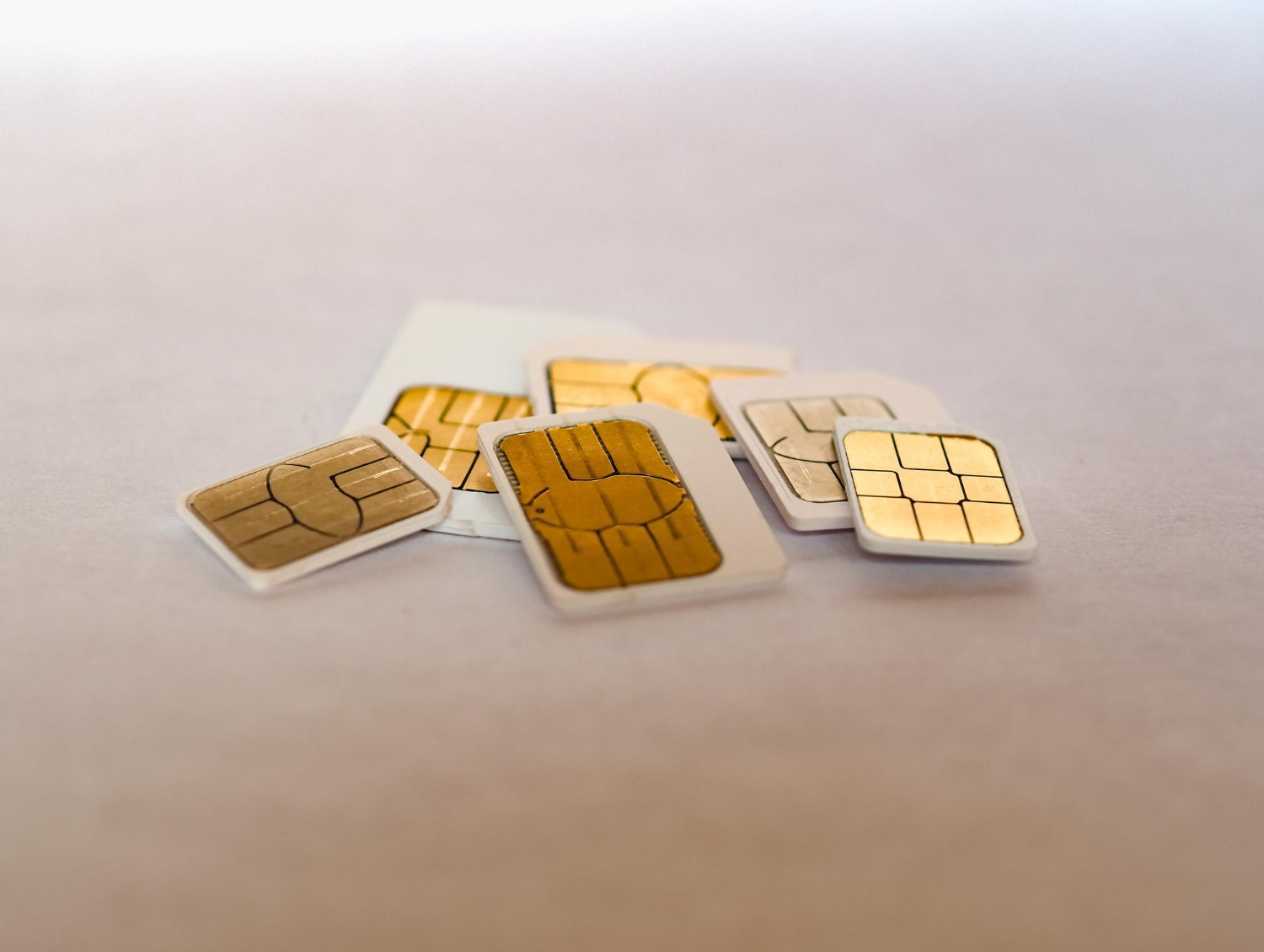
    Zu Beginn der Ära der Mobiltelefone war die SIM-Karte fast so groß wie eine Bankkarte, genau wie die Geräte selbst – imposant und sperrig!

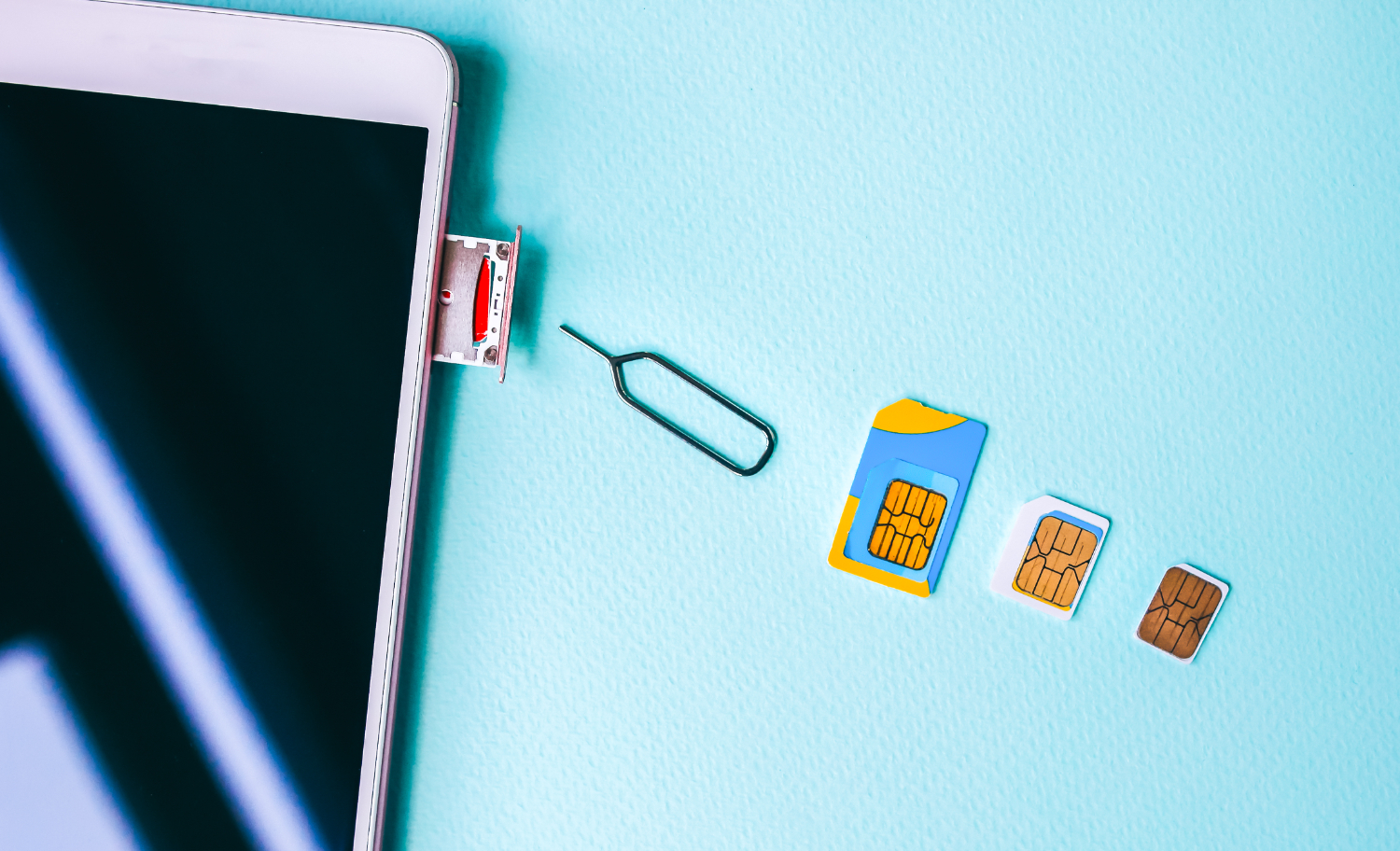
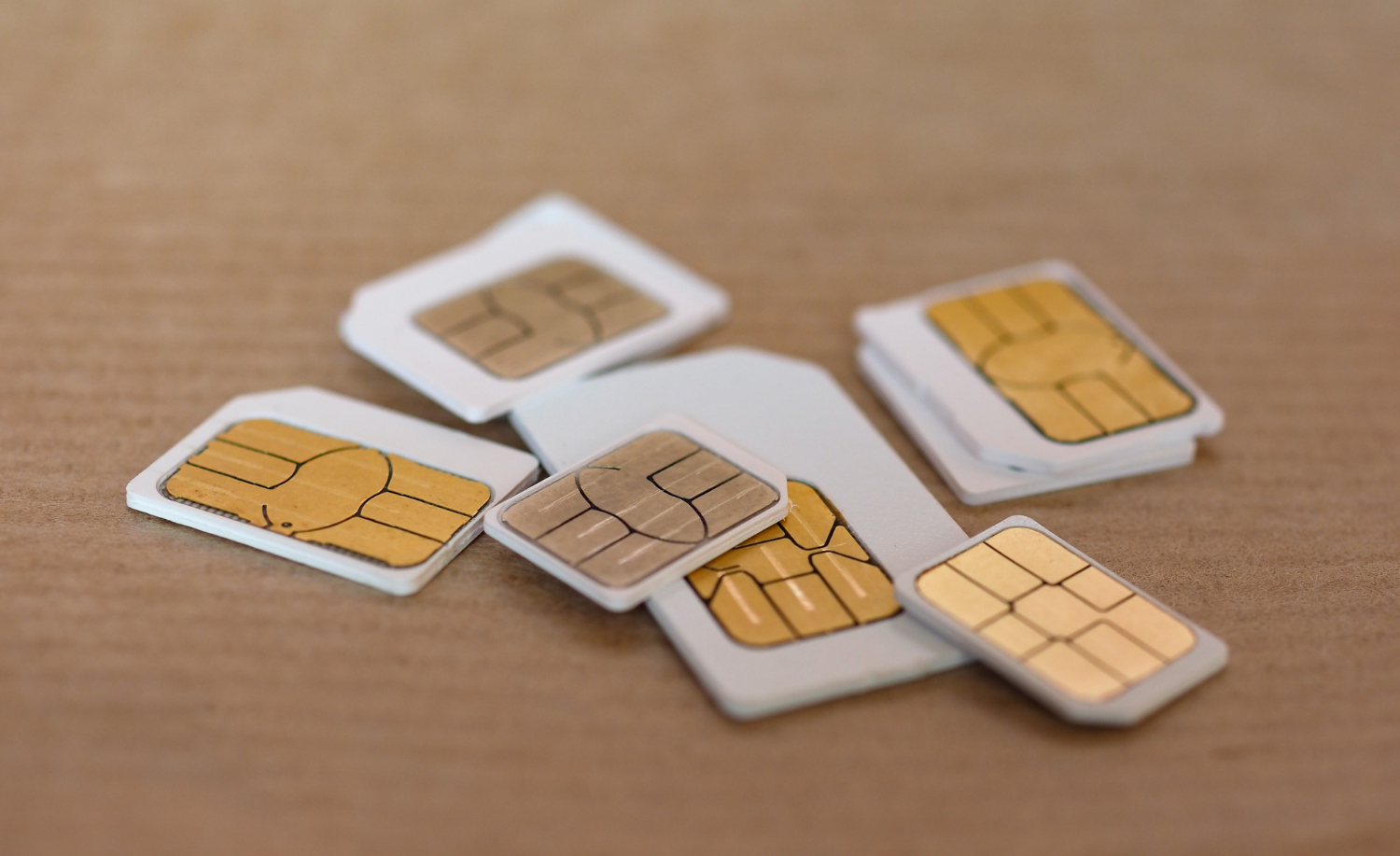
    Seitdem hat die Miniaturisierung ihren Lauf genommen: zuerst mit den Micro-SIMs, dann mit den Nano-SIMs, die 40 % kleiner sind, und schließlich den eSIMs, die auf einen winzigen Chip von nur 2,5 mm x 2,3 mm reduziert wurden.

    Doch trotz dieser unglaublichen Größenreduzierung bleibt die Basistechnologie unverändert. Die SIM-Karte bleibt ein Speicherchip, der Ihre Benutzerinformationen enthält und unerlässlich ist, um auf das Mobilfunknetz zuzugreifen.

    Kurz gesagt: Je kleiner die SIM-Karte wird, desto mehr Platz schafft sie in Ihren Geräten, wodurch beispielsweise eine leistungsstärkere Batterie integriert oder immer schlankere und elegantere Telefone entwickelt werden können.

    Entwicklung der SIM-Karte im Laufe der Zeit

    Was ist eine nano-SIM-Karte?

    Die Nano-SIM stellt heute das kompakteste physische SIM-Kartenformat auf dem Markt dar. Sie ist zum unverzichtbaren Standard geworden und in den meisten aktuellen Smartphones integriert.

    Doch nichts deutet darauf hin, dass dies die letzte Entwicklung der SIM-Karten ist, wie wir sie heute kennen.

    Was ist eine eSIM?

    Die eSIM hingegen verschiebt die Grenzen des traditionellen SIM-Kartenkonzepts, indem sie die Hardware-Beschränkung aufhebt. Anstatt eine Karte mit einer Nadel in ein Fach einzulegen, ist der eSIM-Chip direkt im Gerät integriert. Es genügt dann, Ihr Datenpaket herunterzuladen, um sich mit dem Netzwerk zu verbinden.

    Während einige Modelle zusätzlich zur eSIM noch einen Steckplatz für eine physische Karte besitzen, begnügen sich viele neuere Smartphones inzwischen ausschließlich mit dieser integrierten Lösung.

    eSIM vs. nano-SIM: Mehr Ähnlichkeiten, als Sie denken

    Oft neigt man dazu, klassische SIM-Karten und eSIMs als Gegensätze darzustellen, als ob sie nicht vergleichbar wären. Sie wären wahrscheinlich überrascht zu erfahren, dass sie viele Gemeinsamkeiten haben:

    • Sie stellen die Verbindung Ihres Geräts zum Netz Ihres Mobilfunkanbieters her.
    • Sie können auf einer Vielzahl von Geräten verwendet werden, nicht nur auf Smartphones.
    • Sie identifizieren Ihr Telefon und stellen sicher, dass der richtige Tarif angewendet wird.
    • In einem Dual-SIM-Handy funktionieren sie zusammen.
    • Letztendlich sind sie beide… SIMs!

    Der Unterschied? Die eSIM ist direkt in das Telefon integriert und lädt Ihren Tarif remote herunter, während die klassische Nano-SIM eine physische Karte erfordert. Abgesehen von diesem Unterschied erfüllen beide Technologien tatsächlich eine ähnliche Funktion.

    eSIM vs. nano-SIM: Welche Option ist die beste?

    Alles hängt davon ab, wie Sie Ihr Smartphone nutzen möchten. Bevor Sie sich entscheiden, hier ein kurzer Überblick über die Stärken jeder Option.

    Die Vorteile der nano-SIM

    Die 2012 eingeführte nano-SIM ist heute ein bewährter Standard. Diese Langlebigkeit bietet ihr mehrere Vorteile 👇:

    • Einfach zu bekommen : In fast allen neueren Smartphones vorhanden, ist die nano-SIM leicht erhältlich, vorausgesetzt natürlich, man ist wachsam gegenüber Betrügereien, die auf Reisende abzielen.
    • Vereinfachter Gerätewechsel : Solange Ihre SIM-Karte und Ihr Telefon nicht gesperrt sind, müssen Sie sie nur herausnehmen und in ein neues Gerät schieben. So einfach ist das!
    • Lokale Nummer im Handumdrehen : Benötigen Sie eine lokale Telefonnummer für Ihre Anrufe und SMS während eines Auslandsaufenthalts? Stecken Sie eine nano-SIM in Ihr Gerät und schon sind Sie startklar.

    Die Vorteile der eSIM

    Die eSIM revolutioniert Ihr mobiles Erlebnis: Direkt in Ihr Smartphone integriert, beseitigt sie die Einschränkungen physischer SIM-Karten. Den Anbieter zu wechseln wird zum Kinderspiel, und die Aktivierung eines neuen Datentarifs erfolgt mit wenigen Klicks. Einige dieser Eigenschaften 👇:

    • Unübertroffene Flexibilität : Speichern Sie bis zu 15 bis 20 eSIM-Profile auf Ihrem Telefon und wechseln Sie je nach Bedarf oder Reiseziel problemlos zwischen ihnen.
    • Behalten Sie Ihre gewohnte Nummer : Wenn Ihr Gerät mit einer Dual-SIM (physisch + eSIM) ausgestattet ist, nutzen Sie Ihre traditionelle Nummer weiterhin für Anrufe. Andernfalls verwenden Sie einfach WhatsApp, Telegram oder andere Messaging-Apps, um erreichbar zu bleiben.
    • Integrierte Regionaltarife : Einige eSIM-Abos bieten Ihnen Abdeckung in mehreren Ländern. Perfekt für Reisende, die verbunden bleiben möchten, ohne an jeder Grenze die Karte wechseln zu müssen.
    • Unverlierbar : Im Gegensatz zu einer physischen SIM-Karte bleibt eine eSIM auf dem Chip Ihres Telefons gespeichert. Sie laufen nicht mehr Gefahr, Ihren Tarif zu verlieren oder Ihre Verbindung zu gefährden.

    Nutzen Sie die Flexibilität von Dual-SIM dank eSIM und nano-SIM

    mit Dual SIM verbunden bleiben

    Wussten Sie, dass Sie eine eSIM allein nutzen oder sie mit einer nano-SIM im selben Telefon kombinieren können? Diese Kombination, genannt Dual-SIM, bietet Ihnen eine unübertroffene Flexibilität. Es gibt zwei Arten von Dual-SIM:

    1. Dual SIM Dual Standby (DSDS)
      Im DSDS-Modus wählen Sie einfach aus, welche SIM-Karte Ihre Anrufe und Nachrichten verwaltet. Auf Reisen können Sie beispielsweise Ihre nano-SIM für seltene SMS oder Anrufe (wie die Multifaktor-Authentifizierung) behalten, während Sie die Daten Ihrer eSIM nutzen.
    2. Dual SIM Dual Active (DSDA)
      Die DSDA-Technologie geht noch einen Schritt weiter: Ihre eSIM und Ihre nano-SIM sind beide gleichzeitig aktiv. Sie können somit Anrufe und SMS auf beiden Nummern empfangen und bei instabilem Netz von einem Anbieter zum anderen wechseln. Diese Lösung ist ideal, um sowohl unter einer lokalen als auch unter einer ausländischen Nummer erreichbar zu bleiben. Beachten Sie jedoch, dass diese erhöhte Vielseitigkeit mehr Batteriestrom verbraucht.

    Letztendlich kommt es darauf an, die Konfiguration zu finden, die Ihren Bedürfnissen am besten entspricht.

  • Das iPhone im Ausland nutzen: Tipps und Tricks, um böse Überraschungen zu vermeiden

    Das iPhone im Ausland nutzen: Tipps und Tricks, um böse Überraschungen zu vermeiden

    Bevor Sie sich auf Ihr nächstes großes Abenteuer begeben, nehmen Sie sich die Zeit, Ihr iPhone richtig vorzubereiten. Einige einfache Einstellungen ermöglichen es Ihnen, sorglos zu reisen, indem sie Ihre Sicherheit, Konnektivität und Ihren Seelenfrieden gewährleisten. Reisen ins Ausland können Überraschungen bereithalten, daher ist es besser, vorausschauend zu handeln. Entdecken Sie unten die wesentlichen Schritte, die Sie vor Ihrer Abreise befolgen sollten, um vor Ort jegliche Probleme zu vermeiden.

    6 Dinge, die Sie mit Ihrem iPhone tun sollten, bevor Sie ins Ausland reisen

    Sie packen gerade Ihre Koffer für einen internationalen Trip, und Ihr iPhone ist natürlich mit dabei. Doch bevor Sie den Zoll passieren, nehmen Sie sich ein paar Minuten Zeit, um Ihren wertvollen Hightech-Begleiter vorzubereiten: Hier sind unsere sechs unverzichtbaren Tipps, um Ihr iPhone im Ausland optimal zu nutzen.

    1. Überprüfen Sie, ob Ihr iPhone entsperrt ist

    Ein gesperrtes Telefon kann im Ausland zu einem echten Problem werden, da es Sie daran hindert, lokale SIM-Karten oder sogar eSIM-Tarife zu nutzen. Sollte Ihr iPhone von Ihrem Anbieter gesperrt sein, kontaktieren Sie ihn umgehend, um es entsperren zu lassen.

    Im Allgemeinen reicht es aus, anzugeben, dass Sie international reisen und eine lokale Nummer wünschen. Und wenn Ihr Anbieter nicht kooperiert, gibt es andere Lösungen, auf die Sie zurückgreifen können.

    2. Deaktivieren Sie das Datenroaming vor dem Abflug

    Um böse Überraschungen zu vermeiden, deaktivieren Sie das Datenroaming, bevor Sie das Heimatland verlassen. Noch besser: Schalten Sie die mobilen Daten während der Reise, zumindest während des Transits, ganz aus, um unerwünschte Verbindungen zu einem ausländischen Netzwerk zu verhindern.

    • Gehen Sie zu Einstellungen
    • Tippen Sie auf Mobile Daten
    • Öffnen Sie Datenroaming und deaktivieren Sie es
    • Gehen Sie zurück zu Mobile Daten und schalten Sie diese ebenfalls aus

    3. Nutzen Sie WLAN-Dienste zu Ihrem Vorteil

    WLAN kann Ihr bester Verbündeter sein, um mobile Daten zu sparen und hohe Rechnungen zu vermeiden.

    • Native Apple Apps: iMessage, FaceTime… Ihre integrierten Tools erleichtern bereits Anrufe und Nachrichten über WLAN.
    • Facebook Messenger: Sie benötigen kein aktives Facebook-Konto, um nach Belieben zu chatten.
    • WhatsApp, Telegram, Line: Perfekt, um sichere Anrufe und Nachrichten an das andere Ende der Welt zu senden.
      Auch wenn Sie sich für eine lokale SIM-Karte oder einen eSIM-Tarif entscheiden, bleibt WLAN die ideale Lösung, um Ihren Datenverbrauch zu reduzieren.

    4. Wählen Sie einen passenden eSIM-Tarif für Ihre Bedürfnisse

    Wählen Sie einen passenden Tarif eSIM Vostra mit Ihrem iPhone

    Vereinfachen Sie Ihre Verbindung mit einem eSIM-Tarif, der Ihnen direkten Zugang zu lokalen Daten zu vorteilhaften Preisen von Ihrem Smartphone aus bietet. Kaufen Sie Ihren Tarif im Voraus und aktivieren Sie ihn bei Ihrer Ankunft mühelos.

    Obwohl Sie keine lokale Nummer haben (was eine Dual-SIM-Funktion oder eine Messaging-/Anruf-App erfordert), bleibt Ihr Telefon voll funktionsfähig, wodurch Sie teure Roaming-Gebühren vermeiden.

    5. Aktualisieren Sie Ihre Multi-Faktor-Authentifizierung (MFA)

    Schützen Sie Ihre Konten mit einer robusten Multi-Faktor-Authentifizierung. Die meisten 2FA-Methoden basieren auf SMS, was im Ausland problematisch sein kann, wenn Sie keinen Telefondienst haben. Vermeiden Sie es, gesperrt zu werden, indem Sie Ihre Sicherheitsoptionen vor der Abreise aktualisieren.

    Einige Tipps:

    • Fügen Sie eine Notfall-E-Mail-Adresse hinzu.
    • Verwenden Sie eine Google Voice-Nummer oder leiten Sie Ihre Nummer vorübergehend an Google weiter.
    • Entscheiden Sie sich für einen App-basierten Authentifikator wie Google Authenticator oder LastPass Authenticator.

    6. Überwachen und setzen Sie Ihren Datenverbrauch zurück

    Behalten Sie die Kontrolle über Ihren Datenverbrauch während Ihrer Reisen, da die Messmethoden von Land zu Land variieren können. Identifizieren Sie schnell datenintensive Apps und passen Sie Ihre Einstellungen an, um Überschreitungen zu vermeiden.

    So setzen Sie Ihre Datenverbrauchsstatistiken auf einem iPhone zurück:

    1. Gehen Sie zu „Einstellungen“
    2. Wählen Sie „Mobile Daten“
    3. Tippen Sie auf „Statistiken zurücksetzen“

    So erhalten Sie während Ihres gesamten Aufenthalts einen klaren Überblick über Ihren Datenverbrauch.

    Bereiten Sie sich auf stressfreies Reisen vor

    So wie Sie Ihre Reiseroute und Ihr Budget sorgfältig planen, bereiten Sie auch Ihr iPhone für eine erfolgreiche Reise vor. Stellen Sie sicher, dass Sie lokale SIM-Karten oder eSIM-Tarife nutzen können, und aktualisieren Sie Ihre Sicherheitseinstellungen.

    Überlassen Sie nichts dem Zufall:

    • Bleiben Sie verbunden mit einem passenden Tarif dank einer Vostra eSIM, einfach und schnell erhältlich.
    • Sparen Sie Zeit, Geld und Stress, indem Sie Ihr Telefon vor der Abreise vorbereiten.

    Entdecken Sie jetzt die verfügbaren mobilen Datentarife für Ihr nächstes Reiseziel auf unserer Website. 

  • Alles über internationale eSIMs: Funktionsweise, Vorteile und Auswahl

    Alles über internationale eSIMs: Funktionsweise, Vorteile und Auswahl

    Möchten Sie überall auf der Welt verbunden bleiben, ohne sich mit einer physischen SIM-Karte herumschlagen zu müssen? Das ist jetzt möglich! Dank eSIMs reisen Sie leicht und genießen mit wenigen Klicks eine internationale Verbindung.

    Mit einer eSIM müssen Sie lediglich ein Paket über die Vostra-App kaufen, einen QR-Code scannen, es manuell herunterladen oder direkt auf Ihrem kompatiblen Smartphone installieren. Und schon sind Sie bereit zu kommunizieren, als wären Sie zu Hause, ohne zusätzliche Hardware!

    Sie fragen sich wahrscheinlich, ob das Verfahren wirklich so einfach ist, besonders wenn Sie ins Ausland reisen? Wir verstehen Sie: Die eSIM-Technologie hat sich erst in den letzten Jahren richtig durchgesetzt. Wenn Sie wissen möchten, wie Ihre internationale eSIM konkret funktioniert, sind Sie hier genau richtig. Im Folgenden verraten wir Ihnen alles über diese kleine Revolution, die das Leben von Reisenden vereinfacht.

    Was ist eine eSIM für internationale Reisen?

    Planen Sie eine Auslandsreise und möchten verbunden bleiben, ohne Ihr Budget zu sprengen? Zwischen internationalen Tarifen zu exorbitanten Preisen und großzügig angebotenen Daten… in 2G kann die Aufgabe kompliziert erscheinen. Auf Wi-Fi setzen? Warum nicht, aber Vorsicht vor Sicherheitslücken, und es ist bei weitem nicht überall verfügbar.

    Glücklicherweise verfügen Sie, wenn Ihr Telefon relativ neu ist, möglicherweise bereits über eine clevere Option: die eSIM.

    Eine eSIM („embedded subscriber identity module“) ist ein in die Schaltung Ihres Smartphones integrierter Chip, der die traditionelle SIM-Karte durch eine einfache Software ersetzt, um Ihnen einen Datendienst bereitzustellen. Ihre Stärke? Sie können den Anbieter oder das Paket so oft wechseln, wie Sie möchten, ohne mit physischen Karten jonglieren zu müssen. Gehen Sie einfach zu einer speziellen Plattform wie Vostra und wählen Sie das Abonnement, das Ihren Bedürfnissen und der Dauer Ihrer Reise entspricht.

    Besonders praktisch im Ausland ist, dass die eSIM Sie nicht dazu zwingt, Ihre Haupt-SIM zu entfernen. Diese bleibt einfach deaktiviert (es sei denn, Sie entscheiden sich für den Dual-SIM-Modus). Nach Ihrer Rückkehr können Sie Ihre gewohnte SIM-Karte einfach wieder verwenden, als wäre nichts gewesen.

    Wie funktionieren internationale eSIMs?

    Erfahren Sie mehr über die Funktionsweise internationaler eSIMs

    eSIMs bieten eine clevere Lösung, um im Ausland mobile Daten zu nutzen, ohne Ihr Budget zu sprengen oder bei Ihrer Ankunft fieberhaft nach einer lokalen SIM-Karte suchen zu müssen. Anstatt Ihre gewohnte SIM-Karte physisch zu ersetzen, wählen Sie einfach ein Paket über eine App wie Vostra aus. Anschließend müssen Sie einige einfache Schritte befolgen, um dieses neue Paket auf Ihrem Smartphone zu aktivieren.

    Konkret basiert die eSIM auf lokalen Dienstanbietern, die spezielle Prepaid-Angebote bereitstellen. Vostra wiederum bündelt diese Pakete an einem einzigen Ort, um Ihnen das Leben zu erleichtern.

    Die Nutzung einer eSIM ähnelt der einer lokalen SIM-Karte, mit dem Unterschied, dass Sie Ihre gewohnte Nummer behalten (sofern Ihr Telefon Dual-SIM unterstützt, was bei den meisten eSIM-kompatiblen Geräten der Fall ist). Ohne diese Dual-SIM-Funktion haben Sie dennoch Datenzugang und können Anrufe tätigen oder Nachrichten über WhatsApp, Telegram und andere Online-Anwendungen senden.

    Warum eine eSIM statt einer lokalen SIM-Karte wählen? Die Vorteile, die Sie überzeugen werden

    Lokale SIM-Karten sind bei Auslandsreisenden nach wie vor sehr beliebt, aber sie sind nicht die einzigen, die Interesse wecken. Eine Studie aus dem Jahr 2019 zeigt, dass tatsächlich 60 % der Verbraucher einen eSIM-Dienst nutzen würden, wenn er ihnen angeboten würde. Und das aus gutem Grund: Internationale eSIMs bieten gegenüber herkömmlichen SIMs erhebliche Vorteile.

    Regionale statt nationale Pakete

    Wenn Sie mehrere Länder bereisen, müssen Sie nicht an jeder Grenze die SIM-Karte wechseln. eSIM-Pakete, die eine ganze Region abdecken, begleiten Sie auf Ihrer gesamten Reise.

    Transparente lokale Tarife

    Auf Plattformen wie Vostra wissen Sie genau, was Sie kaufen und was Sie bezahlen. Im Laden, selbst am Flughafen, ist das manchmal weniger klar!

    Der vorzeitige Kauf Ihrer Daten

    Kein lästiges Suchen nach einer SIM-Karte direkt nach der Landung. Aktivieren Sie einfach Ihr eSIM-Datenpaket und genießen Sie Ihr Telefon sofort.

    Mobile Daten mit der eSIM nutzen

    Mehrere Pakete auf einem einzigen Gerät

    Vorbei ist das Rätselraten mit sich stapelnden physischen SIM-Karten. Die meisten Smartphones erlauben das Speichern mehrerer eSIM-Pakete, was Ihre Organisation erheblich vereinfacht.

    Flexible Laufzeiten nach Ihren Bedürfnissen

    Anstatt sich für einen ganzen Monat zu verpflichten, nur um einen Bruchteil der Daten zu nutzen, entscheiden Sie sich für die Flexibilität der eSIMs. Wählen Sie die Datenmenge und die Dauer, die wirklich zu Ihnen passen.

    Kurz gesagt, internationale eSIMs etablieren sich zunehmend als die ideale Lösung, um leicht zu reisen, kostengünstig verbunden zu bleiben und den Stress des SIM-Kartenwechsels bei jeder Etappe zu vermeiden.

    Erobern Sie die Welt mit der internationalen eSIM in aller Ruhe

    Nachdem Sie nun wissen, wie sie funktioniert, sind Sie mit einem wertvollen Verbündeten für Ihre nächste Reise gewappnet. Im Handumdrehen verabschieden Sie sich von Verbindungsproblemen und unerwarteten Kosten: eSIMs garantieren Ihnen volle Freiheit in über 200 von Vostra unterstützten Destinationen.

    Träumen Sie schon von Ihrem nächsten Abenteuer? Besuchen Sie den Vostra Shop und entdecken Sie die vielen Optionen, die Ihnen zur Verfügung stehen.

  • SIM und eSIM: Sollte man den Schritt wagen und auf diese neue Technologie umsteigen?

    SIM und eSIM: Sollte man den Schritt wagen und auf diese neue Technologie umsteigen?

    Wenn Sie regelmäßig reisen, wissen Sie, wie frustrierend es sein kann, ständig nach komplizierten Mobilfunkpaketen zu suchen oder einem WLAN-Hotspot hinterherzujagen, um in Verbindung zu bleiben. Wer diesem Ärger entgehen möchte, hat zweifellos schon von der eSIM und ihrem Versprechen gehört, das Signal überall auf der Welt zu verbessern. Aber ist es wirklich an der Zeit, auf die eSIM umzusteigen?

    Wir werden hier die Vor- und Nachteile der traditionellen SIM-Karte und der eSIM vergleichen. So können Sie entscheiden, ob sich die Investition lohnt!

    SIM-Karte oder eSIM: Was ist besser für unterwegs?

    Für viele Reisende ist es oft ein Kampf, einen zuverlässigen Mobilfunkanbieter im Ausland zu finden. Und selbst wenn sie einen finden, benötigen sie den Dienst in der Regel nur für kurze Zeit.

    Eine weitere Schwierigkeit: Einige Anbieter bieten noch keine optimale Abdeckung für eSIM-kompatible Telefone. Zudem entsprechen ihre Prepaid-Pakete, sei es bei der Datenmenge oder der Gültigkeitsdauer, nicht immer den Erwartungen von Weltenbummlern.

    Deshalb ist es entscheidend, jetzt zu wissen, welche Option – SIM-Karte oder eSIM – am besten zu Ihren Reiseplänen passt.

    Die Gemeinsamkeiten von SIM und eSIM

    Anders als man vielleicht annimmt, haben die SIM-Karte und die eSIM mehr Gemeinsamkeiten, als man denkt. Denn beide:

    • Bieten die Möglichkeit, Ihr Telefon mit dem Mobilfunknetz des Anbieters zu verbinden.
    • Können auf verschiedenen Geräten installiert werden (nicht nur auf Telefonen).
    • Gewährleisten die Identifizierung Ihres Telefons und des verwendeten Tariftyps.
    • Können in einem Dual-SIM-Telefon koexistieren.

    Zusammenfassend sind diese beiden Technologien im wahrsten Sinne des Wortes SIMs: Der einzige Unterschied liegt in ihrem Format und der Art und Weise, wie Sie den Tarif herunterladen/installieren.

    Mit einer SIM-Karte handhaben Sie den Chip und den dazugehörigen Tarif physisch; während bei der eSIM der Chip direkt in das Gerät integriert ist und der Tarif virtuell heruntergeladen wird.

    Die Vorteile von SIM-Karten

    Vorteile der Verwendung der Nano-SIM

    Obwohl eSIMs immer mehr Reisende ansprechen, bieten klassische SIM-Karten immer noch einige bemerkenswerte Vorteile, insbesondere auf Reisen ins Ausland:

    1. Bewährte Technologie

    Die meisten mobilen Datenangebote nutzen immer noch massiv SIM-Karten. Es ist ein bewährter und weit verbreiteter Standard.

    1. Einfache Übertragung

    Wenn der Akku Ihres Telefons leer ist, keine Sorge: Sie können die SIM-Karte einfach in ein anderes entsperrtes Gerät übertragen.

    1. Einfaches Upgrade

    Benötigen Sie einen leistungsstärkeren Tarif oder einen neuen Chip? Mit einer SIM-Karte können Sie diese einfach zu Ihrem Anbieter bringen, um sie ersetzen oder aktualisieren zu lassen.

    1. Zugänglichkeit auf Reisen

    Im Ausland ist es oft einfacher, eine Prepaid-SIM-Karte in einem lokalen Geschäft oder auf einer speziellen Plattform zu erwerben, ohne komplizierte Schritte.

    Letztendlich hat jede dieser Technologien ihre Vorteile: Die eSIM besticht durch ihre Einfachheit und direkte Integration, während sich die SIM-Karte durch ihre Flexibilität und einfache Handhabung auszeichnet. Alles hängt von Ihren Bedürfnissen und Ihrem Reisestil ab.

    Die Grenzen von SIM-Karten

    Zerbrechlich und leicht zu verlieren

    Wenn Sie sie aus Ihrem Telefon entfernen, riskieren Sie, sie zu beschädigen oder zu verlieren, was schnell zu einem Problem werden kann.

    An einen Betreiber gebundener Tarif

    Um den Tarif zu wechseln oder zu einem Konkurrenten zu gehen, müssen Sie unbedingt eine neue SIM-Karte erwerben und einlegen. Diese Abhängigkeit erschwert die Flexibilität und den Übergang von einem Tarif zum anderen.

    Nur ein Tarif gleichzeitig gespeichert

    Auf den meisten SIM-Karten können Sie nur ein Abonnement aktivieren, was Ihre Möglichkeiten einschränkt, wenn Sie zwischen mehreren Angeboten wechseln möchten.

    Anfälligkeit für Hacking

    Im Falle eines Verlusts oder Diebstahls Ihres Telefons können Betrüger auf die SIM-Karte zugreifen und böswillige Handlungen begehen, wodurch Ihre Daten und Kommunikationen offengelegt werden.

    Die unverzichtbaren Vorteile von eSIMs

    Warum eine eSIM verwenden: die Vorteile, die man kennen sollte

    • Weniger Verlust- oder Bruchrisiko
      Direkt in Ihr Smartphone integriert, können eSIMs im Gegensatz zu klassischen SIM-Karten kaum beschädigt oder verloren gehen.


    • Dual-SIM für optimierte Abdeckung
      Auf einem Dual-SIM-kompatiblen Telefon können Sie einfach zwischen Ihrer physischen SIM-Karte und Ihrer eSIM wechseln, um das beste Netz überall dort zu nutzen, wo Sie sich befinden.


    • Supereinfache Installation
      Es genügen wenige Minuten, um Ihren eSIM-Tarif herunterzuladen, zu installieren und zu aktivieren, ohne eine physische Karte handhaben zu müssen.


    • Mehrere Tarife zur Hand
      Einige Smartphones ermöglichen das Speichern mehrerer eSIM-Tarife, was Ihnen optimale Flexibilität bietet, besonders wenn Sie viel reisen.


    • Behalten Sie die Netzabdeckung im Auge
      Wie jede Mobilfunkverbindung hängt die eSIM von der Verfügbarkeit von Telefonantennen ab. Wenn Sie sich in einem abgelegenen Gebiet befinden, kann der Empfang suboptimal sein, egal ob es sich um eine klassische SIM-Karte oder eine eSIM handelt.

    Die Grenzen von eSIM-Karten

    Auch wenn sie auf den ersten Blick makellos erscheinen, haben eSIM-Karten doch einige Nachteile:

    • Eingeschränkte Kompatibilität mit älteren Geräten: Da eSIMs neu sind, funktionieren sie einfach nicht auf älteren Smartphones.
    • Weniger praktischer Datentransfer: Wenn Ihr Telefon kaputtgeht, können Sie die Karte nicht einfach herausnehmen. Sie müssen über die Cloud gehen, um Ihre Kontakte, Nachrichten und andere Informationen wiederherzustellen.

    Sollte man die eSIM-Technologie übernehmen?

    Wenn Sie sehr oft unterwegs sind, insbesondere in abgelegenen Regionen oder im Ausland, wissen Sie, wie kompliziert es ist, einen zuverlässigen Anbieter zu finden. Aber was gewinnen Sie wirklich, wenn Sie auf eine eSIM umsteigen? Wir verraten es Ihnen!

    • Über 200 Länder griffbereit : Stellen Sie sich vor, Sie könnten jeden Winkel der Erde erkunden, ohne sich Gedanken über die Verfügbarkeit eines zuverlässigen Netzes machen zu müssen. Mit Vostra erhalten Sie Zugang zu eSIM-Datentarifen, die in zahlreichen Destinationen gültig sind.


    • Flexible Datentarife : Haben Sie es satt, für ungenutzte Gigabytes zu bezahlen? Prepaid-eSIMs ermöglichen es Ihnen, Ihren Verbrauch an Ihre tatsächlichen Bedürfnisse anzupassen, ohne ein einziges Megabyte zu verschwenden.


    • Mehr Einsparungen : Zwischen Roaming und traditionellen Abonnements geben Sie oft zu viel für eine zufällige Abdeckung aus. Durch den Wechsel zur eSIM können Sie diese Kosten drastisch senken.


    • Eine zuverlässige Verbindung überall : Sie reisen an einen Ort ohne WLAN? Vostra arbeitet mit lokalen Anbietern weltweit zusammen, um Ihnen die beste Abdeckung zum besten Preis zu bieten.


    • Bleiben Sie erreichbar, wie Sie möchten : Behalten Sie Ihre gewohnte SIM-Leitung für persönliche Anrufe und wechseln Sie zur eSIM, um im Internet zu surfen, Nachrichten zu senden oder Anrufe völlig frei zu tätigen.

    SIM oder eSIM: Was wählen Sie für Ihren nächsten Auslandsaufenthalt?

    Sie sind noch nicht sicher, ob Sie den Schritt zur eSIM wagen sollen? Hier sind einige Anregungen, die Ihnen bei der richtigen Entscheidung helfen.

    Heute entwickelt sich die Mobilfunktechnologie so schnell, dass es schwierig wird, eine angemessene Abdeckung überall auf der Welt zu garantieren. Das Ergebnis: Wir zahlen oft für unbrauchbare Daten in schlecht abgedeckten Gebieten oder tragen exorbitante Roaming-Gebühren im Ausland.

    Stellen Sie sich vor, Sie sind im Ausland und suchen verzweifelt nach einer WLAN-Verbindung unter einer Vielzahl überlasteter Hotspots. Was wäre, wenn Sie Ihr Mobiltelefon überall auf der Welt nutzen könnten, ohne den Anbieter wechseln zu müssen? Genau das bietet Ihnen die eSIM-Karte, mit dem Ziel, unsere Art der Verbindung auf allen Kontinenten zu revolutionieren.

    Überall in Verbindung bleiben mit der Vostra eSIM-Karte

    Natürlich gibt es auch andere Lösungen wie das Mieten von tragbaren WLAN-Routern oder den Kauf lokaler SIM-Karten. Aber diese Schritte können schnell zeitaufwendig und kostspielig werden. Warum sich die Mühe machen, wenn es heute möglich ist, direkt auf Ihrem Telefon eine weltweite Abdeckung zu erhalten?

    Bei Vostra wissen wir, dass Sie das Für und Wider abwägen möchten, bevor Sie Hunderte von Dollars für ein neues Telefon ausgeben. Entdecken Sie die eSIM-kompatiblen Geräte und unsere Datentarife, die speziell auf Ihre Bedürfnisse an internationale Konnektivität zugeschnitten sind.

    Besuchen Sie Vostra noch heute, um Grenzen zu überwinden und überall in Verbindung zu bleiben!

  • Install and use your Vostra eSIM: The step-by-step guide

    Install and use your Vostra eSIM: The step-by-step guide

    About to adopt eSIM technology? Excellent decision! eSIMs are a simple, economical, and ultra-convenient solution to stay connected wherever you go. Not sure where to start? We’ve gathered all the essential information here to guide you through your first steps.

    Where to get an eSIM?

    Most carriers already offer eSIM plans, but few truly enhance the connection experience. Even big names like Verizon still admit to encountering performance and compatibility issues with dual SIM phones.

    With Vostra, switching to an eSIM is a breeze: simply buy, download, and activate a prepaid plan. By collaborating with local carriers worldwide, we guarantee you optimal service quality at ultra-competitive rates. No more dropped calls, weak signals, or exorbitant roaming fees!

    Our catalog covers hundreds of countries and regions. To get your Vostra eSIM, it’s very simple:

    1. Go to the Vostra website or download our app (available on the App Store and Google Play).
    2. Choose the destination for your next trip.
    3. Select the plan that best suits your needs, in terms of data and validity.

    How to install an eSIM

    Now let’s move on to the next step: installing your eSIM. Thanks to the integrated technology of eSIM-compatible phones, activating and configuring your data plan is effortless. No need to handle physical SIM cards anymore: an unlocked and eSIM-compatible phone is all you need to get started.

    Once your Vostra eSIM is purchased, you will receive an email detailing each step of its installation. To provide further assistance, we have also revamped our installation guide to offer you a comprehensive and accessible resource.

    You have three simple methods to install your Vostra eSIM on your device:

    Direct Installation

    On iPhone:

    • Open the Vostra app on your phone
    • Go to My eSIMs then select the desired eSIM
    • Tap on Details, then on View Instructions
    • Choose Direct, then tap on Install eSIM
    • Follow the step-by-step guide by tapping Next, then Continue twice, and wait a few minutes for activation
    • Once the installation is complete, tap on Done
    • Add a label to your new plan (e.g., « Vostra »), tap on Done, then on Continue
    • Set your primary line for calls, SMS, iMessage, and FaceTime, then select the Vostra eSIM for your mobile data
    • Make sure the Allow Cellular Data Switching option is disabled
    • Tap on Continue.

    The installation page will close automatically.

    On Android:

    • Open the Airalo app
    • Go to My eSIMs, select your eSIM and tap on Details
    • Tap on View Instructions, then on Direct
    • Tap Install eSIM, then Allow, and wait a few minutes for activation to complete.

    You will then see a confirmation of successful installation.

    Installation via QR Code

    Prepare the QR code in Vostra

    • Open the Vostra app
    • Go to My eSIMs, click on the eSIM to install and tap on Details
    • Tap on View Instructions, then select QR Code
    • Tap on Share QR Code, then on Save Image.

    On iPhone:

    • Make sure you are connected to a Wi-Fi network
    • Go to Settings > Cellular (or Mobile)
    • Tap on Add eSIM > Use QR Code > Open Photos and select the saved QR code
    • Tap Continue twice and wait a few minutes for activation
    • Tap on Done, add a label (e.g., « Vostra »), then tap on Done and Continue
    • Choose your primary line for calls, SMS, iMessage, and FaceTime
    • Select the Vostra eSIM for cellular data, make sure Allow Cellular Data Switching is disabled, then tap on Continue. The installation page will close.

    On Android:

    • Go to Settings > Connections > SIM Manager.
    • Tap on Add eSIM > Scan QR code > Gallery/Photos Icon.
    • Select the saved QR code, tap on Done, then on Add.
    • Wait a few minutes for activation. The installation page will close.

    Manual Installation

    • Once you have accessed the Airalo app
    • Go to My eSIMs, select the eSIM and tap on Details.
    • Tap on View Instructions, then on Manual.
      You will then see the SM-DP+ address and your activation code.

    On iPhone:

    • Go to Settings > Cellular (or Mobile) > Add eSIM.
    • Tap on Use QR Code > Enter Details Manually.
    • Copy and paste the SM-DP+ address and the Activation Code (and confirmation if requested) from the Vostra app.
    • Tap on Next, then on Continue twice and wait a few minutes.
    • Once activated, tap on Done, then add your label (e.g., « Vostra »).
    • Choose your primary line for calls, SMS, iMessage, and FaceTime.
    • Select the Vostra eSIM for mobile data, make sure Allow Cellular Data Switching is disabled.
    • Tap on Continue. The installation page will close.

    On Android:

    1. Swipe down and go to Settings > Connections > SIM Manager.
    2. Tap on Add eSIM > Scan QR code > Enter activation code.
    3. Copy and paste the Activation Code from the Vostra app.
    4. Tap on Done, then on Add, and wait a few minutes for activation.
      The installation page will close.

    You now have all the steps to easily install your Vostra eSIM, whether via direct installation, QR code, or the manual method, for both iOS and Android.

    How to connect to the Internet upon arrival?

    Rester connecté à l'étranger avec une esim Vostra

    With your Vostra eSIM, no need to wait! Depending on the chosen offer, your eSIM will activate either immediately after installation or as soon as you connect to a network in your destination country. Not sure which plan applies to you? A quick look at your activation policy will clarify.

    Once there, go to your smartphone’s settings and choose your eSIM as the primary source for cellular data. Don’t forget to disable the « Allow Cellular Data Switching » option to avoid unexpected charges on your original plan. And just like that, you’re online, ready to browse with peace of mind!

    3 steps to troubleshoot your internet connection

    Struggling to get a signal or stay connected? Here are some tips to easily improve your connection:

    1. Adjust Roaming: Depending on your eSIM, you may need to enable or disable data roaming. Check your eSIM instructions to determine the ideal configuration.
    2. Update your APN: Some eSIMs require an Access Point Name (APN) to be entered. Check the provided instructions and, if necessary, follow them to correctly modify your settings.
    3. Check your signal level: Make sure you have enough bars for 3G or 4G/LTE. If you’re in an area with good coverage and nothing seems to work, try a full restart of your phone. Turn it off, wait 30 seconds, then turn it back on to attempt a new connection.

    How to make a call on a Dual SIM iPhone

    With the Dual SIM feature of smartphones, you can simultaneously use an eSIM and a physical SIM card. This configuration allows you, for example, to use the eSIM’s mobile data to access the Internet, while keeping the physical SIM card for making and receiving calls.

    To easily switch between your two lines on an iPhone with iOS 12.1 (or a later version), make sure you meet the following conditions:

    • Own an iPhone XS, iPhone XS Max, iPhone XR, or a newer model.
    • Have an unlocked phone or have plans from the same carrier.

    Carte Esim Vostra pour passer ses appels

    How to proceed?

    1. Open Settings > Cellular Data (or Mobile Data) and choose the line you want to set as default for calls and messages not in your directory.
    2. Each time you wish to switch from one of your lines to the other, go back to Settings > Cellular Data/Mobile Data and activate the desired line by selecting Turn On This Line.

    You can thus switch between your different lines at will, with ease and fully enjoying the benefits of Dual SIM on your iPhone.

    How to deactivate or delete an eSIM

    The ability to save multiple eSIMs on your smartphone (even after their validity has expired) allows you to easily switch from one network to another. However, if you wish to remove an eSIM or put it on standby, you can easily do so from your phone’s settings.

    Delete an eSIM

    • Open your device’s Settings.
    • Go to the Cellular or Mobile section.
    • Select the relevant eSIM line.
    • Choose the option Remove Mobile Data Plan, which may also appear as Remove eSIM or Delete Mobile Plan, depending on your device model.

    Deactivate an eSIM temporarily

    • Open your device’s Settings.
    • Go to the Cellular or Mobile section.
    • Select the desired eSIM line.
    • You will see an option to activate or deactivate it: switch it to Off. You can then reactivate it later, whenever you need it again.

    You are now ready to fully enjoy your eSIM experience!

    Need extra help? Check out our Help Center for more tips and advice on using your Vostra eSIM.

  • Using your phone abroad: Do’s and Don’ts

    Using your phone abroad: Do’s and Don’ts

    Smartphones simplify our daily lives, offering us instant access to information and communication at all times. When you’re abroad, your phone becomes a valuable ally for optimizing your travel experience and staying in touch with loved ones back home. To travel with peace of mind and remain connected in all circumstances, here are our best tips for making the most of your smartphone abroad.

    Do: Disable data roaming

    Before leaving the country, whether by plane, train, or boat, take the time to cut it off at the source: immediately disable data roaming and mobile data on your phone. The goal? To prevent your device from continuously trying to connect, which can unexpectedly inflate your phone bill.

    But stay vigilant! Some applications, especially those that engage in automatic synchronization (Google, iCloud, Dropbox, etc.), can discreetly reactivate mobile data. So, carefully review your list of applications before departure, uninstall those that are not essential, or limit their data access.

    While you’re at it, reset your data counters to zero. This way, during your trip, you can monitor your consumption in real time: any data-hungry application will immediately stand out, alerting you to unwanted usage.

    Don’t: Rely on airplane mode

    Airplane mode, contrary to what you might think, does not disable data roaming or mobile data! While airplane mode does cut all radio connections (cellular, Bluetooth, Wi-Fi), applications that don’t require a constant network connection will continue to use your data.

    The best defense? Directly disable data roaming, or even better, opt for a prepaid plan tailored to your destination. This way, you’ll avoid any financial mishaps related to your mobile usage.

    Do: Upgrade your phone’s security

    When traveling, your smartphone is the item most likely to be lost or stolen. Statistics prove it: it’s the number one portable device for disappearances during trips. Before you fly, take the time to strengthen its security:

    • Set up and test multi-factor authentication methods accessible even without calls or SMS.
    • Install a VPN to protect your data when connecting to public Wi-Fi networks abroad.
    • Opt for a password manager to secure all your sensitive information.
    • Ensure your security patches and updates are performed before departure.
    • Configure a geolocation application to easily find your phone if it gets lost.

    Don’t: Neglect a protective case

    The security of your data is essential, but the security of your device is just as important. A sturdy protective case and a screen protector, especially if you’re the adventurous type, will save you a lot of hassle.

    When climbing a steep trail or running after a train, a simple fall can be enough to crack the screen or damage a vital component. By properly equipping your phone, you’ll save yourself stress and unpleasant surprises during your getaway.

    Do: Opt for a prepaid data plan (eSIM)

    Choisir un forfait de données avec la carte esim Vostra

    Stop wasting your time changing SIM cards or desperately searching for Wi-Fi. Today, you can access ultra-convenient and affordable data plans thanks to eSIMs. Platforms like Vostra make everything simple: a quick download, activation in a few clicks, and you’re ready to browse online from practically anywhere!

    Whether it’s for checking maps, booking a hotel, or finding a great local spot, having a stable connection transforms a complicated trip into a stress-free adventure.

    If your smartphone dates from after 2018 and is not an entry-level model, it is likely eSIM compatible. Check the list of compatible devices and enjoy instant connectivity.

    Don’t: Rely on Wi-Fi

    Avoid relying on Wi-Fi, especially when traveling abroad. Although internet access is more widespread in developed countries and tourist areas, there’s no guarantee of connection stability, speed, or even availability.

    Turning to a prepaid eSIM plan ensures a reliable connection, anywhere in the world. Download, activate, and recharge if needed: it’s that simple. This way, you’ll avoid unexpected disconnections and enjoy permanent access to everything you need online, without depending on a random hotspot.

    Do: Back up and protect your data before departure

    Before you hit the road, remember to keep a secure copy of your data in the cloud. This way, it will remain accessible and protected, even if lost or stolen during your travels. Also consider a factory reset to erase all your sensitive information. Two major reasons motivate this precaution:

    1. Border and customs controls: Border security agents, particularly in the United States or abroad, may be authorized to search your devices. In some countries like China, there are even reports of spyware being installed that can extract your SMS, personal data, and social media activity.
    2. Risky public Wi-Fi networks: Open Wi-Fi connections, for example in airports, are increasingly attracting cybercriminals, always on the lookout for sensitive data. Even with a VPN, you never know who is truly observing your traffic.

    If you’re hesitant to reset your phone before you leave, make sure to do it as soon as you return. Consider your device potentially compromised after using dubious networks abroad and take the necessary steps to limit the risks.

    Don’t: Trust public Wi-Fi

    Ne pas se connecter au wifi public

    Do not leave automatic Wi-Fi connection enabled while traveling. Even without intentionally connecting to a network, your data can be exposed to theft. Be vigilant and disable this feature:

    • On iPhone:
      • Go to « Settings »
      • Tap « Wi-Fi »
      • Select « Ask to Join Networks » and activate this option
    • On Android:
      • Go to « Settings »
      • Tap « Network & Internet »
      • Tap « Wi-Fi »
      • Go to « Wi-Fi Preferences »
      • Disable « Connect to open networks »

    A connected and secure trip is possible. With a few precautions, you can use your smartphone abroad with complete peace of mind. Whether it’s managing your mobile data, securing your device, or adopting a well-configured operating system, prepare the ground for connected, pleasant, and stress-free holidays.

    Looking for mobile data solutions tailored to your travels? Check out the offers available on the Vostra store.

  • Everything you need to know about eSIM plans

    Everything you need to know about eSIM plans

    Travelers are well aware of the hassles associated with international roaming and mobile data. Between the hefty phone bill that arrives a few weeks after returning home, or the laborious FaceTime calls on unstable Wi-Fi, we’ve all experienced these moments of frustration! Fortunately, there’s a more affordable, simpler, and more ingenious alternative to accumulating SIM cards: the eSIM data plan. Here’s everything you need to know before taking the plunge.

    What is an eSIM data plan?

    An eSIM data plan, like those offered within our application, is a prepaid package you download directly to your compatible device, without having to insert a physical SIM card. Think of it as a mini-prepaid plan giving you access to all local networks in the country you’re in, at local market rates.

    The advantage is twofold: you benefit from a fast and reliable data connection, and you avoid costly international roaming fees. To give you an idea, these surcharges generated nearly $12.6 billion in revenue for global operators in 2019.

    Note that you will not receive a local phone number with your eSIM plan. However, if your phone supports dual SIM, you can keep your usual number while surfing on your new data plan. Otherwise, you can still call via WhatsApp, Telegram, or other popular services, without losing any smartphone functionality.

    The eSIM might seem complex at first, but once you’re familiar with it, using it is child’s play. To assist you, we provide a comprehensive guide, accessible here, which explains step-by-step how to get started with a Vostra eSIM.

    Advantages of eSIM over traditional SIM cards

    Esim plus pratique que la carte sim traditionnelle

    The eSIM is not new, but it has been gaining increasing momentum in recent years, driven by a growing number of operators now integrating it into their offerings.

    And it’s clear why: the eSIM largely surpasses older solutions, especially for travelers or users who frequently change services. In short, the eSIM means:

    Instant Connection, Anywhere, Anytime

    Unlike a local SIM card, which sometimes leaves you without network coverage during your travels, the eSIM allows you to be operational as soon as you land. You simply activate your plan upon arrival, and voilà, you’re connected!

    Direct Integration into Your Device

    No more fiddling with tiny, fragile plastic pieces! The eSIM is directly integrated into your phone and managed via an app. No more stress, no more loss, no more complications.

    Simplified Plan Changes

    Each Vostra eSIM plan is prepaid, with no binding contract. So you can top up, change, or update your plan whenever you need, with complete flexibility.

    Enhanced Security with 2FA

    Do you rely on multi-factor authentication? No problem. With an eSIM, you keep your 2FA steps intact, even when traveling. If your phone supports dual SIM, you maintain your usual security measures, hassle-free.

    Transparent and Fair Pricing

    No more unpleasant surprises! With eSIM, you know exactly what you’re buying. No more mysterious surcharges or scams: you pay what you see, period.

    Ability to Store Multiple eSIMs on One Device

    Most eSIM-compatible devices allow you to store multiple plans. This way, you can buy your data in advance and activate it upon arrival, wherever you are.

    Extended Compatibility

    Tablets, laptops running Windows 10, and many other devices are already eSIM-compatible, which is not always the case with a traditional SIM card.

    eSIM: Not just for travel

    Esim Vostra adaptée à plusieurs profils

    While the eSIM is obviously an asset when traveling, it also benefits anyone who regularly changes operators or plans, or simply wants more flexibility in their daily use.

    The eSIM offers practical, versatile, and unconstrained connectivity. It’s perfect for:

    1. For a hassle-free second prepaid line

    Do you own a Dual SIM and eSIM-compatible phone? Good news: some operators allow you to add a secondary prepaid line directly to your device. Simply check with your main operator to find out what options are available to you.

    2. For those who want to slash their data bill

    If your current plan costs you up to $10/GB, the bill can quickly skyrocket. But by opting for a Dual SIM setup and an eSIM data plan, you could cut your costs by two, three, or even more!

    3. For short-term data needs, and nothing more

    Most physical prepaid SIMs impose a full month of service, even if you only need data for a week or two. With an eSIM plan, you get total flexibility and only pay for what you actually need.

    Buy your plan whenever you want (even in advance) and activate it in a flash. It’s fast, simple, and ultra-convenient!

    Vostra is the ultimate platform for finding eSIM plans in hundreds of countries and regions. Find the ideal offer for your next destination now and travel connected with complete peace of mind.

  • eSIM: The guide to understanding and making better use of this technology

    eSIM: The guide to understanding and making better use of this technology

    For years, staying connected abroad has been a real headache: between buying a local SIM card and the exorbitant roaming fees imposed by operators, it was difficult to find a satisfactory solution… until now. eSIMs, already on the market for several years, are finally getting all the attention they deserve.

    Wondering how these famous eSIMs work? Good news: you’ve come to the right place! Discover everything you need to know about this small technological revolution, capable of simplifying your travels and allowing you to stay connected wherever you are.

    What are eSIMs and why are they important?

    Almost all phones need a SIM card to access the mobile network and make calls. Usually, you have to slide this small plastic chip into a tray (or even remove the back cover if you have an older model). You know the routine: it quickly becomes tedious when you’re juggling multiple phones or SIM cards.

    Fortunately, the eSIM changes the game. Integrated directly into the smartphone’s motherboard, this tiny chip does everything a physical SIM card does… without any manipulation. Today, many modern devices already offer eSIM in addition to the usual SIM tray.

    eSIMs offer real advantages compared to traditional SIM cards.

    • Firstly, you can store multiple data plans simultaneously, without being limited to a single subscription.
    • Their ultra-compact format frees up space in your smartphone, allowing manufacturers to strengthen other essential components… like the battery!
    • You no longer have to handle hardware parts: no more laborious disassembly or searching for a paperclip to eject a tray!

    Learn more about how eSIMs work, the digital equivalent of a traditional SIM card

    Learn more about how eSIMs work

    We are often asked if the eSIM works exactly like a physical SIM… and the answer is simple: YES!

    All eSIM-compatible smartphones offer an option in their settings to add a cellular plan (here are the instructions dedicated to iPhones).

    On the Vostra platform, activating a data plan takes only a few seconds: you can install the eSIM by scanning a QR code, manually entering the information, or directly via the app. You then immediately have a volume of mobile data valid for the duration of your choice.

    Key takeaway:

    With this data plan completely independent of your usual operator, say goodbye to exorbitant international fees! And don’t worry, you’ll still keep your phone number, of course. The Vostra eSIM instantly connects you to local networks in over 200 countries, providing you with ultra-fast data access like never before.

    With Vostra, renew or change your eSIM data plan anytime and set up a new one in less than five minutes. No contract is required!

    Is the Dual SIM function identical to the eSIM function?

    Not necessarily!

    The term « Dual SIM » simply means that a smartphone can accommodate multiple SIM cards. However, this doesn’t necessarily mean that one of these cards is an eSIM. In reality, many « Dual SIM » phones offer two physical SIM card slots, clearly visible on their dedicated tray.

    Conversely, some more advanced models allow for combining a SIM card and an eSIM, or even using two eSIMs together, while still retaining the « Dual SIM » designation.

    Where can (and can’t) you use an eSIM?

    Vostra eSIM available in over 200 countries

    eSIM data plans covering over 200 countries and regions are available on the Vostra platform! This technology is already adopted by most major European operators, as well as in international hubs such as Canada, Hong Kong, India, Qatar, Singapore, Taiwan, and the United States. In other words, wherever you go, you are very likely to find a suitable eSIM plan.

    Prefer to stay with your current operator? Most also offer an eSIM option, which simply replaces your physical SIM card. However, depending on the case, you may need to contact customer service or visit a store, which can slightly extend the waiting time.

    Adventure has no limits, and thanks to Vostra, neither does your mobile data

    You now know more about how eSIMs work, these digitized SIM cards integrated directly into your phone. They are impossible to lose, and you can store several at once. The result: you enjoy almost immediate access to local plans anywhere in the world.

    It’s the ideal solution for frequent travelers, and it’s rapidly gaining popularity. Ready to make the switch? Explore Vostra’s eSIM plans now!

    FAQ

    What is an eSIM and how does it differ from a physical SIM card?

    An eSIM is a digital SIM card integrated directly into your device, unlike a removable physical SIM card. It allows you to connect to a mobile network without having to insert a physical card.

    Which devices are compatible with eSIMs?

    Many recent devices, including smartphones, tablets, and connected devices, support eSIMs. It is recommended to check with your device manufacturer or consult the list of compatible devices to confirm this feature.

    What are the benefits of using an eSIM for international travel?

    By using an eSIM when you travel, you don’t have to bear high roaming charges. You can subscribe to local plans at advantageous rates, change plans without physical manipulation, and even store multiple eSIM profiles on the same device.

    How do I install and activate an eSIM on my device?

    eSIM installation and activation vary depending on the device, but generally:

    1. You purchase an eSIM plan from a provider such as Vostra.
    2. You receive a QR code or installation instructions.
    3. You access your device settings and add a new mobile plan.
    4. You scan the QR code or manually enter the provided information.
    5. You activate the plan once installed.
    Can I use an eSIM and a physical SIM card simultaneously on my device?

    Yes, many eSIM-compatible devices allow for the simultaneous use of an eSIM and a physical SIM card, thus offering dual SIM functionality. This allows you to manage two distinct numbers or plans on the same device.

    How can I top up my eSIM plan if I run out of data?

    With providers like Vostra, you can easily top up your eSIM plan via their app or website. Simply select the appropriate top-up option for your current plan.

    Do eSIMs work in all countries?

    eSIMs are functional in many countries, but availability and compatibility may vary depending on regions and local operators. It is advisable to check the coverage and available offers for your destination before traveling.

    Is it possible to transfer my eSIM to another device?

    eSIMs are generally linked to a single device and cannot be transferred directly. If you change devices, you will likely need to obtain a new eSIM or reactivate your plan on the new device, taking into account your provider’s policies.

  • How to install an eSIM with a QR code?

    How to install an eSIM with a QR code?

    With the advent of eSIM technology, setting up a mobile plan has never been easier. Whether you’re a frequent traveler or looking to simplify your mobile data management, eSIM is an innovative and convenient solution. Here, we explain how to activate it with a QR code. You’ll also discover the evolution from physical SIM cards to eSIMs and their many advantages.

    What is an eSIM?

    An eSIM, or « embedded SIM, » is a SIM card inserted directly into your device’s hardware, such as your smartphone, tablet, or even your smartwatch. Unlike traditional SIM cards, it doesn’t have a physical format that you insert into a slot. All the necessary information to activate a mobile plan is downloaded digitally to your device.

    eSIM offers a multitude of advantages:

    • Time-saving: Quick plan activation in just a few clicks, without physical manipulation.
    • Flexibility: Ability to store multiple eSIM plans on the same device and switch between them as needed.
    • Savings: No roaming fees by activating local plans tailored to your travel destinations.
    • Security: No risk of losing or having your SIM card stolen.

    Thanks to its technology, eSIM provides simplified connectivity and integrates perfectly into our daily lives, whether for travel or for managing multiple professional lines.

    Why use a QR code to set up an eSIM?

    The QR code is a standardized and universal method for activating an eSIM. Here’s why it’s particularly useful:

    • Simplicity: By scanning a simple code, you download and configure all the necessary data to activate your mobile plan.
    • Speed: The process only takes a few minutes, without needing a store visit or waiting to receive a SIM card by mail.
    • Security: QR codes minimize human errors through automatic integration of plan settings.

    This method is particularly suitable for travelers or users looking to activate local or international plans instantly.

    Learn more about this increasingly popular technology in this video!

    How to install a Vostra eSIM with a QR code?

    Installing a Vostra eSIM via a QR code is a simple process accessible to everyone. Follow these steps:

    1. Prepare your device

    • Ensure your device is eSIM compatible. To do this, check your phone settings or consult the list of compatible devices on Vostra.world.
    • Connect to a stable Wi-Fi network.

    2. Access your QR code

    After purchasing your eSIM plan, you will receive an email or notification with a QR code. This code contains all the information needed to set up your mobile plan.

    accédez et scannez son code QR pour activer une eSIM

    3. Install an eSIM on an iPhone

    1. Open Settings.
    2. Go to Cellular, then select Add Cellular Plan.
    3. Scan the received QR code.
    4. Follow the instructions to activate your eSIM and select the primary line for calls and texts, if necessary.

    4. Install an eSIM on an Android device

    1. Open Settings.
    2. Go to Connections, then to SIM card manager.
    3. Select Add mobile plan and scan the QR code.
    4. Confirm installation and activate your eSIM.

    Once activated, you’re ready to enjoy your mobile plan with permanent connectivity.

    The evolution from SIM to eSIM

    Evolution de la carte SIM depuis sa création

    SIM cards have evolved significantly since their introduction in 1991:

    • Mini SIM: First formats launched in 1996, requiring a specific insertion tray.
    • Micro SIM: Launched in 2010, it is smaller and offers improved functionalities.
    • Nano SIM: Standardized since 2012, it marked a significant reduction in size.
    • eSIM: Integrated directly into devices, it eliminates the need for a physical format while increasing flexibility and security.

    eSIM represents the next step in this evolution, with unlimited connectivity and no hardware constraints.

    FAQ

    Is my phone compatible with eSIM?
    To check, go to your phone’s settings or consult the list of compatible devices on Vostra.world.
    What should I do if the QR code doesn’t work?
    Make sure your device is connected to a stable Wi-Fi network. If the problem persists, contact Vostra’s technical support for assistance.
    Can I use an eSIM with a physical SIM?
    Yes, most modern phones allow simultaneous use of a physical SIM and an eSIM for flexible line management.