Auteur/autrice : Équipe de rédaction

  • How to manage multiple eSIMs on your smartphone?

    How to manage multiple eSIMs on your smartphone?

    With the democratization of eSIMs, it is now possible to use multiple mobile lines on the same device, without having to handle physical cards. This technological advancement offers unprecedented flexibility, especially for frequent travelers, professionals, or anyone needing multiple plans. How to install, manage, and switch between multiple eSIMs? We explain.

    What is an eSIM?

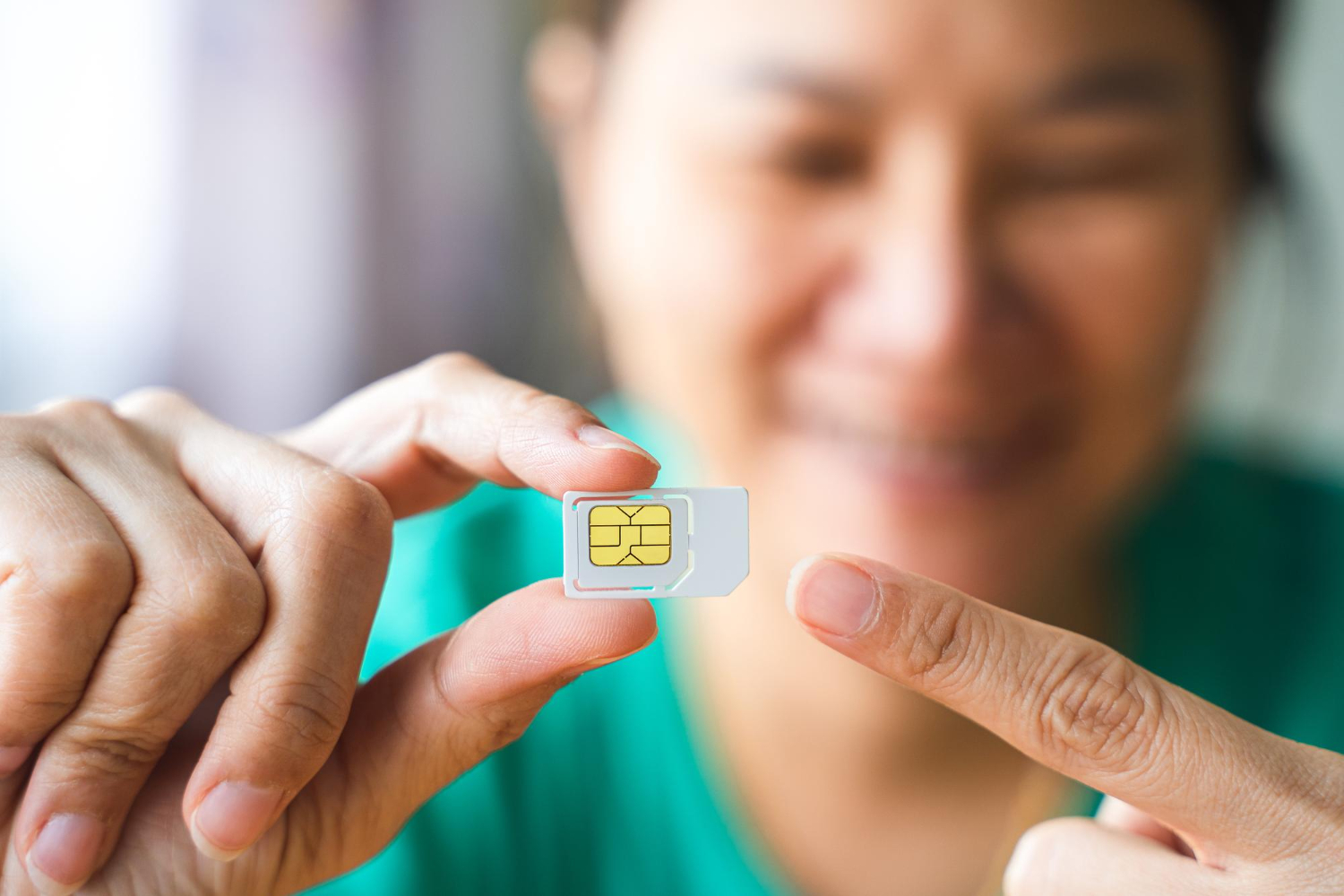
    An eSIM, or « embedded SIM », is a virtual SIM card integrated directly into a smartphone or other connected device. It requires no manual insertion or handling, unlike traditional physical SIM cards. Everything is done digitally: activation, deletion, or even changing operators.

    eSIMs function like traditional SIM cards, allowing identification with a mobile network and access to phone and internet services. The main difference lies in their flexibility: you can store multiple eSIM profiles on the same device and switch between them as needed.

    How to install multiple eSIMs?

    How to install a Vostra eSIM on your phone

    If you travel to different countries or need multiple mobile lines, installing several eSIMs is an excellent option. Here’s how to do it:

    1. Check your device’s compatibility

    Not all smartphones are eSIM compatible. To check if yours is:

    • Go to Settings > Mobile Data.
    • If the « Add eSIM » option is available, your device is compatible.
    • You can also dial *#06# to display the EID (eSIM identifier) number.

    2. Purchase an eSIM

    You can purchase an eSIM from an operator or a provider like Vostra.world. Depending on your destination, you’ll have the choice between local, regional, or global plans.

    3. Install an eSIM

    Once your eSIM is purchased, you will receive a QR code or an activation code:

    • Open Settings > Mobile Network > Add eSIM.
    • Scan the QR code or enter the activation code.
    • Follow the instructions to complete the installation.

    How to switch between eSIMs?

    Once multiple eSIMs are installed, you can easily switch between them:

    • Go to Settings > SIM Cards & Mobile Networks.
    • Select the eSIM you want to activate.
    • Deactivate the previous eSIM if necessary.

    This feature is particularly useful for travelers who wish to use a local eSIM while keeping their main line active.

    How many eSIMs can I add to my phone?
    How many eSIMs on my phone

    • iPhone: Up to five eSIMs can be stored, but only two can be active simultaneously.
    • Android (Samsung, Google, Huawei): On average, five to seven eSIMs can be installed, with only one active at a time.

    The advantages of having multiple eSIMs

    Using multiple eSIMs offers several advantages:

    • Avoid roaming charges by activating a local eSIM in each country.
    • Switch between a business line and a personal line.
    • Store multiple plans without having to handle physical SIM cards.

    Can an eSIM be used with a physical SIM card?

    Yes, most modern smartphones support Dual SIM mode, allowing you to use an eSIM and a physical SIM card simultaneously. Here are some examples of use:

    • Use an eSIM for mobile data and a physical SIM for calls.
    • Have a local line for work and another for personal contacts.

    In your phone’s settings, you can assign a specific eSIM for calls, another for SMS, and yet another for mobile data.

    When and how to delete an eSIM?

    If you no longer wish to use an eSIM, here’s how to delete it:

    • Go to Settings > SIM Cards & Mobile Networks.
    • Select the relevant eSIM and tap « Delete ».

    It’s also possible to temporarily deactivate an eSIM if you plan to use it later.

    Managing multiple eSIMs is a real asset for travelers and professionals. Thanks to Vostra.world, you can access flexible and optimized plans for your daily use.

    FAQ

    Can multiple eSIMs be active simultaneously on a smartphone?
    This depends on your phone model. On iPhones, two eSIMs can be active simultaneously. On most Android smartphones, while you can store multiple eSIMs, only one can be active at a time.
    Is there a limit to the number of eSIMs I can save on my phone?
    Yes, the number of eSIM profiles you can save depends on the manufacturer. For example, recent iPhones can store up to five eSIMs, while Android phones like Samsung and Google Pixel allow you to save between five and seven eSIMs.
    How can I avoid accidentally activating the wrong eSIM?
    You can rename each eSIM in your phone’s settings to better identify them. Also, make sure to select the correct eSIM when switching lines in your phone’s settings.
    Can I temporarily use a local eSIM without deleting my main eSIM?
    Yes, you can simply temporarily deactivate your main eSIM in the settings and activate a local eSIM to avoid roaming charges.
    If I delete an eSIM, can I reinstall it later?
    No, once deleted, an eSIM generally cannot be reinstalled. You will need to contact your operator to obtain a new eSIM profile.
    What are the differences between a local, regional, and global eSIM?
    • Local eSIM: Valid only in a specific country, ideal for a short stay.
    • Regional eSIM: Works in several countries within the same region (e.g., Europe, Southeast Asia).
    • Global eSIM: Compatible in many countries, perfect for globe-trotters.

  • How to track and recharge your data with an eSIM

    How to track and recharge your data with an eSIM

    When traveling abroad, it’s essential to know how much mobile data you’ll consume. This helps you choose an eSIM plan that fits your needs and avoid unpleasant surprises. This guide will help you estimate your consumption, understand how mobile data works, and provide practical tips for using less.

    What is mobile data?

    Utiliser Internet sans être connecté à un réseau Wi-Fi

    Mobile data refers to information exchanged between your phone and the Internet via a cellular network (3G, 4G, 5G), without using Wi-Fi.

    When you use the Internet without being connected to a Wi-Fi network, you consume mobile data. With an eSIM, this connection is made directly via the local mobile network of the country you’re visiting.

    Difference between Wi-Fi and mobile data

    Wi-Fi relies on a signal emitted by a local router, usually free or included with accommodation. Mobile data, on the other hand, uses a telecom operator’s network.

    The advantage of mobile data is that it allows you to access the Internet everywhere, without depending on an access point. However, it can incur additional costs if you exceed your quota or are roaming.

    What uses consume the most data?

    The amount of data consumed depends on the applications used and the type of content loaded. Here’s an indicative estimate of consumption per activity:

    • Google Maps: ~5 MB/hour
    • Social networks (photos, short videos): ~50 MB/hour
    • Standard web browsing: ~50 MB/hour
    • Online games: ~70 MB/hour or more
    • Music streaming: ~100 MB/hour
    • Video in SD quality: ~1 GB/hour
    • Video in HD: ~4 GB/hour
    • Video in 4K: ~7 GB/hour

    How much eSIM data do I need?

    1 GB of data allows for approximately 20 to 30 minutes of daily use for browsing, emails, and social networks. If you primarily use the card for communication, 1 to 3 GB per week may suffice. However, for frequent streaming or video calls, plan for a volume between 5 and 10 GB.

    For a two-week stay in France with moderate usage, a 3 GB plan valid for 15 days is generally sufficient. Vostra offers flexible eSIMs for every destination.

    How to track my eSIM data usage?

    Avoir un suivi de la quantité de données restantes

    On iPhone, you can add a tracking widget. It shows you the remaining data in real time. You can also receive alerts via push notifications.

    • iPhone: Settings > Notifications > Vostra App > Allow Notifications
    • Android: Settings > Notifications > App settings > Vostra

    How to top up my eSIM data?

    If you have a top-up plan, log in to your Vostra eSIM app, go to « My eSIMs, » select your plan, and choose « Top Up. » If the option doesn’t appear, it means the plan is not top-upable, and you’ll need to purchase a new one.

    Now, if you choose to disable mobile data, you must connect to Wi-Fi to access the Internet. This can be useful for saving your quota, but be careful not to be without access if you are traveling without a secure Wi-Fi network.

    5 practical tips to reduce your data consumption while traveling

    Here are 5 concrete tips to use your eSIM more intelligently and extend your plan’s duration.

    1. Block background data usage

    Many applications continue to consume data, even when you are not actively using them. This is the case for social networks, messaging apps, weather apps, and emails that synchronize automatically. To prevent this, disable background app refresh in your phone settings.

    On iPhone: Settings > General > Background App Refresh.

    On Android: Settings > Connections > Data Usage > Background data.

    By blocking these invisible uses, you will drastically reduce your consumption without compromising the user experience.

    2. Activate « Low Data Mode » on iPhone or « Data Saver » mode on Android

    « Low Data Mode » is designed to limit the amount of data your iPhone uses. It automatically suspends certain features like automatic updates, iCloud backups, or photo uploads. This is particularly useful when traveling with a limited plan.

    How to activate it: Settings > Cellular Data > eSIM Line > Low Data Mode.

    On Android, « Data Saver » mode acts similarly. It prevents applications from receiving or sending data when they are not active.

    To activate it on Samsung: Settings > Connections > Data Usage > Data Saver.

    On standard Android: Settings > Network & Internet > Data Usage > Data Saver.

    Result: you stay connected, but your data is reserved only for priority tasks 😇.

    3. Download your maps in advance

    Using Google Maps or other online navigation apps can consume a lot of data, especially on long journeys. A simple trick is to download maps of your destination before you leave. How to do it? Open the app with a Wi-Fi connection, search for the desired area, and tap « More » > « Download offline map. »

    4. Store music, videos, and podcasts in advance

    Streaming is one of the most data-intensive uses of mobile data. A YouTube HD video can consume between 1 and 4 GB per hour. To avoid this, download your content in advance via Wi-Fi: Spotify playlists, Netflix series, podcast episodes… Once downloaded, this content will be accessible offline, with no additional charges.

    5. Disable Wi-Fi Assist

    Wi-Fi Assist is a feature that automatically switches to mobile data as soon as the Wi-Fi connection is deemed unstable. This can lead to unintentional consumption, especially in hotels, cafes, or train stations where Wi-Fi is sometimes slow or intermittent.

    On iPhone: Settings > Cellular Data > Disable “Wi-Fi Assist”.

    On Android: Settings > Network > Wi-Fi > Advanced settings > Disable automatic switch to mobile network.
    Once disabled, your device will remain connected to Wi-Fi, even if the signal quality temporarily drops.

    FAQ

    How do I know how much data I need during my trip?
    Start by estimating your daily usage (browsing, social networks, streaming, GPS). For example, if you mainly use the Internet for emails and Google Maps, 1 to 3 GB is enough for a week. For regular video or audio streaming, plan for at least 5 to 10 GB. The article details average consumption per activity to help you.
    Why does my data run out quickly even though I’m not actively using the Internet?
    Applications can use data in the background (automatic updates, cloud synchronization, content refresh). Remember to disable these functions in the settings and restrict data access to only essential apps when you are abroad.
    What happens if I disable my mobile data during my trip?
    By disabling mobile data, your device will only be able to access the Internet via Wi-Fi. This helps save your plan but can be inconvenient if you are traveling and don’t have Wi-Fi available. The ideal is to activate data only when you need it.
  • Traveling with an eSIM: what you need to know

    Traveling with an eSIM: what you need to know

    Traveling with an eSIM means enjoying an immediate mobile connection, without a physical card or roaming charges. But what happens when you change countries? Do you need to buy a new eSIM at each border? In this article, we clearly explain the differences between local, regional, and global eSIMs to help you choose the right plan for your itinerary.

    How does an eSIM work abroad?

    Stay connected with an eSIM abroad

    An eSIM (virtual SIM) allows you to connect to a local mobile network without needing a physical SIM card. When traveling abroad, this prevents you from having to use your usual operator’s expensive roaming plans.

    Specifically, you download an eSIM profile corresponding to your destination and you’re connected to a local operator as soon as you arrive. In other words, you have access to internet, calls, and SMS at local rates, without extra roaming charges. Practical, economical, and activatable in just a few minutes.

    Using a Vostra eSIM in another country: what you need to know

    A question that often comes up among our users is: is it possible to use a Vostra eSIM abroad? The answer depends on the type of plan you choose. At Vostra, we offer three types of eSIM plans: local, regional, and global. The choice of your eSIM will therefore depend on your destination and your connectivity needs.

    What is a local eSIM?

    A local eSIM is valid in a single country. It’s ideal if you plan to stay in the same destination. For example, if you’re traveling in France, you can buy a French eSIM that will work anywhere in the country, whether you’re in Paris, Marseille, or Lilles.

    Once activated, this eSIM connects to a French operator, offering you an experience identical to that of a resident. However, if you leave the country, you’ll need to install a new eSIM adapted to your next destination.

    What is a regional eSIM?

    Advantages of using a regional eSIM

    Regional eSIMs cover several countries within the same geographical area. This is a suitable solution if you are planning a multi-country itinerary within the same region (Europe, Asia, etc.).

    For example: you depart from Côte d’Ivoire, pass through Mali, then Senegal. Rather than buying an eSIM for each country, you opt for a regional eSIM for Africa, which will work in all these territories. You thus remain connected without interruption throughout your trip.

    Some examples of areas covered by regional eSIMs:

    • Africa
    • Asia
    • Australia and Oceania
    • Caribbean
    • Europe
    • Latin America
    • Middle East and North Africa
    • North America

    What is a global eSIM?

    The global eSIM is the most flexible solution for globetrotters. It works in several regions and countries simultaneously. If you’re embarking on a long journey covering Europe, Asia, and America, for example, you only need one global eSIM plan to stay connected throughout the trip.

    This type of eSIM is perfect for digital nomads, backpackers, or anyone who frequently changes countries. It avoids repeated installations and offers a seamless experience, even when traveling intercontinentally.

    FAQ

    Does my eSIM work automatically in all countries?
    No. Coverage depends on the type of plan you’ve chosen: local (1 country), regional (several countries in the same zone), or global (multi-regions). Always check the list of included countries before purchasing.
    Do I need to buy a new eSIM every time I change countries?
    Not necessarily. If you have a local eSIM, yes. However, regional or global plans allow you to stay connected in several countries without interruption.
    How do I activate a Vostra eSIM abroad?
    Once your eSIM is purchased on Vostra.world, you will receive a QR code. Scan it from your smartphone settings, then activate the eSIM in a few seconds. Remember to enable roaming and mobile data to use it abroad.
    What are the advantages of an eSIM for travel?
    Quick to activate, no physical card, economical, and functional in over 200 destinations: the eSIM allows you to stay connected everywhere, without breaking the bank on roaming charges.
    Does an eSIM work without Wi-Fi?
    Yes. Once installed and activated, your eSIM connects you to the local mobile network. You do not need Wi-Fi to use your mobile data.
  • How to reduce data consumption on Spotify?

    How to reduce data consumption on Spotify?

    Spotify is one of the most popular applications for streaming music. However, frequent use of the app can quickly consume a large volume of mobile data, which can be costly, especially when you are traveling abroad. This article guides you on how to reduce your data consumption on Spotify while fully enjoying your favorite tracks, even on the go.

    What is Spotify’s data consumption?

    Spotify offers several audio quality levels that directly influence the amount of data consumed. Here’s a detailed overview:

    • Low quality (24 kbps): This option uses approximately 40 MB per hour. It is ideal if you have a limited data plan.
    • Normal quality (96 kbps): This level consumes approximately 70 MB per hour, offering a good balance between audio quality and data saving.
    • High quality (160 kbps): Approximately 150 MB per hour. Suitable for high-definition sound enthusiasts, but be aware of the impact on your data.
    • Very high quality (320 kbps): Up to 300 MB per hour, this option is reserved for audiophiles looking for optimal sound quality.

    On average, an hour of streaming at normal or low quality will suffice for most users while minimizing data consumption.

    Practical tips to reduce data consumption

    Even though we love our music streaming services like Spotify, especially when traveling, they tend to consume a lot of mobile data. So here are some tips to optimize your data consumption

    optimiser sa consommation de données sur Spotify

    1. Adjust streaming quality

    Spotify’s audio quality can be adjusted in the settings to reduce data consumption. Here’s how to do it 👇:

    • Open the Spotify app.
    • Go to Settings > Music Quality.
    • Choose Low quality or Normal to limit data usage.

    This tip is particularly useful if you’re listening to music through your phone’s speakers or standard headphones, where the difference in sound quality is less noticeable.

    2. Download your music for offline listening

    Downloading your favorite playlists or albums is an excellent way to save your mobile data. Once downloaded, music is accessible even without an internet connection. Here’s how to do it:

    • Go to a playlist or album you like.
    • Enable the Download option.
    • Make sure your device is connected to a Wi-Fi network to avoid using your mobile data.

    This method is practical for plane, train travel, or in areas without network coverage.

    3. Use Wi-Fi as much as possible

    Whenever you have access to a reliable Wi-Fi connection (at home, in the office, a cafe, or a hotel), prioritize using it to stream or download music. This allows you to save your mobile data and ensure smooth, uninterrupted playback.

    Tip: Configure Spotify to only download or update your music library when connected to a Wi-Fi network.

    How to check your Spotify data usage?

    To keep an eye on the amount of data consumed by Spotify, you can check usage statistics directly on your smartphone:

    On an iPhone:

    1. Go to Settings > Cellular Data.
    2. Scroll down to the Spotify app.
    3. View consumption under the Current Period section.

    On an Android device:

    1. Go to Settings > Apps.
    2. Select Spotify.
    3. Check data under the Usage section.

    This regular check can help you adjust your listening habits to avoid exceeding your data plan.

    Also discover some interesting features of this application in this video!

    The eSIM: an ideal solution to bypass roaming charges

    When you travel, using an eSIM is an effective solution to avoid roaming charges while benefiting from your streaming services like Spotify. Unlike physical SIM cards, an eSIM can be activated instantly and allows you to access mobile data at competitive rates, wherever you are in the world.

    With Vostra.world‘s offers, you can:

    • Activate an eSIM in a few clicks without changing your main number.
    • Benefit from a plan tailored to your destination.
    • Avoid surprises related to roaming charges.

    Whether you’re on vacation or a business trip, the eSIM is a practical and affordable solution to stay connected. Happy travels and happy listening!

    FAQ

    How to adjust streaming quality on Spotify?
    Go to Settings > Music Quality and select a lower quality to reduce data consumption.
    Does Spotify work with an eSIM?
    Yes, Spotify works perfectly with an eSIM. You can access your playlists with a stable and affordable connection wherever you are.
    How to check my Spotify data usage?
    On iPhone, go to Settings > Cellular Data. On Android, go to Settings > Apps, select Spotify, then check the Usage section.
  • eSIM vs Roaming vs Local SIM: Which option should you choose for your trip?

    eSIM vs Roaming vs Local SIM: Which option should you choose for your trip?

    Planning a trip abroad often involves considering the best solution to stay connected. Between roaming, local or international SIM cards, and eSIMs, it can sometimes be difficult to find your way. This article guides you to make the most suitable choice for your needs and budget.

    What is roaming?

    Roaming is the service offered by your phone operator to allow the use of your number abroad. This includes calls, SMS, and mobile data, often at increased rates. If your trip is short and you don’t plan to use much data, roaming can be a simple, albeit expensive, solution.

    When is roaming advantageous?

    • For short trips where you use little data.
    • If your operator offers plans with included roaming.

    Be aware, however, of hidden fees and overage charges, which can quickly add up to a heavy bill.

    What is a local SIM card?

    Using a local SIM card

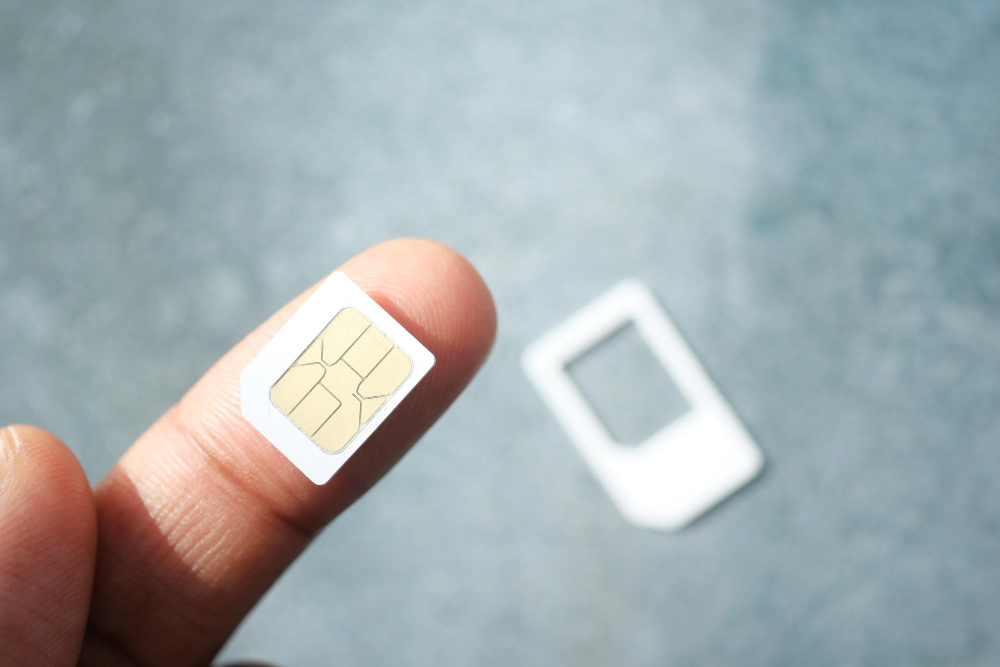
    A local SIM card is a physical card you purchase once you arrive in your destination country. It allows you to get a local number and benefit from advantageous rates for calls and data.

    Advantages of local SIM cards:

    • Generally more competitive rates for calls and data.
    • No long-term commitment.
    • Availability in local stores and airports.

    However, these cards can become impractical if you travel to multiple countries, as they often only work within the area where they are purchased.

    What is an international SIM card?

    International SIM cards are designed for frequent or long-term travelers. They give you the opportunity to use calls, SMS, and data in several countries without having to change cards.

    Advantages:

    • Convenience for multi-country travel
    • Often offers a single solution to stay connected

    On the other hand, they can be more expensive to purchase and often require prior activation or specific recharges.

    Why not choose an eSIM?

    eSIM flexible solution for travel abroad

    • Simple and quick installation: activate your plan in minutes.
    • No physical card needed; you can combine multiple plans.
    • Ideal for multi-destination trips.
    • No risk of losing a physical SIM card.

    With eSIM, you can easily switch between different plans and stay connected worldwide without logistical complications. Being virtual, it is the most modern and flexible solution for travelers.

    Once integrated directly into your phone, you can activate plans via a QR code without needing a physical card. Explore Vostra.world‘s eSIM offers to find the ideal plan for your next adventure.

    FAQ

    Is my phone compatible with eSIM?
    To check compatibility, consult your phone’s settings. Look for « Add eSIM » or use the code *#06# to check for an EID number.
    What are the main advantages of eSIM?
    eSIM is convenient, quick to install, and ideal for multi-country travel. You can combine multiple plans without having to change physical cards.
    Can an eSIM and a physical SIM card be used simultaneously?
    Yes, if your phone is compatible with dual SIM technology, you can use an eSIM while keeping a physical SIM card.


  • How to simplify your travels by eliminating roaming charges?

    How to simplify your travels by eliminating roaming charges?

    When abroad, your phone can quickly incur exorbitant charges, whether you monitor your usage or not. Indeed, most travelers have already faced phone bills well beyond their expectations. And who hasn’t heard of those unexpected and dreaded roaming fees?

    Fortunately, there are several tips to reduce roaming costs while traveling. Whether you’re going for a long stay abroad or a weekend trip across the border to visit family, here are four essential strategies to avoid unexpected phone bills.

    Four tips to reduce your roaming costs when traveling

    When traveling abroad, several options are available to reduce roaming costs. There is no one-size-fits-all solution, but we’re revealing four effective strategies to consider. Each has specific advantages, so choose the one that best suits your next journey.

    1. Consult your provider in advance

    Before you leave, check with your provider about available options for international data. Some providers even offer free roaming. While these offers aren’t always included in the most economical plans, they can be very advantageous if you travel frequently.

    Additionally, some providers offer free roaming data for certain countries or globally, even if the speed may be limited to 2G. If this meets your needs, this option is worth considering.

    Finally, other providers offer temporary data packages. Rates may vary depending on the country, region, or duration of your stay. Don’t hesitate to ask many questions to find the solution best suited for your trip.

    2. Rely on local Wi-Fi connectivity

    Many travelers prefer to completely forgo mobile data and rely on available Wi-Fi hotspots in the area. This economical tip works very well in many urban areas but may be less effective in rural or isolated regions.

    To do this, disable mobile data in your phone’s settings. Avoid relying on Airplane mode, as some background services might continue to use data. For added security, some prefer to remove their SIM card from their phone. Make sure you have a safe place to store it.

    Without access to mobile data, your phone will only work on available Wi-Fi networks. Emergency services will remain accessible, and you can use GPS if you have downloaded local maps via Google Maps. Take advantage of this solution to facilitate your travels by:

    • Looking for cafes offering free Wi-Fi.
    • Accessing free Wi-Fi in public libraries or other municipal buildings.
    • Considering a coworking subscription if you work as a freelancer.
    • Being careful about unsecured Wi-Fi networks, especially open networks in unusual areas.

    3. Opt for a local SIM card

    Many seasoned travelers opt for local SIM cards during their stays abroad. Buy a SIM card directly on site and insert it into your phone to get a local number and access mobile data via local networks.

    Used wisely, this solution proves to be both economical and practical for staying connected throughout your trip.

    Staying connected throughout your trip with a local Sim card

    However, if this option seems too easy or too advantageous, it’s important to remain vigilant. While purchasing a local SIM card generally goes smoothly, some pitfalls can arise:

    • The SIM card may not offer the promised services.
    • Hidden fees may be applied.
    • You might acquire a card incompatible with your device.

    These risks are amplified in case of a language barrier or if you purchase from unauthorized resellers. It is therefore essential to gather information before making a purchase.

    4. Switch to eSIM

    Is your device compatible with eSIM technology? eSIM, or embedded SIM, is a tiny chip integrated directly into your phone. To activate it, you simply download a data plan from a provider or via an online platform. Once configured, you immediately benefit from mobile connectivity and data without having to handle a physical card.

    The advantages of eSIM are numerous:

    • Flexibility: Download multiple data plans and easily switch between them as needed during your travels.
    • Savings: Access local plans at competitive rates thanks to partnerships between online platforms and providers.
    • Dual SIM: Use your eSIM alongside your national SIM card without having to remove it. Simply deactivate your local SIM’s data while continuing to use calls and messages from your main number. Additionally, keeping your usual number facilitates authentications and other services requiring your personal number.

    Save on roaming charges during your travels with Vostra

    Roaming charges can quickly add up, but you don’t have to bear them on every trip. Apply these effective strategies to reduce your roaming costs while maintaining optimal connectivity during your stays abroad.

    From Wi-Fi hotspots to adopting eSIMs, there are many ways to manage your connectivity while traveling. Don’t fall into the trap of expensive data plans and avoid spending your vacation stressing about the bill awaiting you upon your return. Instead, opt for one of these practical tips and fully enjoy your adventure worry-free.

    Visit the Vostra platform now to find the most economical eSIM plans and stay connected wherever you are in the world.

  • SIM cards, eSIM: the best mobile solutions for sailors

    SIM cards, eSIM: the best mobile solutions for sailors

    Accessing reliable mobile coverage can be a challenge for sailors. Areas without terrestrial networks require specific solutions to stay connected. International SIM cards, local SIM cards, and eSIM – we help you choose the one best suited to your needs at sea.

    Staying Connected at Sea: The Challenges

    Connecting at sea is nothing like typical mobile use on land. Sailors face several obstacles, such as:

    • No network coverage areas: Far from terrestrial antennas, phones cannot pick up a standard signal.
    • Little to no Wi-Fi access: Ships are rarely equipped with reliable or high-performance Wi-Fi networks.
    • High roaming charges: Even with limited coverage, roaming fees can quickly become prohibitive.

    To overcome these challenges, it’s important to choose an adapted mobile solution that takes into account:

    • The country being crossed: Some plans offer global coverage, while others are limited to a specific region.
    • Data volume: Sailors often need a lot of data for video calls or internet browsing.
    • Duration of the trip: A long journey requires a flexible, rechargeable, or adjustable solution.

    Given these needs, several options stand out: international SIM cards, local SIM cards, and eSIM.

    International SIM Cards for Sailors

    International SIM cards, like « Travel SIM » offers, are designed to work in multiple countries or regions. They offer several advantages for sailors:

    • Worldwide compatibility: They provide coverage in many countries without changing cards.
    • Immediate use: Once the card is inserted, it’s ready to use without local configuration.

    However, international SIM cards are not perfect:

    • Included plans are often expensive, especially if you consume a lot of data.
    • Recharge options at sea can be limited, as they require an internet connection.
    • Physical cards can get lost or damaged.

    In summary, international SIM cards are convenient, but they are not always suitable for intensive or long-term use.

    Local SIM Cards: A Limited Solution

    Local SIM cards are purchased directly in the country or region you are traveling in. With them:

    • Costs are generally lower than international SIM cards.
    • A local number facilitates national calls.

    However, these cards have a few drawbacks if you work at sea:

    • They only work in a given country. If you cross multiple borders, you will need to change cards.
    • Recharges can be complicated at sea, as they require an internet connection.
    • They are often designed for short-term stays, not for prolonged trips.

    These limitations make local SIM cards poorly suited for sailors who need a flexible and international solution.

    Why eSIM is Ideal for Sailors

    An eSIM (embedded SIM) is a SIM card integrated directly into your device. Unlike physical cards, it offers the possibility to download a digital plan without physical manipulation. Its strengths 👇 :

    • Worldwide coverage: eSIM plans offer coverage in over 200 countries.
    • Quick activation: Download an eSIM plan online and activate it instantly.
    • Convenience: No more need to change physical cards or visit a local store.
    • Competitive costs: eSIM plans are often more affordable than physical alternatives.

    However

    Your phone must be compatible. Older models do not support this technology. Most recent smartphones, such as iPhones and recent Android devices, do have this feature.

    Final Word

    For sailors, choosing an adapted mobile solution is essential to stay connected at sea without interruption. While international and local SIM cards offer interesting options, eSIM stands out as the most flexible and practical solution. Prepare your trip now with eSIM offers on Vostra.world.

    FAQ

    What is an eSIM?
    An eSIM is a SIM card embedded directly into your phone. It allows you to activate mobile plans without having to insert a physical card.
    Is my phone compatible with an eSIM?
    Recent smartphones support eSIM. Check your settings or consult the list of compatible devices on the Vostra website.
    Can an eSIM replace a physical SIM card?
    Yes, an eSIM performs the same functions as a physical SIM, while offering more flexibility and convenience.
    How do I activate an eSIM at sea?
    Download your eSIM plan via a Wi-Fi connection before you leave. Then, activate it directly from your phone.
  • What happens to my data if I delete my eSIM?

    What happens to my data if I delete my eSIM?

    You’ve used an eSIM for a trip or business travel and are wondering what to do with it when you return? Deactivate or delete your eSIM. While these two actions seem similar, they have very different implications. In this guide, we explain when to choose one over the other, and how to do it step-by-step.

    How to deactivate an eSIM

    Deactivating an eSIM is an excellent solution if you want to keep your plan for future use. This method allows you to pause the line without deleting it, which is ideal if you are returning to the same region soon or if your plan is still valid.

    Steps to deactivate an eSIM on your phone

    • Go to your device’s settings.
    • Go to the Mobile Data or Mobile Networks section, depending on your device.
    • Select your active eSIM line.
    • Tap the Deactivate this line option or an equivalent command.

    Once deactivated, your eSIM remains installed on your phone, but it no longer uses data or network. This can be useful if you plan to reactivate this line on a future trip or to avoid accidentally consuming data.

    Why deactivate instead of delete?

    Choose to deactivate your eSIM if:

    • You plan to reuse this plan on a future trip to the same region.
    • Your plan is still valid, but you don’t need it immediately.
    • You want to avoid having to download the eSIM card again.

    Please note: deactivation does not extend the validity of your plan. If it expires while the line is deactivated, you will need to purchase a new plan or top it up, depending on the options offered by your provider.

    When and why to delete an eSIM

    Guide pour savoir comment supprimer son eSIM

    Deleting an eSIM is a permanent action that erases the plan from your device. It also involves the loss of data associated with that plan. So, before you take the plunge, here’s what you need to know:

    When is it necessary to delete an eSIM?

    • The eSIM plan has expired and cannot be topped up.
    • You no longer need this line and want to free up space on your device.
    • You are changing regions or providers for a new eSIM plan.

    In some cases, such as a lack of space on your device, deleting an inactive eSIM simplifies the management of your mobile networks.

    What to keep in mind before deleting an eSIM

    • eSIM plans are limited to a validity period. If you delete an expired eSIM, you will not be able to reactivate it.
    • You cannot transfer a deleted eSIM to another device, even if it is still valid.
    • Deletion is irreversible: you will need to purchase a new plan if you need it again.

    What happens if I delete my eSIM?

    Deleting an eSIM can have significant consequences, especially if it is still valid or if you are traveling. Here’s what it entails:

    • You will lose access to your plan, even if it is still active.
    • You will need to purchase a new eSIM plan to restore your connectivity.
    • You could be without a connection if you don’t have an alternative solution (Wi-Fi or physical SIM card).

    Steps to delete an eSIM

    • Open your phone’s settings.
    • Go to the Mobile Data section.
    • Select the eSIM line you wish to delete.
    • Click the Delete this plan option and confirm your choice.

    Before deleting an eSIM, make sure you have backed up all important information or have a backup plan to stay connected.

    For reliable and easily rechargeable eSIM plans, explore the offers available on Vostra.world and stay connected wherever you are.

    FAQ

    Can I reactivate an eSIM after deleting it?
    No, a deleted eSIM cannot be reactivated. You will need to purchase a new plan or contact your operator to get another one.
    Does deleting an eSIM free up space on my phone?
    Yes, deleting an eSIM can free up a small amount of space on your device, especially if you manage multiple plans.
    How do I check if my eSIM plan is still valid?
    You can check the validity of your plan in your phone’s settings or via your provider’s app. On Vostra, log in to your account to check your balance and validity period.
  • Using an eSIM: Impact on Battery Life and Energy-Saving Tips

    Using an eSIM: Impact on Battery Life and Energy-Saving Tips

    With the growing popularity of eSIMs, some questions remain regarding their impact on mobile device battery life. One of the most frequent concerns is whether using an eSIM consumes more battery. In this article, we demystify this myth and provide practical tips to maximize your battery’s lifespan, especially when you’re traveling.

    Using your eSIM in the right region

    It is crucial to ensure that your eSIM plan matches the region you are in. For example, an eSIM designed for Europe will not work if you are traveling in North America or Asia.

    This is due to differences in available phone networks and frequencies used in different geographical areas.

    Utiliser une eSIM en Europe

    To avoid compatibility issues and ensure optimal use, here are some tips to apply 👇:

    • Choose an eSIM plan suited to your destination when purchasing.
    • Activate your eSIM before departing or upon arrival in the target region.
    • Ensure your device is configured to automatically select compatible networks in the area you are traveling to.

    By following these steps, you will avoid unnecessary interruptions and maximize your device’s energy efficiency, as a phone constantly trying to connect to an incompatible network can consume more power.

    These tips extend your battery’s lifespan

    When using an eSIM while traveling, it’s important to adopt certain habits that will help reduce your device’s energy consumption without compromising your user experience.

    • Reduce your screen brightness: A very bright screen is one of the biggest power consumers.
    • Activate airplane mode: When there’s no network or you don’t need a connection, this prevents constant signal searching.
    • Limit automatic updates: These use data and consume battery, especially when roaming.
    • Disable unnecessary services: Location, Bluetooth, or vibrations can be turned off when not needed.
    • Use power-saving mode: This mode automatically adjusts several settings to extend your battery’s lifespan.
    • Close unused apps: Some continue to consume resources in the background.
    • Avoid heavy downloads: Large videos or files can quickly drain your battery.
    • Use a portable charger: An external battery can be a practical solution, especially during long journeys or in poorly served areas.

    These simple actions make a big difference in your device’s battery life, especially if you are on the go and using an eSIM to stay connected.

    The real impact of eSIM on battery

    eSIM et impact sur votre téléphone mobile

    Contrary to popular belief, eSIMs do not consume more battery than physical SIM cards. Here’s why:

    • Integrated technology: eSIMs are directly integrated into the device’s hardware, eliminating the need for physical support. This reduces their impact on energy consumption.
    • Optimized data management: eSIMs use modern protocols to transmit and receive data, making them more efficient than traditional SIM cards.

    In summary, the eSIM does not represent an additional drain on your battery. However, other factors such as network coverage level or intensive use of certain applications can have a significant impact.

    Discover Vostra’s exclusive eSIM solutions for hassle-free travel to over 200 destinations. Click here to learn more.

    FAQ

    Does an eSIM consume more battery than a physical SIM?
    No, the eSIM is designed to be as efficient, if not more so, than a traditional SIM. It is integrated into the phone’s hardware and does not use more power than necessary to function.
    What should I do if my battery drains quickly with an eSIM?
    Make sure you have disabled unnecessary features (like location or excessive notifications) and are using power-saving mode. If you are on the go, a portable charger can also be useful.
    What are the advantages of an eSIM for travel?
    The eSIM offers increased flexibility to choose and activate plans tailored to your destination without changing a physical SIM card. It is also more convenient, as it prevents the loss or damage of a card.
  • Can I modify or change my eSIM plan?

    Can I modify or change my eSIM plan?

    Before using an eSIM, it’s essential to check two important things: is your phone unlocked by your current carrier, and is it compatible with eSIM technology? We’ll explain how to verify these essential aspects to take advantage of the many benefits of eSIMs.

    How to check if your phone is unlocked?

    To use an eSIM with a carrier of your choice, your phone must be unlocked (i.e., it must not be restricted to a single carrier). A locked device can restrict access to other networks, leading to additional costs or the inability to use foreign eSIMs. Here’s how to check if your device is unlocked:

    • Go to Settings > Connections > SIM Manager.
    • Look for the Carrier Lock section.
    • If your device is unlocked, the message “No SIM restrictions” will appear.

    How to check if your phone is compatible with eSIM technology?

    eSIM compatibility is generally reserved for recent phone models (produced after 2018) that integrate eSIM technology.

    For an iPhone:

    • Go to Settings > Connections > SIM Manager.
    • Scroll to Available SIM (iOS 15 or later versions).
    • If the « Add eSIM » option appears, your device is compatible.

    For an Android device:

    • Dial *#06# and press Call.
    • If an EID (eSIM Identifier) number appears, your device is eSIM compatible.

    You can also check the official list of eSIM compatible phones on the Vostra website for confirmation.

    Can I change my eSIM plan?

    Change your eSIM plan on your mobile

    One of the great strengths of eSIMs lies in their flexibility. Unlike physical SIM cards, you can modify or change your eSIM plan according to your needs effortlessly. For example, you can:

    • Increase the amount of available data if you run out.
    • Change plans when traveling to a new destination.
    • Adapt your eSIM to extend its validity for a longer-than-expected trip.

    To modify your plan, log in to your Vostra account, select your eSIM, and choose the « Recharge » or « Change Plan » option.

    Deactivating and deleting an eSIM

    If you no longer need your eSIM, you can choose to temporarily deactivate it or remove it from your phone. This depends on your needs:

    • If you plan to use this eSIM later, deactivate it to avoid permanent deletion.
    • If the eSIM will no longer be useful, you can delete it from your settings.

    Here’s how to deactivate or delete an eSIM:

    1. Go to Settings > Cellular or Mobile.
    2. Select the eSIM line to deactivate.
    3. Tap Deactivate This Line.

    You can reactivate this eSIM at any time if it remains registered on your device.

    How to change your eSIM plan?

    Here are situations where you might want to change your eSIM plan:

    You’re running out of eSIM data

    If you use your eSIM intensively and your plan is exhausted, easily recharge it via your Vostra account:

    • Go to My eSIMs.
    • Select the active eSIM.
    • Choose the Recharge option and follow the instructions.

    Your validity period expires

    If your eSIM is about to expire, you can extend its validity by recharging or purchasing a new plan.

    You’re changing countries or regions

    If you travel to a different region, you may need to purchase a plan suited to that new destination. Log in to your Vostra account to choose a compatible plan.

    Getting started with a Vostra eSIM

    First steps to use and activate a Vostra eSIM

    Steps to quickly set up your eSIM with Vostra:

    Step 1: Purchase an eSIM

    Go to Vostra.world to choose the eSIM plan that suits your needs.

    Step 2: Install the eSIM

    Scan the QR code received after your purchase:

    • Go to Settings > Mobile Network.
    • Select Add eSIM and scan the code.

    Step 3: Activate the eSIM

    Follow the specific instructions to activate your eSIM according to the chosen destination. Once activated, you are ready to connect!

    Step 4: Connect to a network

    Enable mobile data and roaming in your settings to start using your Vostra eSIM plan.

    FAQ

    How do I check if my phone is eSIM compatible?
    Go to your settings to look for the « Add eSIM » option or use the code *#06# to check the EID number.
    Can I use an eSIM with a physical SIM?
    Yes, most eSIM-compatible devices allow simultaneous use with a physical SIM.
    How do I activate my Vostra eSIM?
    Scan the QR code received after your purchase and configure the eSIM in your network settings.