CatĂ©gorie : – English

  • Install and use your Vostra eSIM: The step-by-step guide

    Install and use your Vostra eSIM: The step-by-step guide

    About to adopt eSIM technology? Excellent decision! eSIMs are a simple, economical, and ultra-convenient solution to stay connected wherever you go. Not sure where to start? We’ve gathered all the essential information here to guide you through your first steps.

    Where to get an eSIM?

    Most carriers already offer eSIM plans, but few truly enhance the connection experience. Even big names like Verizon still admit to encountering performance and compatibility issues with dual SIM phones.

    With Vostra, switching to an eSIM is a breeze: simply buy, download, and activate a prepaid plan. By collaborating with local carriers worldwide, we guarantee you optimal service quality at ultra-competitive rates. No more dropped calls, weak signals, or exorbitant roaming fees!

    Our catalog covers hundreds of countries and regions. To get your Vostra eSIM, it’s very simple:

    1. Go to the Vostra website or download our app (available on the App Store and Google Play).
    2. Choose the destination for your next trip.
    3. Select the plan that best suits your needs, in terms of data and validity.

    How to install an eSIM

    Now let’s move on to the next step: installing your eSIM. Thanks to the integrated technology of eSIM-compatible phones, activating and configuring your data plan is effortless. No need to handle physical SIM cards anymore: an unlocked and eSIM-compatible phone is all you need to get started.

    Once your Vostra eSIM is purchased, you will receive an email detailing each step of its installation. To provide further assistance, we have also revamped our installation guide to offer you a comprehensive and accessible resource.

    You have three simple methods to install your Vostra eSIM on your device:

    Direct Installation

    On iPhone:

    • Open the Vostra app on your phone
    • Go to My eSIMs then select the desired eSIM
    • Tap on Details, then on View Instructions
    • Choose Direct, then tap on Install eSIM
    • Follow the step-by-step guide by tapping Next, then Continue twice, and wait a few minutes for activation
    • Once the installation is complete, tap on Done
    • Add a label to your new plan (e.g., « Vostra »), tap on Done, then on Continue
    • Set your primary line for calls, SMS, iMessage, and FaceTime, then select the Vostra eSIM for your mobile data
    • Make sure the Allow Cellular Data Switching option is disabled
    • Tap on Continue.

    The installation page will close automatically.

    On Android:

    • Open the Airalo app
    • Go to My eSIMs, select your eSIM and tap on Details
    • Tap on View Instructions, then on Direct
    • Tap Install eSIM, then Allow, and wait a few minutes for activation to complete.

    You will then see a confirmation of successful installation.

    Installation via QR Code

    Prepare the QR code in Vostra

    • Open the Vostra app
    • Go to My eSIMs, click on the eSIM to install and tap on Details
    • Tap on View Instructions, then select QR Code
    • Tap on Share QR Code, then on Save Image.

    On iPhone:

    • Make sure you are connected to a Wi-Fi network
    • Go to Settings > Cellular (or Mobile)
    • Tap on Add eSIM > Use QR Code > Open Photos and select the saved QR code
    • Tap Continue twice and wait a few minutes for activation
    • Tap on Done, add a label (e.g., « Vostra »), then tap on Done and Continue
    • Choose your primary line for calls, SMS, iMessage, and FaceTime
    • Select the Vostra eSIM for cellular data, make sure Allow Cellular Data Switching is disabled, then tap on Continue. The installation page will close.

    On Android:

    • Go to Settings > Connections > SIM Manager.
    • Tap on Add eSIM > Scan QR code > Gallery/Photos Icon.
    • Select the saved QR code, tap on Done, then on Add.
    • Wait a few minutes for activation. The installation page will close.

    Manual Installation

    • Once you have accessed the Airalo app
    • Go to My eSIMs, select the eSIM and tap on Details.
    • Tap on View Instructions, then on Manual.
      You will then see the SM-DP+ address and your activation code.

    On iPhone:

    • Go to Settings > Cellular (or Mobile) > Add eSIM.
    • Tap on Use QR Code > Enter Details Manually.
    • Copy and paste the SM-DP+ address and the Activation Code (and confirmation if requested) from the Vostra app.
    • Tap on Next, then on Continue twice and wait a few minutes.
    • Once activated, tap on Done, then add your label (e.g., « Vostra »).
    • Choose your primary line for calls, SMS, iMessage, and FaceTime.
    • Select the Vostra eSIM for mobile data, make sure Allow Cellular Data Switching is disabled.
    • Tap on Continue. The installation page will close.

    On Android:

    1. Swipe down and go to Settings > Connections > SIM Manager.
    2. Tap on Add eSIM > Scan QR code > Enter activation code.
    3. Copy and paste the Activation Code from the Vostra app.
    4. Tap on Done, then on Add, and wait a few minutes for activation.
      The installation page will close.

    You now have all the steps to easily install your Vostra eSIM, whether via direct installation, QR code, or the manual method, for both iOS and Android.

    How to connect to the Internet upon arrival?

    Rester connecté à l'étranger avec une esim Vostra

    With your Vostra eSIM, no need to wait! Depending on the chosen offer, your eSIM will activate either immediately after installation or as soon as you connect to a network in your destination country. Not sure which plan applies to you? A quick look at your activation policy will clarify.

    Once there, go to your smartphone’s settings and choose your eSIM as the primary source for cellular data. Don’t forget to disable the « Allow Cellular Data Switching » option to avoid unexpected charges on your original plan. And just like that, you’re online, ready to browse with peace of mind!

    3 steps to troubleshoot your internet connection

    Struggling to get a signal or stay connected? Here are some tips to easily improve your connection:

    1. Adjust Roaming: Depending on your eSIM, you may need to enable or disable data roaming. Check your eSIM instructions to determine the ideal configuration.
    2. Update your APN: Some eSIMs require an Access Point Name (APN) to be entered. Check the provided instructions and, if necessary, follow them to correctly modify your settings.
    3. Check your signal level: Make sure you have enough bars for 3G or 4G/LTE. If you’re in an area with good coverage and nothing seems to work, try a full restart of your phone. Turn it off, wait 30 seconds, then turn it back on to attempt a new connection.

    How to make a call on a Dual SIM iPhone

    With the Dual SIM feature of smartphones, you can simultaneously use an eSIM and a physical SIM card. This configuration allows you, for example, to use the eSIM’s mobile data to access the Internet, while keeping the physical SIM card for making and receiving calls.

    To easily switch between your two lines on an iPhone with iOS 12.1 (or a later version), make sure you meet the following conditions:

    • Own an iPhone XS, iPhone XS Max, iPhone XR, or a newer model.
    • Have an unlocked phone or have plans from the same carrier.
    Carte Esim Vostra pour passer ses appels

    How to proceed?

    1. Open Settings > Cellular Data (or Mobile Data) and choose the line you want to set as default for calls and messages not in your directory.
    2. Each time you wish to switch from one of your lines to the other, go back to Settings > Cellular Data/Mobile Data and activate the desired line by selecting Turn On This Line.

    You can thus switch between your different lines at will, with ease and fully enjoying the benefits of Dual SIM on your iPhone.

    How to deactivate or delete an eSIM

    The ability to save multiple eSIMs on your smartphone (even after their validity has expired) allows you to easily switch from one network to another. However, if you wish to remove an eSIM or put it on standby, you can easily do so from your phone’s settings.

    Delete an eSIM

    • Open your device’s Settings.
    • Go to the Cellular or Mobile section.
    • Select the relevant eSIM line.
    • Choose the option Remove Mobile Data Plan, which may also appear as Remove eSIM or Delete Mobile Plan, depending on your device model.

    Deactivate an eSIM temporarily

    • Open your device’s Settings.
    • Go to the Cellular or Mobile section.
    • Select the desired eSIM line.
    • You will see an option to activate or deactivate it: switch it to Off. You can then reactivate it later, whenever you need it again.

    You are now ready to fully enjoy your eSIM experience!

    Need extra help? Check out our Help Center for more tips and advice on using your Vostra eSIM.

  • Using your phone abroad: Do’s and Don’ts

    Using your phone abroad: Do’s and Don’ts

    Smartphones simplify our daily lives, offering us instant access to information and communication at all times. When you’re abroad, your phone becomes a valuable ally for optimizing your travel experience and staying in touch with loved ones back home. To travel with peace of mind and remain connected in all circumstances, here are our best tips for making the most of your smartphone abroad.

    Do: Disable data roaming

    Before leaving the country, whether by plane, train, or boat, take the time to cut it off at the source: immediately disable data roaming and mobile data on your phone. The goal? To prevent your device from continuously trying to connect, which can unexpectedly inflate your phone bill.

    But stay vigilant! Some applications, especially those that engage in automatic synchronization (Google, iCloud, Dropbox, etc.), can discreetly reactivate mobile data. So, carefully review your list of applications before departure, uninstall those that are not essential, or limit their data access.

    While you’re at it, reset your data counters to zero. This way, during your trip, you can monitor your consumption in real time: any data-hungry application will immediately stand out, alerting you to unwanted usage.

    Don’t: Rely on airplane mode

    Airplane mode, contrary to what you might think, does not disable data roaming or mobile data! While airplane mode does cut all radio connections (cellular, Bluetooth, Wi-Fi), applications that don’t require a constant network connection will continue to use your data.

    The best defense? Directly disable data roaming, or even better, opt for a prepaid plan tailored to your destination. This way, you’ll avoid any financial mishaps related to your mobile usage.

    Do: Upgrade your phone’s security

    When traveling, your smartphone is the item most likely to be lost or stolen. Statistics prove it: it’s the number one portable device for disappearances during trips. Before you fly, take the time to strengthen its security:

    • Set up and test multi-factor authentication methods accessible even without calls or SMS.
    • Install a VPN to protect your data when connecting to public Wi-Fi networks abroad.
    • Opt for a password manager to secure all your sensitive information.
    • Ensure your security patches and updates are performed before departure.
    • Configure a geolocation application to easily find your phone if it gets lost.

    Don’t: Neglect a protective case

    The security of your data is essential, but the security of your device is just as important. A sturdy protective case and a screen protector, especially if you’re the adventurous type, will save you a lot of hassle.

    When climbing a steep trail or running after a train, a simple fall can be enough to crack the screen or damage a vital component. By properly equipping your phone, you’ll save yourself stress and unpleasant surprises during your getaway.

    Do: Opt for a prepaid data plan (eSIM)

    Choisir un forfait de données avec la carte esim Vostra

    Stop wasting your time changing SIM cards or desperately searching for Wi-Fi. Today, you can access ultra-convenient and affordable data plans thanks to eSIMs. Platforms like Vostra make everything simple: a quick download, activation in a few clicks, and you’re ready to browse online from practically anywhere!

    Whether it’s for checking maps, booking a hotel, or finding a great local spot, having a stable connection transforms a complicated trip into a stress-free adventure.

    If your smartphone dates from after 2018 and is not an entry-level model, it is likely eSIM compatible. Check the list of compatible devices and enjoy instant connectivity.

    Don’t: Rely on Wi-Fi

    Avoid relying on Wi-Fi, especially when traveling abroad. Although internet access is more widespread in developed countries and tourist areas, there’s no guarantee of connection stability, speed, or even availability.

    Turning to a prepaid eSIM plan ensures a reliable connection, anywhere in the world. Download, activate, and recharge if needed: it’s that simple. This way, you’ll avoid unexpected disconnections and enjoy permanent access to everything you need online, without depending on a random hotspot.

    Do: Back up and protect your data before departure

    Before you hit the road, remember to keep a secure copy of your data in the cloud. This way, it will remain accessible and protected, even if lost or stolen during your travels. Also consider a factory reset to erase all your sensitive information. Two major reasons motivate this precaution:

    1. Border and customs controls: Border security agents, particularly in the United States or abroad, may be authorized to search your devices. In some countries like China, there are even reports of spyware being installed that can extract your SMS, personal data, and social media activity.
    2. Risky public Wi-Fi networks: Open Wi-Fi connections, for example in airports, are increasingly attracting cybercriminals, always on the lookout for sensitive data. Even with a VPN, you never know who is truly observing your traffic.

    If you’re hesitant to reset your phone before you leave, make sure to do it as soon as you return. Consider your device potentially compromised after using dubious networks abroad and take the necessary steps to limit the risks.

    Don’t: Trust public Wi-Fi

    Ne pas se connecter au wifi public

    Do not leave automatic Wi-Fi connection enabled while traveling. Even without intentionally connecting to a network, your data can be exposed to theft. Be vigilant and disable this feature:

    • On iPhone:
      • Go to « Settings »
      • Tap « Wi-Fi »
      • Select « Ask to Join Networks » and activate this option
    • On Android:
      • Go to « Settings »
      • Tap « Network & Internet »
      • Tap « Wi-Fi »
      • Go to « Wi-Fi Preferences »
      • Disable « Connect to open networks »

    A connected and secure trip is possible. With a few precautions, you can use your smartphone abroad with complete peace of mind. Whether it’s managing your mobile data, securing your device, or adopting a well-configured operating system, prepare the ground for connected, pleasant, and stress-free holidays.

    Looking for mobile data solutions tailored to your travels? Check out the offers available on the Vostra store.

  • Everything you need to know about eSIM plans

    Everything you need to know about eSIM plans

    Travelers are well aware of the hassles associated with international roaming and mobile data. Between the hefty phone bill that arrives a few weeks after returning home, or the laborious FaceTime calls on unstable Wi-Fi, we’ve all experienced these moments of frustration! Fortunately, there’s a more affordable, simpler, and more ingenious alternative to accumulating SIM cards: the eSIM data plan. Here’s everything you need to know before taking the plunge.

    What is an eSIM data plan?

    An eSIM data plan, like those offered within our application, is a prepaid package you download directly to your compatible device, without having to insert a physical SIM card. Think of it as a mini-prepaid plan giving you access to all local networks in the country you’re in, at local market rates.

    The advantage is twofold: you benefit from a fast and reliable data connection, and you avoid costly international roaming fees. To give you an idea, these surcharges generated nearly $12.6 billion in revenue for global operators in 2019.

    Note that you will not receive a local phone number with your eSIM plan. However, if your phone supports dual SIM, you can keep your usual number while surfing on your new data plan. Otherwise, you can still call via WhatsApp, Telegram, or other popular services, without losing any smartphone functionality.

    The eSIM might seem complex at first, but once you’re familiar with it, using it is child’s play. To assist you, we provide a comprehensive guide, accessible here, which explains step-by-step how to get started with a Vostra eSIM.
    Advantages of eSIM over traditional SIM cards

    Esim plus pratique que la carte sim traditionnelle

    The eSIM is not new, but it has been gaining increasing momentum in recent years, driven by a growing number of operators now integrating it into their offerings.

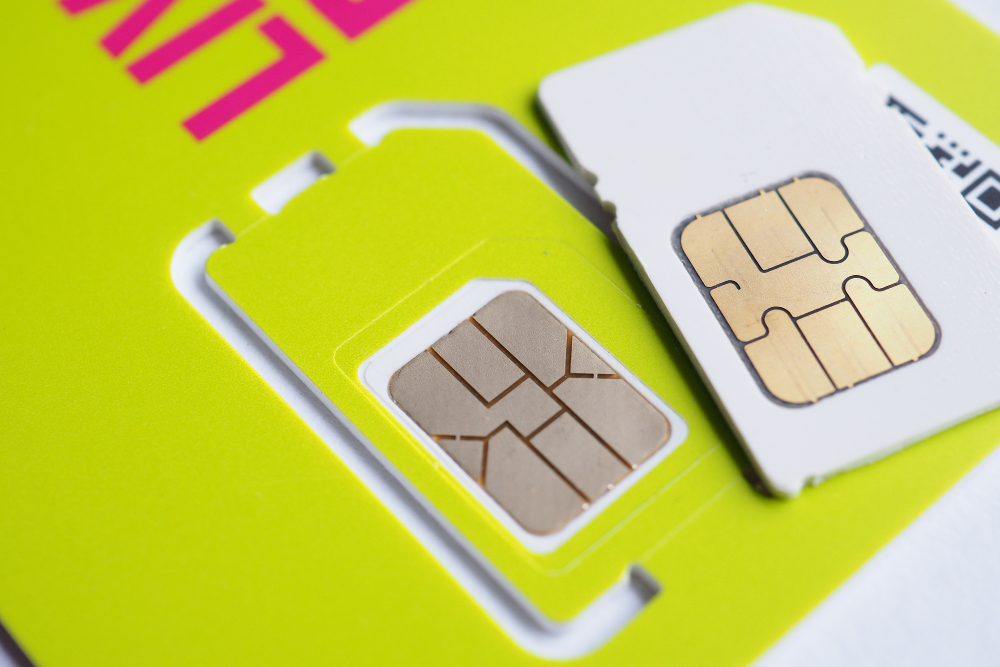
    And it’s clear why: the eSIM largely surpasses older solutions, especially for travelers or users who frequently change services. In short, the eSIM means:

    Instant Connection, Anywhere, Anytime

    Unlike a local SIM card, which sometimes leaves you without network coverage during your travels, the eSIM allows you to be operational as soon as you land. You simply activate your plan upon arrival, and voilĂ , you’re connected!

    Direct Integration into Your Device

    No more fiddling with tiny, fragile plastic pieces! The eSIM is directly integrated into your phone and managed via an app. No more stress, no more loss, no more complications.

    Simplified Plan Changes

    Each Vostra eSIM plan is prepaid, with no binding contract. So you can top up, change, or update your plan whenever you need, with complete flexibility.

    Enhanced Security with 2FA

    Do you rely on multi-factor authentication? No problem. With an eSIM, you keep your 2FA steps intact, even when traveling. If your phone supports dual SIM, you maintain your usual security measures, hassle-free.

    Transparent and Fair Pricing

    No more unpleasant surprises! With eSIM, you know exactly what you’re buying. No more mysterious surcharges or scams: you pay what you see, period.

    Ability to Store Multiple eSIMs on One Device

    Most eSIM-compatible devices allow you to store multiple plans. This way, you can buy your data in advance and activate it upon arrival, wherever you are.

    Extended Compatibility

    Tablets, laptops running Windows 10, and many other devices are already eSIM-compatible, which is not always the case with a traditional SIM card.

    eSIM: Not just for travel

    Esim Vostra adaptée à plusieurs profils

    While the eSIM is obviously an asset when traveling, it also benefits anyone who regularly changes operators or plans, or simply wants more flexibility in their daily use.

    The eSIM offers practical, versatile, and unconstrained connectivity. It’s perfect for:

    1. For a hassle-free second prepaid line

    Do you own a Dual SIM and eSIM-compatible phone? Good news: some operators allow you to add a secondary prepaid line directly to your device. Simply check with your main operator to find out what options are available to you.

    2. For those who want to slash their data bill

    If your current plan costs you up to $10/GB, the bill can quickly skyrocket. But by opting for a Dual SIM setup and an eSIM data plan, you could cut your costs by two, three, or even more!

    3. For short-term data needs, and nothing more

    Most physical prepaid SIMs impose a full month of service, even if you only need data for a week or two. With an eSIM plan, you get total flexibility and only pay for what you actually need.

    Buy your plan whenever you want (even in advance) and activate it in a flash. It’s fast, simple, and ultra-convenient!

    Vostra is the ultimate platform for finding eSIM plans in hundreds of countries and regions. Find the ideal offer for your next destination now and travel connected with complete peace of mind.

  • eSIM: The guide to understanding and making better use of this technology

    eSIM: The guide to understanding and making better use of this technology

    For years, staying connected abroad has been a real headache: between buying a local SIM card and the exorbitant roaming fees imposed by operators, it was difficult to find a satisfactory solution… until now. eSIMs, already on the market for several years, are finally getting all the attention they deserve.

    Wondering how these famous eSIMs work? Good news: you’ve come to the right place! Discover everything you need to know about this small technological revolution, capable of simplifying your travels and allowing you to stay connected wherever you are.

    What are eSIMs and why are they important?

    Almost all phones need a SIM card to access the mobile network and make calls. Usually, you have to slide this small plastic chip into a tray (or even remove the back cover if you have an older model). You know the routine: it quickly becomes tedious when you’re juggling multiple phones or SIM cards.

    Fortunately, the eSIM changes the game. Integrated directly into the smartphone’s motherboard, this tiny chip does everything a physical SIM card does… without any manipulation. Today, many modern devices already offer eSIM in addition to the usual SIM tray.

    eSIMs offer real advantages compared to traditional SIM cards.

    • Firstly, you can store multiple data plans simultaneously, without being limited to a single subscription.
    • Their ultra-compact format frees up space in your smartphone, allowing manufacturers to strengthen other essential components… like the battery!
    • You no longer have to handle hardware parts: no more laborious disassembly or searching for a paperclip to eject a tray!

    Learn more about how eSIMs work, the digital equivalent of a traditional SIM card

    Learn more about how eSIMs work

    We are often asked if the eSIM works exactly like a physical SIM… and the answer is simple: YES!

    All eSIM-compatible smartphones offer an option in their settings to add a cellular plan (here are the instructions dedicated to iPhones).

    On the Vostra platform, activating a data plan takes only a few seconds: you can install the eSIM by scanning a QR code, manually entering the information, or directly via the app. You then immediately have a volume of mobile data valid for the duration of your choice.

    Key takeaway:

    With this data plan completely independent of your usual operator, say goodbye to exorbitant international fees! And don’t worry, you’ll still keep your phone number, of course. The Vostra eSIM instantly connects you to local networks in over 200 countries, providing you with ultra-fast data access like never before.

    With Vostra, renew or change your eSIM data plan anytime and set up a new one in less than five minutes. No contract is required!

    Is the Dual SIM function identical to the eSIM function?

    Not necessarily!

    The term « Dual SIM » simply means that a smartphone can accommodate multiple SIM cards. However, this doesn’t necessarily mean that one of these cards is an eSIM. In reality, many « Dual SIM » phones offer two physical SIM card slots, clearly visible on their dedicated tray.

    Conversely, some more advanced models allow for combining a SIM card and an eSIM, or even using two eSIMs together, while still retaining the « Dual SIM » designation.

    Where can (and can’t) you use an eSIM?

    Vostra eSIM available in over 200 countries

    eSIM data plans covering over 200 countries and regions are available on the Vostra platform! This technology is already adopted by most major European operators, as well as in international hubs such as Canada, Hong Kong, India, Qatar, Singapore, Taiwan, and the United States. In other words, wherever you go, you are very likely to find a suitable eSIM plan.

    Prefer to stay with your current operator? Most also offer an eSIM option, which simply replaces your physical SIM card. However, depending on the case, you may need to contact customer service or visit a store, which can slightly extend the waiting time.

    Adventure has no limits, and thanks to Vostra, neither does your mobile data

    You now know more about how eSIMs work, these digitized SIM cards integrated directly into your phone. They are impossible to lose, and you can store several at once. The result: you enjoy almost immediate access to local plans anywhere in the world.

    It’s the ideal solution for frequent travelers, and it’s rapidly gaining popularity. Ready to make the switch? Explore Vostra’s eSIM plans now!

    FAQ

    What is an eSIM and how does it differ from a physical SIM card?

    An eSIM is a digital SIM card integrated directly into your device, unlike a removable physical SIM card. It allows you to connect to a mobile network without having to insert a physical card.

    Which devices are compatible with eSIMs?

    Many recent devices, including smartphones, tablets, and connected devices, support eSIMs. It is recommended to check with your device manufacturer or consult the list of compatible devices to confirm this feature.

    What are the benefits of using an eSIM for international travel?

    By using an eSIM when you travel, you don’t have to bear high roaming charges. You can subscribe to local plans at advantageous rates, change plans without physical manipulation, and even store multiple eSIM profiles on the same device.

    How do I install and activate an eSIM on my device?

    eSIM installation and activation vary depending on the device, but generally:

    1. You purchase an eSIM plan from a provider such as Vostra.
    2. You receive a QR code or installation instructions.
    3. You access your device settings and add a new mobile plan.
    4. You scan the QR code or manually enter the provided information.
    5. You activate the plan once installed.
    Can I use an eSIM and a physical SIM card simultaneously on my device?

    Yes, many eSIM-compatible devices allow for the simultaneous use of an eSIM and a physical SIM card, thus offering dual SIM functionality. This allows you to manage two distinct numbers or plans on the same device.

    How can I top up my eSIM plan if I run out of data?

    With providers like Vostra, you can easily top up your eSIM plan via their app or website. Simply select the appropriate top-up option for your current plan.

    Do eSIMs work in all countries?

    eSIMs are functional in many countries, but availability and compatibility may vary depending on regions and local operators. It is advisable to check the coverage and available offers for your destination before traveling.

    Is it possible to transfer my eSIM to another device?

    eSIMs are generally linked to a single device and cannot be transferred directly. If you change devices, you will likely need to obtain a new eSIM or reactivate your plan on the new device, taking into account your provider’s policies.

  • How to install an eSIM with a QR code?

    How to install an eSIM with a QR code?

    With the advent of eSIM technology, setting up a mobile plan has never been easier. Whether you’re a frequent traveler or looking to simplify your mobile data management, eSIM is an innovative and convenient solution. Here, we explain how to activate it with a QR code. You’ll also discover the evolution from physical SIM cards to eSIMs and their many advantages.

    What is an eSIM?

    An eSIM, or « embedded SIM, » is a SIM card inserted directly into your device’s hardware, such as your smartphone, tablet, or even your smartwatch. Unlike traditional SIM cards, it doesn’t have a physical format that you insert into a slot. All the necessary information to activate a mobile plan is downloaded digitally to your device.

    eSIM offers a multitude of advantages:

    • Time-saving: Quick plan activation in just a few clicks, without physical manipulation.
    • Flexibility: Ability to store multiple eSIM plans on the same device and switch between them as needed.
    • Savings: No roaming fees by activating local plans tailored to your travel destinations.
    • Security: No risk of losing or having your SIM card stolen.

    Thanks to its technology, eSIM provides simplified connectivity and integrates perfectly into our daily lives, whether for travel or for managing multiple professional lines.

    Why use a QR code to set up an eSIM?

    The QR code is a standardized and universal method for activating an eSIM. Here’s why it’s particularly useful:

    • Simplicity: By scanning a simple code, you download and configure all the necessary data to activate your mobile plan.
    • Speed: The process only takes a few minutes, without needing a store visit or waiting to receive a SIM card by mail.
    • Security: QR codes minimize human errors through automatic integration of plan settings.

    This method is particularly suitable for travelers or users looking to activate local or international plans instantly.

    Learn more about this increasingly popular technology in this video!

    How to install a Vostra eSIM with a QR code?

    Installing a Vostra eSIM via a QR code is a simple process accessible to everyone. Follow these steps:

    1. Prepare your device

    • Ensure your device is eSIM compatible. To do this, check your phone settings or consult the list of compatible devices on Vostra.world.
    • Connect to a stable Wi-Fi network.

    2. Access your QR code

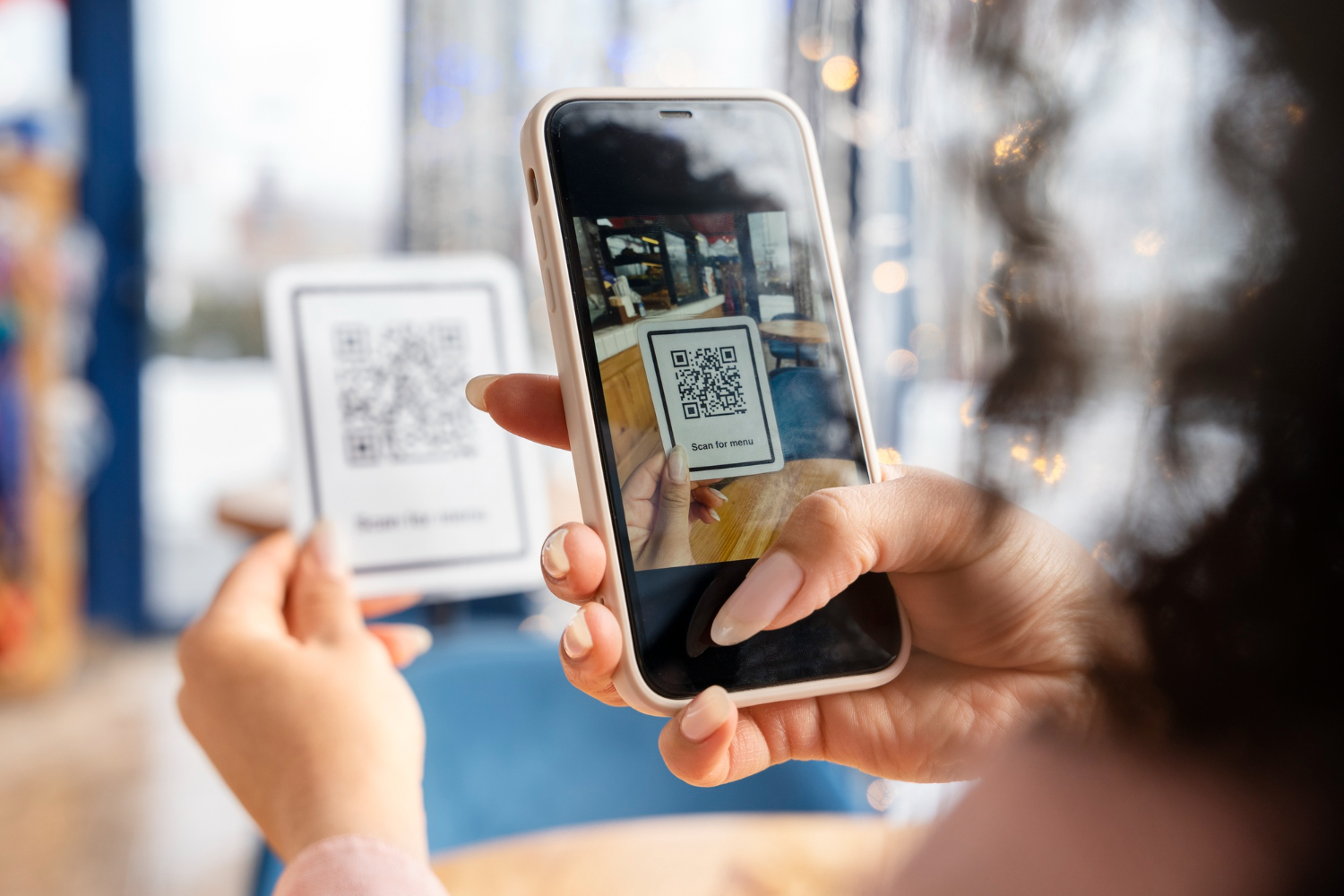
    After purchasing your eSIM plan, you will receive an email or notification with a QR code. This code contains all the information needed to set up your mobile plan.

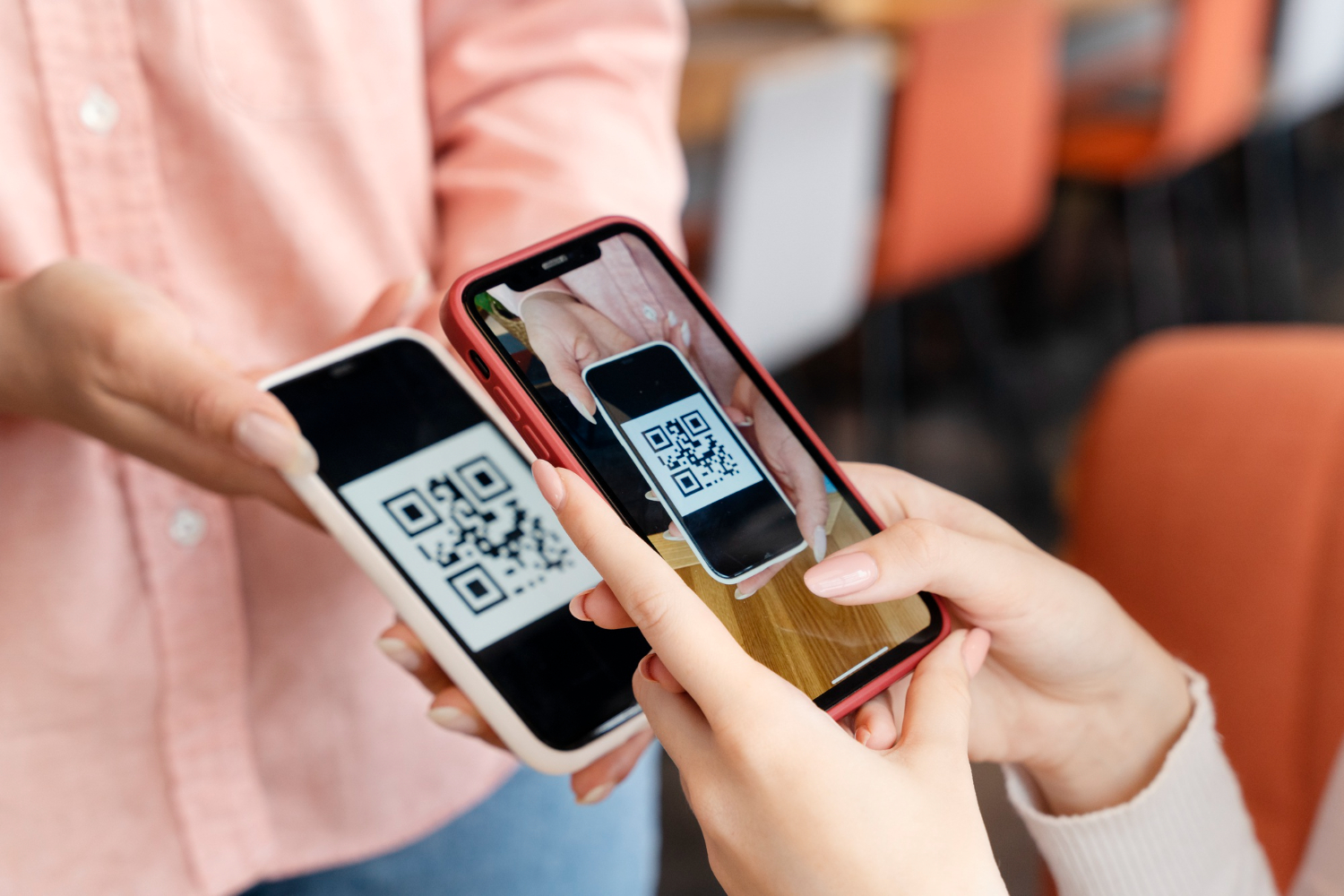
    accédez et scannez son code QR pour activer une eSIM

    3. Install an eSIM on an iPhone

    1. Open Settings.
    2. Go to Cellular, then select Add Cellular Plan.
    3. Scan the received QR code.
    4. Follow the instructions to activate your eSIM and select the primary line for calls and texts, if necessary.

    4. Install an eSIM on an Android device

    1. Open Settings.
    2. Go to Connections, then to SIM card manager.
    3. Select Add mobile plan and scan the QR code.
    4. Confirm installation and activate your eSIM.

    Once activated, you’re ready to enjoy your mobile plan with permanent connectivity.

    The evolution from SIM to eSIM

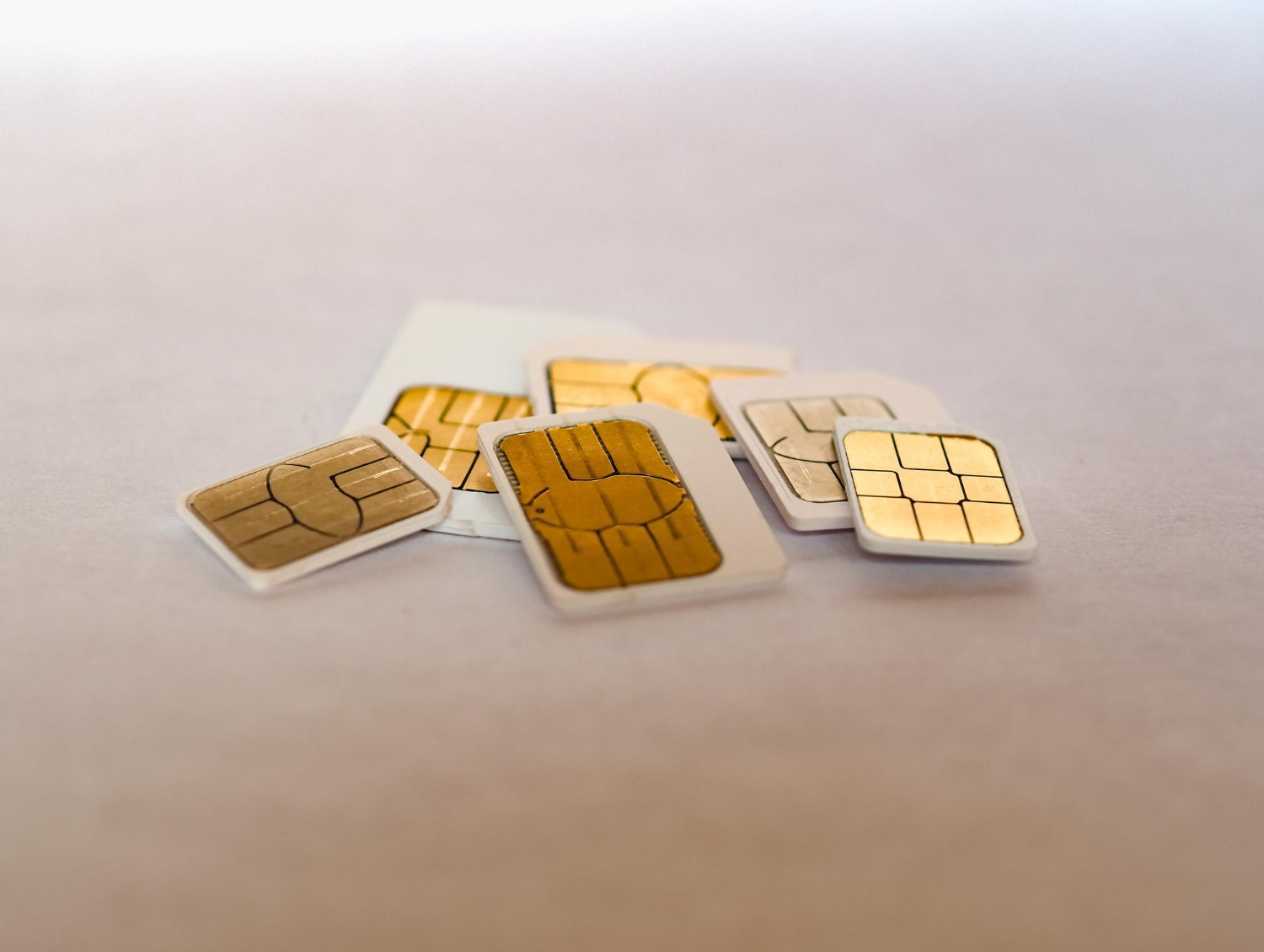
    Evolution de la carte SIM depuis sa création

    SIM cards have evolved significantly since their introduction in 1991:

    • Mini SIM: First formats launched in 1996, requiring a specific insertion tray.
    • Micro SIM: Launched in 2010, it is smaller and offers improved functionalities.
    • Nano SIM: Standardized since 2012, it marked a significant reduction in size.
    • eSIM: Integrated directly into devices, it eliminates the need for a physical format while increasing flexibility and security.

    eSIM represents the next step in this evolution, with unlimited connectivity and no hardware constraints.

    FAQ

    Is my phone compatible with eSIM?
    To check, go to your phone’s settings or consult the list of compatible devices on Vostra.world.
    What should I do if the QR code doesn’t work?
    Make sure your device is connected to a stable Wi-Fi network. If the problem persists, contact Vostra’s technical support for assistance.
    Can I use an eSIM with a physical SIM?
    Yes, most modern phones allow simultaneous use of a physical SIM and an eSIM for flexible line management.
  • Why eKYC is indispensable for your eSIM

    Why eKYC is indispensable for your eSIM

    eKYC (Electronic Know Your Customer) verification is an essential process for securing and activating certain digital services, including eSIMs. When traveling abroad, it is sometimes mandatory to confirm your identity to comply with the legal requirements of the countries concerned. We’ll tell you about eKYC, its importance for eSIM users, and how to perform it easily!

    What is an eSIM?

    Before understanding the importance of eKYC, let’s remember what an eSIM is. An eSIM, or embedded SIM, is a SIM card integrated directly into a compatible device. Unlike traditional physical SIM cards, an eSIM is entirely digital and offers several advantages for travelers:

    • Connect to a mobile network immediately after landing, without looking for a local store.
    • Avoid queues to get a physical SIM card.
    • Easily change plans or networks via a mobile application.
    • Reduce roaming charges thanks to plans tailored to each country visited.

    Thanks to their flexibility, eSIMs are particularly popular with international travelers, but their activation may be subject to specific requirements, such as eKYC verification.

    What is eKYC verification?

    Une vérification eKYC pour authentifier un client numériquement.

    eKYC, or electronic Know Your Customer verification, is a digital procedure for verifying a user’s identity.

    Unlike traditional paper-based verification, eKYC relies on digital documents, such as a photo of your passport, and offers a fast, efficient, and eco-friendly method to authenticate users.

    Here are the main advantages of eKYC:

    • Speed: Verification often takes only a few minutes.
    • Simplicity: No need to print or submit physical documents.
    • Security: Reduces the risk of fraud and protects your personal data.
    • Environmental friendliness: Eliminates the need for paper.

    In summary, eKYC facilitates access to digital services while ensuring strict compliance with international regulations.

    Why do some eSIMs require eKYC verification?

    Many countries impose KYC protocols to ensure that each user is properly identified. This measure aims to prevent abuses such as fraud or illegal activities, while protecting national security.

    For eSIMs, eKYC is particularly important for:

    • Complying with local laws: Some countries require formal identification to access telecom services.
    • Ensuring communication security: By verifying each user’s identity, the risk of fraudulent network use is reduced.
    • Simplifying border control: eKYC can be linked to customs or administrative checks in some cases.

    If you purchase an eSIM in a country with strict restrictions, eKYC verification may be required before your plan is activated.

    How to perform an eKYC verification?

    Terminer sa vérification eKYC quelques jours avant son départ

    eKYC verification is a simple process that can generally be completed in a few minutes via your eSIM provider’s application. Here are the typical steps:

    1. Prepare your documents: Take a clear photo of your passport or official ID.
    2. Open the application: Log in to your eSIM provider’s app, such as Vostra, and start the verification process.
    3. Upload your document: Upload a digital copy of your ID via the app’s interface.
    4. Await validation: Verification is usually automated and takes only a few minutes. You will receive a confirmation once the process is complete.

    To avoid any delays, it is advisable to complete this procedure before your departure, especially if you are traveling to a country with legal restrictions on mobile communications.

    FAQ

    Which countries require eKYC verification for eSIMs?
    Countries with strict telecommunication regulations, such as India, some Middle Eastern states, or Southeast Asian countries, may require eKYC verification. Check your destination’s specific requirements before purchasing an eSIM.
    How long does eKYC verification take?
    Verification is often completed in a few minutes, but this depends on the quality of the documents provided and the platform used.
    What documents are needed to perform eKYC verification?
    A passport or official photo ID is usually required. Make sure your document is clear and legible before uploading it.
    Is eKYC verification mandatory for all eSIMs?
    No, only certain eSIMs, particularly those used in countries with strict regulations, require eKYC verification. Check your plan’s terms before purchase.
  • How to buy your first eSIM?

    How to buy your first eSIM?

    Welcome to the world of eSIMs! This technology is revolutionizing how travelers stay connected by providing access to mobile plans without using a physical SIM card. With a Vostra eSIM, you can activate a data plan for over 200 destinations worldwide directly from your smartphone. Discover how to purchase your first eSIM and enjoy simplified, flexible connectivity!

    Local, Regional, and Global eSIMs

    Depending on your needs and destinations, you can choose from three types of eSIM plans offered by Vostra:

    • Local eSIMs: Ideal for a single country. If you’re going to France for a week, a local eSIM for France will keep you connected to the local network.
    • Regional eSIMs: These cover multiple countries within the same region. For example, if you’re traveling in the Caribbean, a regional eSIM will cover the Bahamas, the Dominican Republic, Turks and Caicos, and many more.
    • Global eSIMs: Perfect for those traveling across several regions or continents, they offer worldwide coverage including Europe, Asia, and Africa.

    Once you have selected the appropriate plan, you will receive clear instructions to install it on your phone. Also, consult our Help Center for more detailed installation guides.

    What is the validity period?

    Période de validité des cartes eSIM

    The validity of an eSIM corresponds to the duration during which your data plan will be active. At Vostra, the most common durations include:

    • 7 days
    • 14 days
    • 30 days or more

    Local eSIMs, often used for short stays, tend to have shorter validity periods. Conversely, global eSIMs are often available for longer periods, ideal for frequent travelers or extended trips.

    No worries if your validity is about to expire: you can easily top up or buy another eSIM to continue enjoying your connection.

    Top up an eSIM

    Before choosing an eSIM, check if it offers an integrated top-up option. At Vostra, several plans allow you to add extra data in a few clicks, without having to change your profile.

    If your current plan does not allow topping up, you can simply install a new eSIM to stay connected.

    Consult our eSIM top-up guide for more information on the steps to follow.

    How to purchase your first eSIM?

    Purchasing an eSIM is a quick and intuitive process. Here’s what you need to know before you start:

    • Data quantity: eSIMs offer plans ranging from 1 GB to 100 GB or more, suitable for different uses (browsing, streaming, social media, etc.). At Vostra, plans start from 3 GB.
    • Validity period: Select a plan with a validity that matches the duration of your trip.
    • Rechargeable: Opt for a rechargeable eSIM if you think you might need additional data.

    Once you have chosen your plan, you can finalize your purchase on our online store. After payment, a QR code will be sent to you to activate the eSIM on your phone.

    How much data can an eSIM contain?

    Quantité de données utilisée par sa carte eSIM

    Each eSIM plan has a defined amount of data, an estimate of average consumption for certain common activities 👇:

    • Google Maps: 5 MB per hour
    • Social media: 50 MB per hour
    • Internet browsing: 50 MB per hour
    • Music streaming: 100 MB per hour
    • SD video: 1 GB per hour
    • HD video: 4 GB per hour

    To avoid running out of data during your trip, plan a margin based on your usage habits. And don’t forget: if you run out, you can top up or buy a new plan at any time.

    Is your phone eSIM compatible?

    Before purchasing an eSIM, two points need to be checked:

    1. Does your device support eSIM technology?
    2. Is your phone unlocked (not tied to a specific carrier)?

    How to check if your phone is compatible?

    To find out if your phone is eSIM compatible:

    • Look for the « Add eSIM » option in your network settings.
    • Use the code *#06#: if an EID number appears, your device supports eSIMs.
    • Consult the list of compatible devices available on our website.

    How to check if your phone is unlocked?

    An unlocked phone can use eSIMs from different carriers. If you purchased your device from a carrier, check if it’s tied to a specific contract. If in doubt, contact your carrier to request an unlock.

    FAQ

    What are the advantages of eSIMs?
    eSIMs make it possible to switch from one mobile plan to another in a few clicks, without handling a physical SIM card. They are perfect for travelers, offering optimal flexibility and access to plans in over 200 countries.
    How much does an eSIM cost?
    eSIM prices vary depending on the destination, duration, and data quantity. Visit our store to discover available plans.
    Can I use an eSIM with my physical SIM?
    Yes, many eSIM-compatible phones allow you to use an eSIM and a physical SIM card simultaneously, providing a convenient solution for professional or personal needs.
  • How Vostra customers use their eSIM?

    How Vostra customers use their eSIM?

    The eSIM, this small chip integrated into our smartphones, is gaining popularity and offers unprecedented flexibility. eSIM technology is transforming the way we connect by providing a digital alternative to physical SIM cards. But how do Vostra customers benefit from their eSIM in their daily lives? Here are 5 examples that reveal the multiple facets of this technology.

    1) Travel for Leisure

    The eSIM is an ideal solution for travelers who want to stay connected without worrying about exorbitant roaming charges. Whether you’re going away for a weekend or on a round-the-world trip, it allows you to instantly access a local network without having to buy and insert a physical SIM card.

    With a Vostra eSIM, you can:

    • Avoid queues to buy a local SIM card upon arrival.
    • Easily switch from one plan to another depending on your destination.
    • Use a regional or global plan to cover multiple countries with a single data plan.

    You choose flexible plans tailored to the duration and needs of your trip, with activation in just a few minutes!

    2) Work Remotely

    Enjoy Vostra plans for remote work

    Remote work and digital nomadism are experiencing significant growth, and the eSIM is emerging as a key solution for professionals seeking reliable connectivity.

    As a remote worker, an eSIM gives you the ability to:

    • Work without relying on often unstable public Wi-Fi.
    • Participate in video conferences without interruptions thanks to a smooth mobile connection.
    • Access a fast network to send and receive large files.

    You benefit from a stable and fast connection, regardless of your workspace.

    3) Travel for Work

    Professionals who travel frequently, such as international consultants, sailors, or flight attendants, find the eSIM to be an indispensable ally. It allows them to remain reachable and productive without the constraints of traditional SIM cards.

    The advantages of eSIM for business travel:

    • Immediate access to a local network without wasting time.
    • Possibility to keep a professional line on the physical SIM and use the eSIM for local data.
    • Reduction of costs related to international plans thanks to pricing adapted for travelers.

    With a Vostra eSIM, you can, as a professional, optimize your connectivity according to your specific needs, without service interruptions.

    4) Study Abroad

    Studying abroad is an exciting adventure, but it also comes with challenges, particularly concerning communication. Finding a suitable mobile plan can be complex, and the eSIM greatly simplifies this transition.

    Why choose an eSIM as an international student?

    • To stay in touch with your family and friends without subscribing to an expensive plan.
    • To benefit from a temporary, no-commitment plan.
    • To avoid having to change numbers with each move.

    With Vostra, students can opt for flexible plans tailored to their length of stay and data consumption.

    5) Connect at Home

    Enjoy Vostra eSIM data at home

    If your home network is slow or unstable, an eSIM can serve as a reliable and flexible alternative for occasional access to mobile data.

    Use cases:

    • Bypassing outages or cuts in the fixed network.
    • Using it as a secondary connection for specific tasks.
    • Access to a high-performance mobile network without a fixed subscription.

    You can activate your Vostra eSIM at any time to complement your usual connection when needed.

  • 7 good reasons to travel with a Vostra eSIM

    7 good reasons to travel with a Vostra eSIM

    With the evolution of mobile technologies, eSIMs (embedded SIMs) are gradually replacing traditional physical SIM cards. This innovation simplifies access to mobile networks and offers increased flexibility, especially for travelers. But what are the differences between a classic SIM and an eSIM? What are the advantages of this technology, in particular? This article will help you get a clearer picture!

    What is the difference between a physical SIM card and an eSIM?

    Sim classique, différente au niveau du format de l'eSIM

    Physical SIM cards have been used for decades to connect phones to mobile networks. In contrast, an eSIM is a digital version directly integrated into the device, allowing remote activation without the need for physical manipulation.

    • Format: A classic SIM card is a physical item to be inserted into a phone, while an eSIM is directly embedded in the device.
    • Activation: A physical SIM often requires a visit to a store or waiting for delivery. An eSIM, on the other hand, can be activated in a few minutes via a QR code or an app.
    • Compatibility: Not all phones yet support eSIMs, unlike classic SIMs which remain universal.

    Top advantages of Vostra eSIMs for travelers

    The eSIM represents a major advancement in telecommunications, offering more flexibility and simplicity to users, especially travelers.

    1. Peace of mind and ease of use

    One of the main assets of the Vostra eSIM is the serenity it brings to travelers. No more worries about managing multiple SIM cards or their potential loss.

    You can simply purchase your eSIM plan remotely even before you depart, from the comfort of your home or at the airport, and activate it instantly upon arrival at your destination. This means you can immediately enjoy mobile services without interruption.

    2. Maximum flexibility

    With an eSIM, you have the freedom to easily switch between different mobile plans depending on your travels. If you are traveling in several countries, you can have multiple network profiles simultaneously and switch from one operator to another without physically changing your SIM card.

    This flexibility allows you to choose the most suitable offer at any time, based on prices, network coverage, and your specific needs.

    3. Cost reduction

    International eSIM plans are generally more economical compared to roaming charges offered by traditional operators.

    You can thus control your budget more effectively, avoid unpleasant surprises on your phone bill, and benefit from transparent prepaid rates from the start.

    4. Keep your primary number

    With an eSIM, you can easily keep your usual number while using a second plan for your international travels.

    Your phone can thus manage two plans simultaneously: your usual plan and your travel plan, allowing you to remain reachable by your usual contacts without additional charges.

    5. Regional or global options tailored to your needs

    Prendre une eSIM Vostra pour profiter des forfaits avantageux en voyage

    Rather than systematically changing your SIM card at each border crossing, you have the option to choose a regional eSIM covering a specific geographic area or a global eSIM providing extended coverage in many countries around the world.

    This strategic choice considerably simplifies your logistics and preparations.

    6. Guaranteed permanent connection

    When you travel to an unfamiliar destination, it’s not always easy to quickly find a reliable local provider. Thanks to Vostra eSIM, you can instantly activate your connection upon arrival without wasting time searching for a local provider or a store.

    You thus remain permanently connected and can use your phone as soon as you get off the plane.

    7. Considerable time saving

    Activating an eSIM is a simple and quick process, usually done in just a few minutes via an app or directly in your phone settings.

    No more waiting in line at mobile phone shops at the airport, which allows you to start your trip immediately without unnecessary delays.

    How to get a Vostra eSIM?

    Getting and configuring a Vostra eSIM is simple and accessible to everyone. Simply download the Vostra app to your phone (available on iOS and Android) or go directly to the website: https://vostra.world.

    After selecting the plan that suits your needs, you will receive clear instructions to easily activate your eSIM.

    Obtenir une eSIM Vostra, simple et accessible Ă  tous.

    However, it is important to check that your device is compatible and unlocked to accept the use of eSIMs before proceeding with the purchase. To do this, you can consult the official list of compatible devices provided by your operator or go to your phone settings and look for the « Add eSIM » option.

    Need an eSIM for your next trip? Discover the offers from Vostra.world and stay connected anywhere in the world.

    FAQ

    Why choose an eSIM instead of a physical SIM for travel?
    The eSIM avoids the need to purchase and install a local SIM card, which is often cumbersome. It offers instant activation and allows you to switch operators without having to physically handle a card.
    Do eSIMs work in all countries?
    Most eSIM providers offer plans covering multiple countries or regions. Before traveling, check the compatibility of the chosen plan with your destination.
    What are the advantages of an eSIM for globe-trotters?
    The eSIM is ideal for frequent travelers, as it allows you to store multiple plans and switch between them without having to buy a new SIM card at each destination.
    Can an eSIM be used to avoid roaming charges?
    Yes, with an eSIM, you can subscribe to a local or international plan at a lower cost, thus avoiding the often high roaming charges of traditional operators.
    How many eSIM plans can one have on a phone?
    This depends on your phone model. Some allow you to save multiple eSIM profiles and switch between them, but only one can be active at a time.
    Does an eSIM work without an internet connection?
    The initial installation requires an internet connection to download the eSIM profile. Once activated, it works like a classic SIM card, without the need for an additional connection.
    Do eSIMs offer better security when traveling?
    Yes, unlike physical SIMs which can be lost or stolen, the eSIM is integrated into the phone, thus reducing the risks of data theft or cloning.
  • eSIM vs. SIM card: What are the differences?

    eSIM vs. SIM card: What are the differences?

    The world of mobile telephony is constantly evolving, and with it, the technologies that keep us connected. For decades, the physical SIM card has been the standard for accessing mobile networks. But a major innovation is revolutionizing this approach: eSIM.

    This virtual SIM card, integrated directly into the device, simplifies access to mobile networks without requiring a physical medium. But what exactly is an eSIM? How does it work? And above all, how is it different from a traditional SIM card? All the answers are in this article!

    What is an eSIM and how does it work?

    The term « eSIM » stands for « Embedded SIM », meaning a SIM card integrated directly into a mobile device. It is a chip soldered to the motherboard of the phone or any other compatible device.

    It functions in the same way as a physical SIM card by authenticating the user to a mobile network. However, it does not require a physical medium and can be activated or reprogrammed remotely, without needing a card change. When a user wishes to activate a mobile plan with an eSIM, they must follow a few simple steps:

    1. Order an eSIM plan from a mobile operator or a provider like Vostra.
    2. Receive a QR code or an activation code.
    3. Scan the QR code via your device’s settings.
    4. Configure the eSIM as a primary or secondary line.
    5. Activate the connection to mobile networks.

    Once the eSIM is activated, the user can change plans or networks without having to remove a card.

    In addition to smartphones (iPhone, Google Pixel, Samsung Galaxy, etc.) and tablets (iPad Pro, iPad Air, etc.), eSIMs can be configured on smartwatches (Apple Watch, Samsung Galaxy Watch, etc.) and some laptops (Microsoft Surface, Lenovo ThinkPad, etc.).

    The evolution of SIM cards

    évolution des cartes sim physiques pour devenir l'eSIM

    The SIM card has undergone numerous transformations since its appearance in the 1990s:

    • Initially introduced in the 90s, the classic SIM card was the size of a credit card.
    • Over the years, it was gradually reduced to mini SIM, then micro SIM, and finally nano SIM, the most common format today.
    • In 2017, the arrival of eSIMs marked a major advance by permanently integrating the chip inside the device. Presented at the Mobile World Congress (MWC), the eSIM became the very first fully digital chip, offering unprecedented capabilities in terms of flexibility and security.

    With eSIM, the mobile industry is moving towards a dematerialized approach, where changing operators and plans can be done in a few clicks.

    Differences between an eSIM and a physical SIM card

    Although both types of chips (physical and digital) fulfill the same fundamental objective, eSIMs offer several significant advantages:

    📌 Characteristics of physical SIM cards

    • Require manual insertion and removal.
    • Can be lost or damaged.
    • Do not allow instant network switching.
    • Requires physical availability (purchase and delivery).

    📌 Characteristics of eSIMs

    • Integrated directly into the device.
    • Activatable and reprogrammable remotely.
    • Impossible to lose or steal.
    • Ideal for travelers thanks to quick switching between operators.
    • Compatible with multiple plans simultaneously.

    How to activate an eSIM?

    Activer une eSIM Vostra dès l'arrivée

    Generally, after purchasing your eSIM plan from a provider like Vostra, you immediately receive an email containing detailed instructions for activation. Here are the key steps:

    1. Purchase your eSIM from an online provider (like Vostra).
    2. Receive an email or consult the app with instructions on how to install your eSIM profile.
    3. Follow the steps indicated on your smartphone (usually by scanning a QR code or manually entering a provided code).
    4. Your eSIM activates in a few moments, connecting you to the desired mobile network.

    Thanks to this ease of use, you can easily switch from one operator to another, activate a local plan when traveling, or manage multiple plans simultaneously without hardware constraints.

    FAQ

    Why is eSIM more secure than a physical SIM card?
    The eSIM is integrated directly into the device and cannot be removed or swapped like a classic SIM card. This reduces the risks of theft or fraud through SIM swapping, a technique often used to hack bank accounts or online services.
    Can an eSIM be transferred from one phone to another?
    Yes, but unlike a physical SIM card that can be moved from one phone to another in a few seconds, transferring an eSIM depends on the operator. Some allow easy transfer via their app, while others require a new activation with a QR code.
    Does eSIM work in all countries?
    eSIM works in most countries, but this depends on operators and roaming agreements. Some eSIMs are designed for local use, while others offer global plans. At Vostra, we offer eSIM plans tailored for international travel.
    Do all mobile operators accept eSIM?
    More and more operators support eSIM, but it is not yet universal. Before switching to eSIM, it is advisable to check if your current operator or your destination’s operator supports this technology.
    What are the disadvantages of eSIM compared to a physical SIM card?

    While eSIM offers many advantages, it does have some limitations:

    • Transferring between devices can be less straightforward than with a traditional SIM card.
    • Some operators do not yet offer eSIM support.
    • If your phone is damaged, you cannot simply remove the SIM to use it in another device.
    How many eSIM profiles can be stored on a smartphone?
    This depends on the phone model. Most compatible smartphones allow you to save several eSIM profiles, but only one can be active at a time. On some devices, like recent iPhones, it is possible to activate two eSIMs simultaneously.