Catégorie : eSIM

  • What happens to my data if I delete my eSIM?

    What happens to my data if I delete my eSIM?

    You’ve used an eSIM for a trip or business travel and are wondering what to do with it when you return? Deactivate or delete your eSIM. While these two actions seem similar, they have very different implications. In this guide, we explain when to choose one over the other, and how to do it step-by-step.

    How to deactivate an eSIM

    Deactivating an eSIM is an excellent solution if you want to keep your plan for future use. This method allows you to pause the line without deleting it, which is ideal if you are returning to the same region soon or if your plan is still valid.

    Steps to deactivate an eSIM on your phone

    • Go to your device’s settings.
    • Go to the Mobile Data or Mobile Networks section, depending on your device.
    • Select your active eSIM line.
    • Tap the Deactivate this line option or an equivalent command.

    Once deactivated, your eSIM remains installed on your phone, but it no longer uses data or network. This can be useful if you plan to reactivate this line on a future trip or to avoid accidentally consuming data.

    Why deactivate instead of delete?

    Choose to deactivate your eSIM if:

    • You plan to reuse this plan on a future trip to the same region.
    • Your plan is still valid, but you don’t need it immediately.
    • You want to avoid having to download the eSIM card again.

    Please note: deactivation does not extend the validity of your plan. If it expires while the line is deactivated, you will need to purchase a new plan or top it up, depending on the options offered by your provider.

    When and why to delete an eSIM

    Guide pour savoir comment supprimer son eSIM

    Deleting an eSIM is a permanent action that erases the plan from your device. It also involves the loss of data associated with that plan. So, before you take the plunge, here’s what you need to know:

    When is it necessary to delete an eSIM?

    • The eSIM plan has expired and cannot be topped up.
    • You no longer need this line and want to free up space on your device.
    • You are changing regions or providers for a new eSIM plan.

    In some cases, such as a lack of space on your device, deleting an inactive eSIM simplifies the management of your mobile networks.

    What to keep in mind before deleting an eSIM

    • eSIM plans are limited to a validity period. If you delete an expired eSIM, you will not be able to reactivate it.
    • You cannot transfer a deleted eSIM to another device, even if it is still valid.
    • Deletion is irreversible: you will need to purchase a new plan if you need it again.

    What happens if I delete my eSIM?

    Deleting an eSIM can have significant consequences, especially if it is still valid or if you are traveling. Here’s what it entails:

    • You will lose access to your plan, even if it is still active.
    • You will need to purchase a new eSIM plan to restore your connectivity.
    • You could be without a connection if you don’t have an alternative solution (Wi-Fi or physical SIM card).

    Steps to delete an eSIM

    • Open your phone’s settings.
    • Go to the Mobile Data section.
    • Select the eSIM line you wish to delete.
    • Click the Delete this plan option and confirm your choice.

    Before deleting an eSIM, make sure you have backed up all important information or have a backup plan to stay connected.

    For reliable and easily rechargeable eSIM plans, explore the offers available on Vostra.world and stay connected wherever you are.

    FAQ

    Can I reactivate an eSIM after deleting it?
    No, a deleted eSIM cannot be reactivated. You will need to purchase a new plan or contact your operator to get another one.
    Does deleting an eSIM free up space on my phone?
    Yes, deleting an eSIM can free up a small amount of space on your device, especially if you manage multiple plans.
    How do I check if my eSIM plan is still valid?
    You can check the validity of your plan in your phone’s settings or via your provider’s app. On Vostra, log in to your account to check your balance and validity period.
  • Can I modify or change my eSIM plan?

    Can I modify or change my eSIM plan?

    Before using an eSIM, it’s essential to check two important things: is your phone unlocked by your current carrier, and is it compatible with eSIM technology? We’ll explain how to verify these essential aspects to take advantage of the many benefits of eSIMs.

    How to check if your phone is unlocked?

    To use an eSIM with a carrier of your choice, your phone must be unlocked (i.e., it must not be restricted to a single carrier). A locked device can restrict access to other networks, leading to additional costs or the inability to use foreign eSIMs. Here’s how to check if your device is unlocked:

    • Go to Settings > Connections > SIM Manager.
    • Look for the Carrier Lock section.
    • If your device is unlocked, the message “No SIM restrictions” will appear.

    How to check if your phone is compatible with eSIM technology?

    eSIM compatibility is generally reserved for recent phone models (produced after 2018) that integrate eSIM technology.

    For an iPhone:

    • Go to Settings > Connections > SIM Manager.
    • Scroll to Available SIM (iOS 15 or later versions).
    • If the « Add eSIM » option appears, your device is compatible.

    For an Android device:

    • Dial *#06# and press Call.
    • If an EID (eSIM Identifier) number appears, your device is eSIM compatible.

    You can also check the official list of eSIM compatible phones on the Vostra website for confirmation.

    Can I change my eSIM plan?

    Change your eSIM plan on your mobile

    One of the great strengths of eSIMs lies in their flexibility. Unlike physical SIM cards, you can modify or change your eSIM plan according to your needs effortlessly. For example, you can:

    • Increase the amount of available data if you run out.
    • Change plans when traveling to a new destination.
    • Adapt your eSIM to extend its validity for a longer-than-expected trip.

    To modify your plan, log in to your Vostra account, select your eSIM, and choose the « Recharge » or « Change Plan » option.

    Deactivating and deleting an eSIM

    If you no longer need your eSIM, you can choose to temporarily deactivate it or remove it from your phone. This depends on your needs:

    • If you plan to use this eSIM later, deactivate it to avoid permanent deletion.
    • If the eSIM will no longer be useful, you can delete it from your settings.

    Here’s how to deactivate or delete an eSIM:

    1. Go to Settings > Cellular or Mobile.
    2. Select the eSIM line to deactivate.
    3. Tap Deactivate This Line.

    You can reactivate this eSIM at any time if it remains registered on your device.

    How to change your eSIM plan?

    Here are situations where you might want to change your eSIM plan:

    You’re running out of eSIM data

    If you use your eSIM intensively and your plan is exhausted, easily recharge it via your Vostra account:

    • Go to My eSIMs.
    • Select the active eSIM.
    • Choose the Recharge option and follow the instructions.

    Your validity period expires

    If your eSIM is about to expire, you can extend its validity by recharging or purchasing a new plan.

    You’re changing countries or regions

    If you travel to a different region, you may need to purchase a plan suited to that new destination. Log in to your Vostra account to choose a compatible plan.

    Getting started with a Vostra eSIM

    First steps to use and activate a Vostra eSIM

    Steps to quickly set up your eSIM with Vostra:

    Step 1: Purchase an eSIM

    Go to Vostra.world to choose the eSIM plan that suits your needs.

    Step 2: Install the eSIM

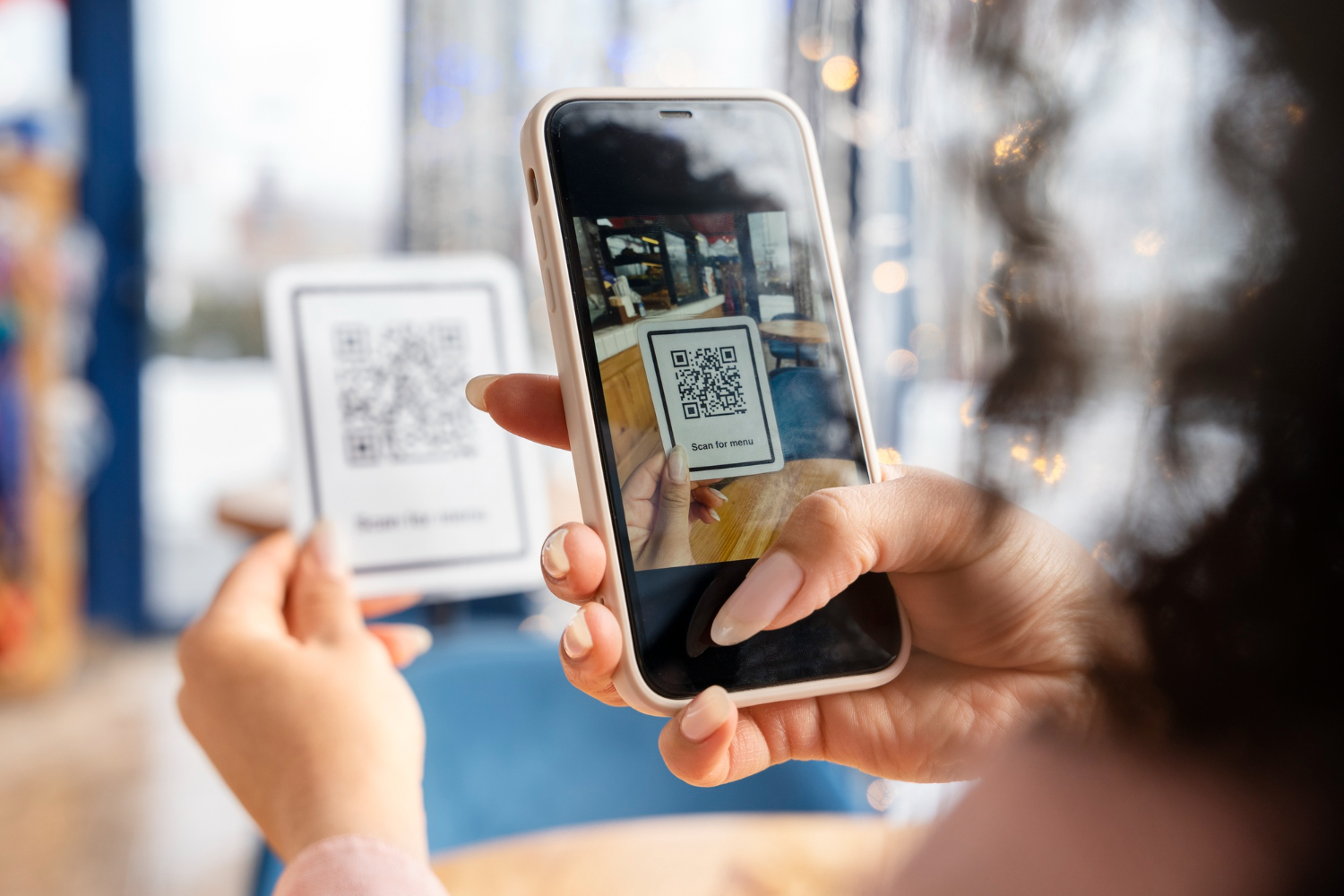
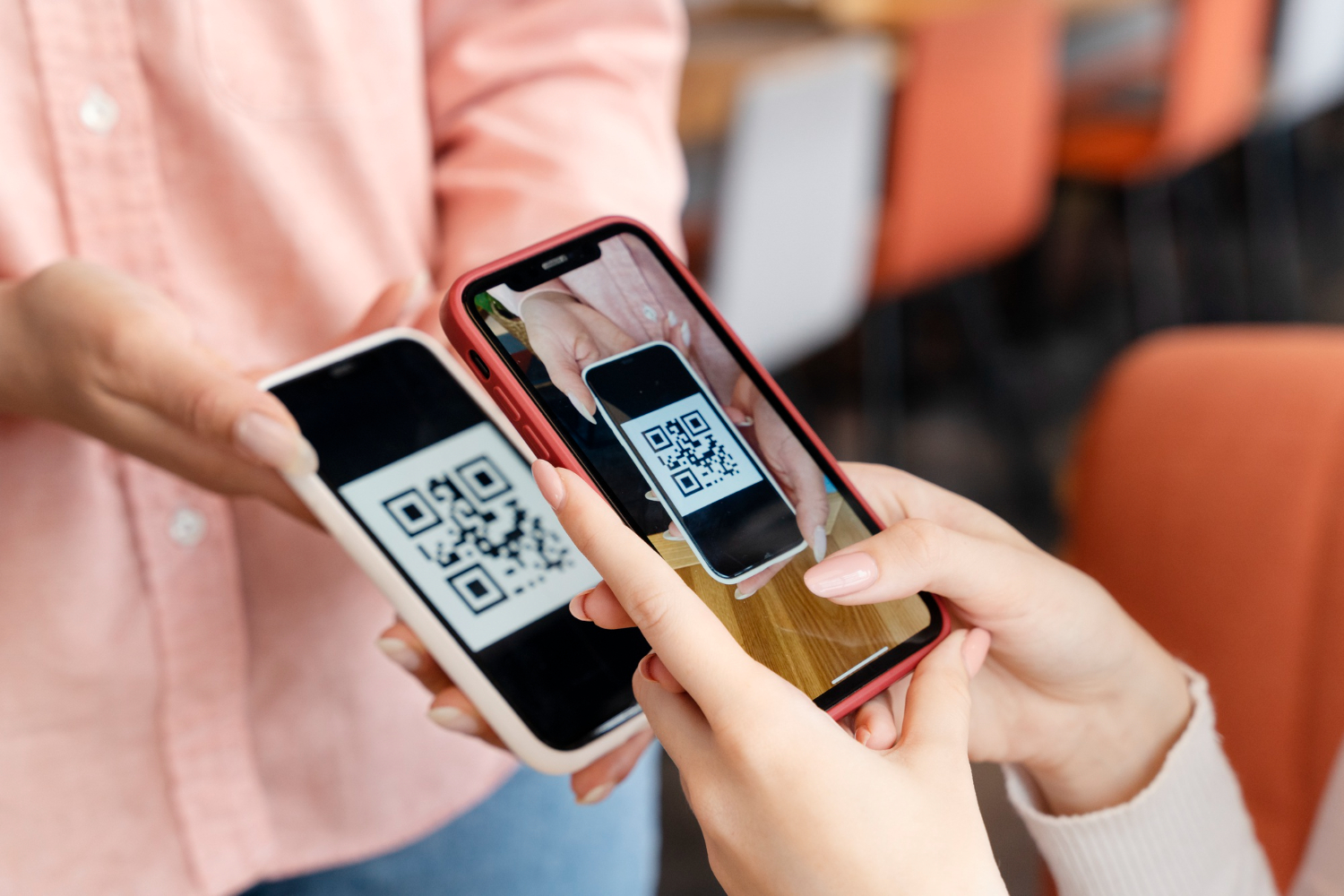
    Scan the QR code received after your purchase:

    • Go to Settings > Mobile Network.
    • Select Add eSIM and scan the code.

    Step 3: Activate the eSIM

    Follow the specific instructions to activate your eSIM according to the chosen destination. Once activated, you are ready to connect!

    Step 4: Connect to a network

    Enable mobile data and roaming in your settings to start using your Vostra eSIM plan.

    FAQ

    How do I check if my phone is eSIM compatible?
    Go to your settings to look for the « Add eSIM » option or use the code *#06# to check the EID number.
    Can I use an eSIM with a physical SIM?
    Yes, most eSIM-compatible devices allow simultaneous use with a physical SIM.
    How do I activate my Vostra eSIM?
    Scan the QR code received after your purchase and configure the eSIM in your network settings.
  • Never run out of data again: recharge your eSIM in one click

    Never run out of data again: recharge your eSIM in one click

    Traveling means discovering, exploring, and sharing. But running out of mobile data can quickly turn a pleasant experience into a source of stress. Thanks to eSIMs, recharging your data has become simpler than ever. How can you monitor your usage, recharge your eSIM, and optimize its use to stay connected with peace of mind during your travels? We’ll give you the answer!

    How to monitor your eSIM data?

    Proactive data management is an excellent way to avoid unpleasant surprises. With an eSIM, monitoring your consumption is quick and easy thanks to widgets and notifications on your devices. Here’s how to do it:

    Monitor your data on iPhone

    1. Press and hold your finger on the home screen to enter Edit Home Screen mode.
    2. Tap the « + » icon in the top left corner of the screen to add a widget.
    3. Scroll through the options and select your eSIM’s dedicated app, such as the Vostra app.
    4. Choose a widget from the available options (small, medium, or large), then tap Add Widget.
    5. Long-press the widget again to configure it to your preferences.

    Configure notifications for iPhone

    Receive automatic alerts when your data reaches a critical threshold:

    1. Go to Settings on your iPhone.
    2. Navigate to Notifications, then select the Vostra app.
    3. Choose a suitable alert style (for example, banners or sounds).
    4. Enable the Show Alerts option.

    Configure notifications for Android

    Android users can also receive notifications by following these steps:

    1. Open Settings, then go to Notifications.
    2. Navigate to App settings.
    3. Select the Vostra app and enable notifications.

    How does an eSIM recharge work?

    Recharger votre eSIM pour rester toujours connecté

    Imagine you’re traveling to London and using an eSIM with a 3 GB plan valid for one week. After using your data to browse social media, look for places to visit, and share memories, you notice your usage reaches 90% of your plan. Don’t panic! A recharge is enough to extend your connectivity.

    Here’s how it works:

    1. Open your eSIM management app (Vostra).
    2. Access your active plan to check your usage.
    3. Purchase a top-up plan in a few clicks.

    In a few seconds, you’re connected again, ready to continue your adventures.

    What if your eSIM doesn’t have a top-up option?

    Some eSIM plans do not allow direct top-ups. If this happens, here are two solutions:

    • Download a new eSIM: With Vostra, you can quickly buy and activate a new eSIM to continue your trip without interruption.
    • Plan for more data: Before you leave, evaluate your data needs to avoid surprises.

    But how does an eSIM plan work?

    Unlike traditional SIM cards, eSIMs are completely digital. Once activated, an eSIM allows you to connect to a mobile network in minutes, without having to insert a physical card.

    This way, you get fast and convenient mobile connectivity, wherever you are in the world.

    eSIM plans vary based on several criteria:

    • The volume of data included.
    • The validity period (for example, 7 days or 30 days).
    • The geographical coverage (local, regional, or global).

    With an eSIM, you’ll no longer have to pay high roaming fees or look for a local SIM card upon arrival. Everything is done online, before or during your trip.

    How to recharge your eSIM

    Recharging your eSIM with Vostra is a simple process:

    1. Log in to the Vostra app.
    2. Go to the My eSIMs section.
    3. Select the eSIM you wish to recharge.
    4. Click Recharge and choose a suitable top-up plan.

    If needed, you can also download a new eSIM. This option is ideal if your current plan does not include a top-up.

    3 steps to streamline your data usage

    Quelques astuces simples pour ne plus manquer de données eSIM lors de vos voyages

    Here are a few simple tips to avoid running out of data while traveling:

    • Download your eSIM before you leave: This ensures you’re connected as soon as you arrive, without wasting time.
    • Plan for enough data: If you plan on streaming, sharing large files, or using data-intensive apps, purchase a plan suited to your needs.
    • Opt for a regional or global plan: If you’re traveling to multiple countries, choose an eSIM with broad coverage to avoid additional fees.

    FAQ

    Is my phone compatible with an eSIM?
    Most smartphones are. However, check your phone’s settings to see if it includes the « Add eSIM » option. You can also dial *#06# to check for an EID number.
    What if I run out of data while traveling?
    Log in to the Vostra app to recharge your eSIM or download a new eSIM suitable for your region.
    Can I use an eSIM with a physical SIM card?
    Yes, many phones allow you to use an eSIM in addition to a physical SIM card.
  • Using your iPhone abroad: tips and advice to avoid unpleasant surprises

    Using your iPhone abroad: tips and advice to avoid unpleasant surprises

    Before setting off on your next great adventure, take the time to properly prepare your iPhone. A few simple settings will allow you to travel with peace of mind, ensuring your security, connectivity, and tranquility. International journeys can hold their share of surprises, so it’s better to anticipate. Discover below the essential steps to follow before your departure to avoid any issues once you’re there.

    6 things to do with your iPhone before going abroad

    You’re about to pack your bags for an international getaway, and your iPhone is naturally part of the trip. But before you go through customs, take a few minutes to prepare your precious high-tech companion: here are our six essential tips to fully enjoy your iPhone abroad.

    1. Make sure your iPhone is unlocked

    A locked phone can become a real headache abroad, preventing you from using local SIM cards or even eSIM plans. If your iPhone is locked by your carrier, contact them without delay to have it unlocked.

    Generally, stating that you are going abroad and wish to have a local number is sufficient. And if your carrier doesn’t cooperate, other solutions exist, which you can turn to.

    2. Turn off data roaming before takeoff

    To avoid unpleasant surprises, disable data roaming before leaving national territory. Better yet, completely turn off mobile data during your trip, at least during transit, to prevent any unwanted connection to a foreign network.

    • Go to Settings
    • Tap Mobile Data
    • Open Data Roaming and turn it off
    • Go back to Mobile Data and turn it off as well

    3. Use Wi-Fi services to your advantage

    Wi-Fi can be your best ally for saving your mobile data and avoiding hefty bills.

    • Native Apple Apps: iMessage, FaceTime… Your integrated tools already facilitate calls and messages via Wi-Fi.
    • Facebook Messenger: No need for an active Facebook account to chat freely.
    • WhatsApp, Telegram, Line: Perfect for calling and sending secure messages across the world.
      Even if you opt for a local SIM card or an eSIM plan, Wi-Fi remains the ideal solution for reducing your data consumption.

    4. Choose an eSIM plan tailored to your needs

    Choisir un forfait adapté Esim Vostra avec son iphone

    Simplify your connection with an eSIM plan that offers you access to local data at advantageous rates, directly from your smartphone. Purchase your plan in advance and activate it effortlessly upon arrival.

    Although you won’t have a local number (requiring Dual SIM functionality or a messaging/calling app), your phone will remain fully operational, thus avoiding costly roaming charges.

    5. Update your Multi-Factor Authentication (MFA)

    Protect your accounts with robust multi-factor authentication. Most 2FA methods rely on SMS, which can be problematic abroad if you don’t have phone service. Avoid being locked out by updating your security options before you leave.

    A few tips:

    • Add a backup email address.
    • Use a Google Voice number or temporarily forward your number to Google.
    • Opt for an app-based authenticator like Google Authenticator or LastPass Authenticator.

    6. Monitor and reset your data usage

    Keep control of your data usage while traveling, as measurement methods can vary from country to country. Quickly identify data-hungry apps and adjust your settings to avoid overages.

    To reset your data usage statistics on an iPhone:

    1. Go to « Settings »
    2. Select « Mobile Data »
    3. Tap « Reset Statistics »

    This way, you will have a clear view of your data consumption throughout your stay.

    Get ready to travel stress-free

    Just as you meticulously plan your itinerary and budget, also prepare your iPhone for a successful trip. Make sure you can use local SIM cards or eSIM plans, and update your security settings.

    Leave nothing to chance:

    • Stay connected with a suitable plan thanks to a Vostra eSIM, simple and quick to obtain.
    • Save time, money, and stress by preparing your phone before you leave.

    Discover mobile data plans available for your next destination on our website now.

  • Install and use your Vostra eSIM: the step-by-step guide

    Install and use your Vostra eSIM: the step-by-step guide

    About to adopt eSIM technology? Excellent decision! eSIMs are a simple, economical, and ultra-convenient solution to stay connected wherever you go. Don’t know where to start? We’ve gathered all the essential information here to guide you through your first steps. 

    Where to get an eSIM? 

    Most operators already provide eSIM plans, but few truly enhance the connection experience. Even big names like Verizon still admit to encountering performance and compatibility issues with dual SIM phones.

    With Vostra, switching to an eSIM is child’s play: simply buy, download, and activate a prepaid plan. By collaborating with local operators worldwide, we guarantee you optimal service quality at ultra-competitive rates. No more dropped calls, weak signals, or exorbitant roaming charges!

    Our catalog covers hundreds of countries and regions. To get your Vostra eSIM, nothing could be simpler:

    1. Visit the Vostra website or download our app (available on the App Store and Google Play).
    2. Choose the destination of your next trip.
    3. Select the plan that best suits your needs, in terms of data and validity.

    How to install an eSIM

    Now, let’s move to the next step: installing your eSIM. Thanks to the integrated technology of eSIM-compatible phones, activating and configuring your data plan is straightforward. No more fumbling with physical SIM cards: an unlocked, eSIM-compatible phone is all you need to get started.

    Once your Vostra eSIM is purchased, you will receive an email detailing each step of its installation. To assist you further, we have also revamped our installation guide to provide you with a comprehensive and accessible resource.

    You have three simple methods to install your Vostra eSIM on your device:

    Direct Installation

    On iPhone:

    • Open the Vostra app on your phone
    • Go to My eSIMs then select the desired eSIM
    • Tap Details, then Show Instructions
    • Choose Direct, then tap Install eSIM
    • Follow the step-by-step guide by tapping Next, then Continue twice and wait a few minutes for activation
    • Once the installation is complete, tap Done
    • Add a label to your new plan (e.g., “Vostra”), tap Done, then Continue
    • Set your primary line for calls, SMS, iMessage, and FaceTime, then select the Vostra eSIM for your mobile data
    • Ensure that the Allow Cellular Data Switching option is disabled
    • Tap Continue.

    The installation page will close automatically.

    On Android:

    • Open the Airalo app
    • Go to My eSIMs, select your eSIM, and tap Details
    • Tap Show Instructions, then Direct
    • Tap Install eSIM, then Allow, and wait a few minutes for activation to complete.

    You will then see a confirmation of successful installation.

    Installation via QR code

    Prepare the QR code in Vostra 

    • Open the Vostra app
    • Go to My eSIMs, click on the eSIM to install, and tap Details
    • Tap Show Instructions, then select QR Code
    • Tap Share QR Code, then Save Image.

    On iPhone:

    • Ensure you are connected to a Wi-Fi network
    • Go to Settings > Cellular (or Mobile)
    • Tap Add eSIM > Use QR Code > Open Photos and select the saved QR code
    • Tap Continue twice and wait a few minutes for activation
    • Tap Done, add a label (e.g., “Vostra”), then tap Done and Continue
    • Choose your primary line for calls, SMS, iMessage, and FaceTime
    • Select the Vostra eSIM for cellular data, ensure that Allow Cellular Data Switching is disabled, then tap Continue. The installation page will close.

    On Android:

    • Go to Settings > Connections > SIM Manager.
    • Tap Add eSIM > Scan QR Code > Gallery/Photos icon.
    • Select the saved QR code, tap Done, then Add.
    • Wait a few minutes for activation. The installation page will close.

    Manual Installation

    • Once you have accessed the Airalo app
    • Go to My eSIMs, select the eSIM, and tap Details.
    • Tap Show Instructions, then Manual.
      You will then see the SM-DP+ address and your activation code.

    On iPhone:

    • Go to Settings > Cellular (or Mobile) > Add eSIM.
    • Tap Use QR Code > Enter Details Manually.
    • Copy and paste the SM-DP+ address and Activation Code (and Confirmation Code if requested) from the Vostra app.
    • Tap Next, then Continue twice and wait a few minutes.
    • Once activated, tap Done, then add your label (e.g., “Vostra”).
    • Choose your primary line for calls, SMS, iMessage, and FaceTime.
    • Select the Vostra eSIM for mobile data, ensure that Allow Cellular Data Switching is disabled.
    • Tap Continue. The installation page will close.

    On Android:

    1. Swipe down and go to Settings > Connections > SIM Manager.
    2. Tap Add eSIM > Scan QR Code > Enter Activation Code.
    3. Copy and paste the Activation Code from the Vostra app.
    4. Tap Done, then Add, and wait a few minutes for activation.
      The installation page will close.

    You now have all the steps to easily install your Vostra eSIM, whether via direct installation, QR code, or the manual method, on both iOS and Android.

    How to connect to the Internet upon arrival?

    Stay connected abroad with a Vostra esim

    With your Vostra eSIM, no more waiting! Depending on the chosen plan, your eSIM will activate either immediately after installation or as soon as you connect to a network in your destination country. Not sure which plan applies to you? A quick look at your activation policy will clarify.

    Once you arrive, go to your smartphone settings and choose your eSIM as the primary source for cellular data. Don’t forget to disable the « Allow Cellular Data Switching » option to avoid unexpected charges on your original plan. And just like that, you’re online, ready to browse with peace of mind!

    3 steps to troubleshoot your internet connection

    Struggling to get a signal or stay connected? Here are some tips to easily improve your connection:

    1. Adjust Roaming: Depending on your eSIM, you may need to enable or disable data roaming. Consult your eSIM instructions to determine the ideal configuration.
    2. Update your APN: Some eSIMs require an Access Point Name (APN) to be entered. Check the provided instructions and, if necessary, follow them to correctly modify your settings.
    3. Check your signal level: Make sure you have enough bars for 3G or 4G/LTE. If you are in an area with good coverage and still nothing works, try a complete restart of your phone. Turn it off, wait 30 seconds, then turn it back on to attempt a new connection.

    How to make a call on a Dual SIM iPhone

    With the Dual SIM feature of smartphones, you can simultaneously use an eSIM and a physical SIM card. This setup allows you, for example, to use the eSIM’s mobile data to access the internet, while retaining the physical SIM card for making and receiving calls.

    To easily switch between your two lines on an iPhone with iOS 12.1 (or later), ensure you meet the following conditions:

    • Own an iPhone XS, iPhone XS Max, iPhone XR, or a newer model.
    • Have an unlocked phone or have plans from the same carrier.
    Vostra Esim card to make calls

    How to proceed?

    1. Open Settings > Cellular Data (or Mobile Data) and choose the line you want to set as default for calls and messages not in your directory.
    2. Each time you wish to switch between your lines, go back to Settings > Cellular Data/Mobile Data and activate the desired line by selecting Turn On This Line.

    This way, you can switch between your different lines at will, with ease, and fully enjoy the benefits of Dual SIM on your iPhone.

    How to disable or delete an eSIM

    The ability to save multiple eSIMs on your smartphone (even after their validity has expired) allows you to easily switch from one network to another. Nevertheless, if you wish to remove an eSIM or put it to sleep, you can easily do so from your phone’s settings.

    Delete an eSIM

    • Open your device’s Settings.
    • Go to the Cellular or Mobile section.
    • Select the relevant eSIM line.
    • Choose the Delete Mobile Data Plan option, which may also appear as Delete eSIM or Remove Mobile Plan, depending on your device model.

    Temporarily disable an eSIM

    • Open your device’s Settings.
    • Go to the Cellular or Mobile section.
    • Select the desired eSIM line.
    • You will see an option to enable or disable it: switch it to Off. You can then reactivate it later, whenever you need it again.

    You are now ready to fully enjoy your eSIM experience!

    Need more help? Check out our Help Center for more tips and advice on using your Vostra eSIM.

  • eSIM Card: The guide to understand and better use this technology

    eSIM Card: The guide to understand and better use this technology

    For years, staying connected abroad has been a real headache: between buying a local SIM card and the exorbitant roaming fees imposed by operators, it was difficult to find a satisfactory solution… until now. eSIMs, which have been on the market for several years, are finally attracting the attention they deserve.

    Wondering how these famous eSIMs work? Good news: you’ve come to the right place! Discover everything you need to know about this small technological revolution, capable of simplifying your travels and allowing you to stay connected wherever you are.

    What are eSIMs and why are they important?

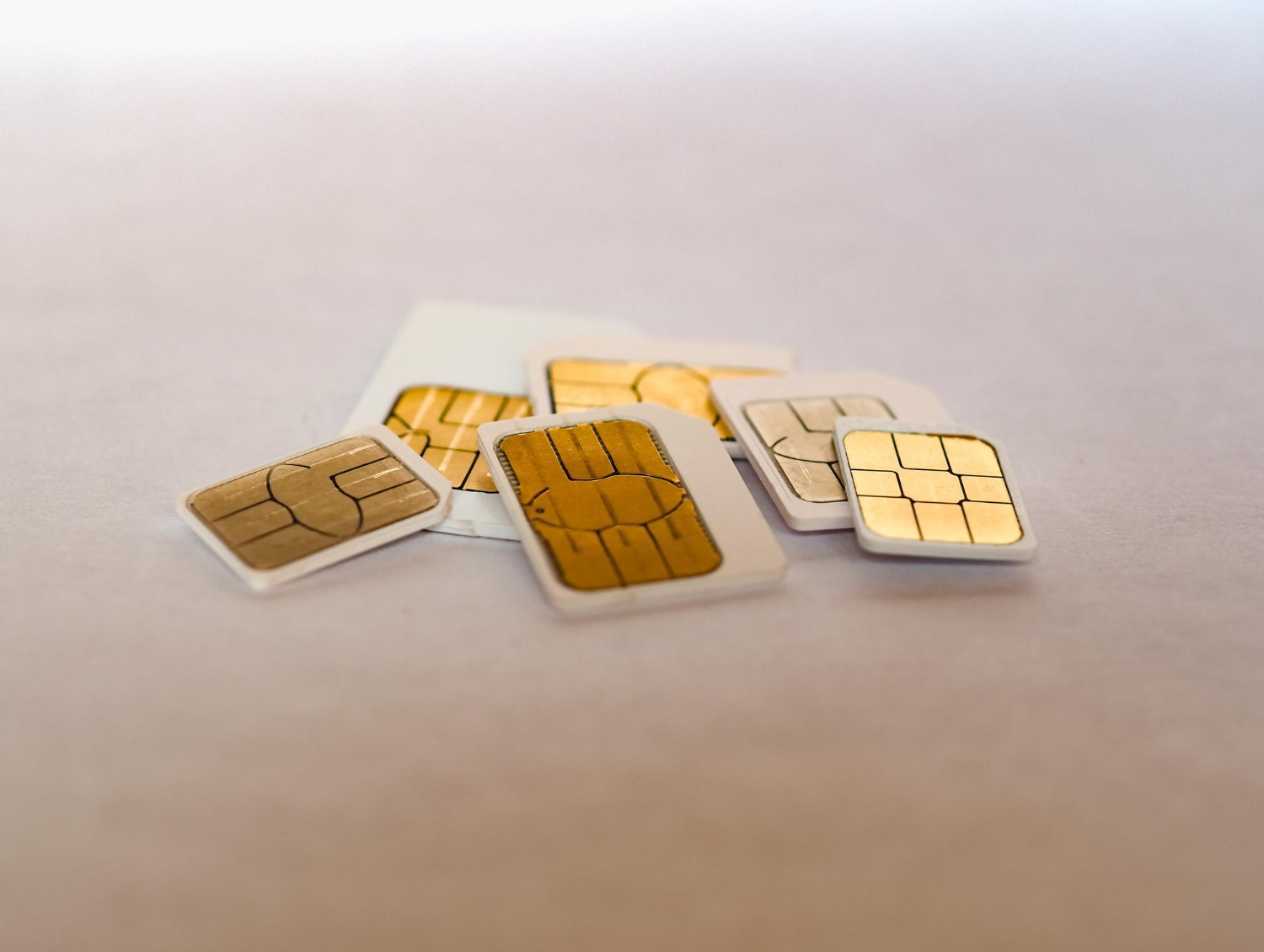
    Almost all phones need a SIM card to access the mobile network and make calls. Usually, you have to slide this small plastic chip into a tray (or even remove the back cover if you have an older model). You know the drill: it quickly becomes tedious when juggling multiple phones or SIM cards.

    Fortunately, the eSIM changes the game. Integrated directly into the smartphone’s motherboard, this tiny chip does everything a physical SIM card does… without any manipulation. Today, many modern devices already offer eSIM in addition to the usual SIM tray.

    eSIMs offer real advantages over classic SIM cards.

    • Firstly, you can store several data plans concurrently, without being limited to a single subscription.
    • Their ultra-compact format frees up space in your smartphone, allowing manufacturers to reinforce other essential components… like the battery!
    • You no longer have to handle hardware parts: no more laborious disassemblies or hunting for a paperclip to eject a tray!

    Learn more about how eSIMs work, the digital equivalent of a traditional SIM card

    En savoir plus sur le fonctionnement des eSIM

    We are often asked if an eSIM works exactly like a physical SIM… and the answer is simple: YES!

    All eSIM-compatible smartphones offer an option in their settings to add a cellular plan (here are the instructions dedicated to iPhones).

    On the Vostra platform, activating a data plan takes only a few seconds: you can install the eSIM by scanning a QR code, manually entering the information, or directly via the app. Then, you immediately have a volume of mobile data valid for the duration of your choice.

    What you need to remember:

    With this data plan, entirely independent of your usual operator, say goodbye to overpriced international fees! And don’t worry, you’ll of course keep your phone number. The Vostra eSIM instantly connects you to local networks in over 200 countries, offering you ultra-fast access to your data like never before.

    With Vostra, renew or change your eSIM data plan at any time and set up a new one in less than five minutes. No contract is required!

    Is Dual SIM functionality the same as eSIM functionality?

    Not necessarily!

    The term “Dual SIM” simply means that a smartphone can accommodate multiple SIM cards. However, this does not mean that one of these cards is necessarily an eSIM. In reality, many “Dual SIM” phones offer two physical SIM card slots, clearly visible on their dedicated tray.

    Conversely, some more advanced models allow you to combine a physical SIM and an eSIM, or even use two eSIMs together, while still retaining the “Dual SIM” designation.

    Where can (and can’t) you use an eSIM?

    eSIM Vostra disponible dans plus de 200 pays

    eSIM data plans covering over 200 countries and regions are available on the Vostra platform! This technology has already been adopted by most major European operators, as well as in international hubs such as Canada, Hong Kong, India, Qatar, Singapore, Taiwan, and the United States. In other words, wherever you set foot, you are very likely to find a suitable eSIM plan.

    Do you prefer to stick with your current operator? Most also offer an eSIM option, which simply replaces your physical SIM card. Nevertheless, depending on the case, you may need to contact customer service or visit a store, which can extend the waiting time.

    Adventure has no limits, and thanks to Vostra, neither does your mobile data

    You now know more about how eSIMs work – these digitized SIM cards integrated directly into your phone. It’s impossible to lose them, and you can store several at once. The result: you enjoy almost immediate access to local plans worldwide.

    This is the ideal solution for frequent travelers, and it’s rapidly becoming widespread. Ready to take the plunge? Explore Vostra’s eSIM plans now!

    FAQ

    What is an eSIM and how does it differ from a physical SIM card?

    An eSIM is a digital SIM card integrated directly into your device, unlike a removable physical SIM card. It allows you to connect to a mobile network without having to insert a physical card.

    What devices are compatible with eSIMs?

    Many recent devices, including smartphones, tablets, and connected objects, support eSIMs. It is recommended to check with your device manufacturer or consult the list of compatible devices to confirm this feature.

    What are the advantages of using an eSIM for international travel?

    By adopting an eSIM while traveling, you do not have to bear high roaming charges. You can subscribe to local plans at advantageous rates, change plans without physical manipulation, and store several eSIM profiles on the same device.

    How can I install and activate an eSIM on my device?

    Installing and activating an eSIM varies depending on the device, but generally:

    1. You purchase an eSIM plan from a provider such as Vostra.
    2. You receive a QR code or installation instructions.
    3. You access your device settings and add a new mobile plan.
    4. You scan the QR code or manually enter the provided information.
    5. You activate the plan once installed.
    Can I use an eSIM and a physical SIM card simultaneously on my device?

    Yes, many eSIM-compatible devices allow simultaneous use of an eSIM and a physical SIM card, thus offering dual SIM functionality. This allows you to manage two separate numbers or plans on the same device.

    How can I top up my eSIM plan if I run out of data?

    With providers like Vostra, you can easily top up your eSIM plan via their app or website. Simply select the appropriate top-up option for your current plan.

    Do eSIMs work in all countries?

    eSIMs are functional in many countries, but availability and compatibility may vary by region and local operators. It is advisable to check coverage and available offers for your destination before traveling.

    Is it possible to transfer my eSIM to another device?

    eSIMs are generally linked to a single device and cannot be transferred directly. If you change devices, you will likely need to obtain a new eSIM or reactivate your plan on the new device, taking into account your provider’s policies.

  • How to install an eSIM with a QR code?

    How to install an eSIM with a QR code?

    With the advent of eSIM technology, setting up a mobile plan has never been easier. Whether you’re a frequent traveler or looking to simplify your mobile data management, eSIM is an innovative and practical solution. Here, we explain how to activate it with a QR code. You’ll also discover the evolution from physical SIM cards to eSIMs and their many advantages.

    What is an eSIM?

    eSIM, or « embedded SIM, » is a SIM card inserted directly into your device’s hardware, such as your smartphone, tablet, or even your smartwatch. Unlike traditional SIM cards, it doesn’t have a physical format that you insert into a slot. All the information needed to activate a mobile plan is downloaded digitally to your device.

    eSIM offers a multitude of advantages:

    • Time-saving: Quick activation of a plan in just a few clicks, without physical manipulation.
    • Flexibility: Ability to store multiple eSIM plans on the same device and switch between them as needed.
    • Savings: No roaming charges by activating local plans adapted to your travel destinations.
    • Security: No risk of losing or having your SIM card stolen.

    Thanks to its technology, eSIM provides simplified connectivity and integrates perfectly into our daily lives, whether for travel or for managing multiple professional lines.

    Why use a QR code to set up an eSIM?

    The QR code is a standardized and universal method for activating an eSIM. Here’s why it’s particularly useful:

    • Simplicity: By scanning a simple code, you download and configure all the necessary data to activate your mobile plan.
    • Speed: The process only takes a few minutes, without needing a store visit or waiting to receive a SIM card by mail.
    • Security: QR codes minimize human errors through automatic integration of plan settings.

    This method is particularly suitable for travelers or users looking to activate local or international plans instantly.

    Learn more about this increasingly popular technology in this video!

    How to install a Vostra eSIM with a QR code?

    Installing a Vostra eSIM via a QR code is a simple process accessible to everyone. Follow these steps:

    1. Prepare your device

    • Make sure your device is eSIM-compatible. To do this, check your phone settings or refer to the list of compatible devices on Vostra.world.
    • Connect to a stable Wi-Fi network.

    2. Access your QR code

    After purchasing your eSIM plan, you will receive an email or notification with a QR code. This code contains all the necessary information to configure your mobile plan.

    accédez et scannez son code QR pour activer une eSIM

    3. Install an eSIM on an iPhone

    1. Open Settings.
    2. Go to Cellular, then select Add Cellular Plan.
    3. Scan the received QR code.
    4. Follow the instructions to activate your eSIM and select the primary line for calls and SMS, if necessary.

    4. Install an eSIM on an Android device

    1. Open Settings.
    2. Go to Connections, then to SIM card manager.
    3. Select Add mobile plan and scan the QR code.
    4. Confirm the installation and activate your eSIM.

    Once activated, you are ready to enjoy your mobile plan with permanent connectivity.

    The evolution from SIM to eSIM

    Evolution de la carte SIM depuis sa création

    SIM cards have evolved considerably since their introduction in 1991:

    • Mini SIM: First formats launched in 1996, requiring a specific insertion tray.
    • Micro SIM: Launched in 2010, it is smaller and offers improved functionalities.
    • Nano SIM: Standardized since 2012, it marked a significant reduction in size.
    • eSIM: Integrated directly into devices, it eliminates the need for a physical format while increasing flexibility and security.

    eSIM represents the next step in this evolution, with limitless connectivity and no hardware constraints.

    FAQ

    Is my phone eSIM compatible?
    To check, go to your phone settings or consult the list of compatible devices on Vostra.world.
    What if the QR code doesn’t work?
    Make sure your device is connected to a stable Wi-Fi network. If the problem persists, contact Vostra technical support for assistance.
    Can I use an eSIM with a physical SIM?
    Yes, most modern phones allow simultaneous use of a physical SIM and an eSIM for flexible line management.
  • How to buy your first eSIM?

    How to buy your first eSIM?

    Welcome to the world of eSIMs! This technology is revolutionizing how travelers stay connected, allowing access to mobile plans without using a physical SIM card. With a Vostra eSIM, you can activate a data plan for over 200 destinations worldwide directly from your smartphone. Discover how to buy your first eSIM and enjoy simplified, flexible connectivity!

    Local, Regional, and Global eSIMs

    Depending on your needs and destinations, you can choose from three types of eSIM plans offered by Vostra:

    • Local eSIMs: Ideal for a single country. If you’re going to France for a week, a local eSIM for France will keep you connected to the local network.
    • Regional eSIMs: These cover multiple countries within the same region. For example, if you’re traveling in the Caribbean, a regional eSIM will cover the Bahamas, the Dominican Republic, Turks and Caicos, and many more.
    • Global eSIMs: Perfect for those traveling across multiple regions or continents, they offer worldwide coverage including Europe, Asia, and Africa.

    Once you’ve selected the right plan, you’ll receive clear instructions on how to install it on your phone. Also, visit our Help Center for more detailed installation guides.

    What is the Validity Period?

    eSIM validity period

    The validity of an eSIM refers to the period during which your data plan will be active. At Vostra, the most common durations include:

    • 7 days
    • 14 days
    • 30 days or more

    Local eSIMs, often used for short stays, tend to have shorter validity periods. Conversely, global eSIMs are often available for longer periods, ideal for frequent travelers or extended trips.

    Don’t worry if your validity is about to expire: you can easily top up or buy another eSIM to continue enjoying your connection.

    Top Up an eSIM

    Before choosing an eSIM, check if it offers a built-in top-up option. At Vostra, several plans allow you to add extra data in a few clicks, without having to change your profile.

    If your current plan doesn’t allow top-ups, you can simply install a new eSIM to stay connected.

    Check out our eSIM top-up guide for more information on the steps to follow.

    How to Buy Your First eSIM?

    Buying an eSIM is a quick and intuitive process. Here’s what you need to know before you start:

    • Data Amount: eSIMs offer plans ranging from 1 GB to 100 GB or more, suited for various uses (browsing, streaming, social media, etc.). At Vostra, plans start from 3 GB.
    • Validity Period: Select a plan with a validity that matches the duration of your trip.
    • Rechargeable Option: Opt for a rechargeable eSIM if you anticipate needing additional data.

    Once your plan is chosen, you can finalize your purchase on our online store. After payment, a QR code will be sent to you to activate the eSIM on your phone.

    How Much Data Can an eSIM Hold?

    Amount of data used by eSIM card

    Each eSIM plan has a defined amount of data, an estimate of average consumption for certain common activities 👇:

    • Google Maps: 5 MB per hour
    • Social Media: 50 MB per hour
    • Internet Browsing: 50 MB per hour
    • Music Streaming: 100 MB per hour
    • SD Video: 1 GB per hour
    • HD Video: 4 GB per hour

    To avoid running out of data during your trip, plan for a margin based on your usage habits. And remember: if you run out, you can top up or buy a new plan anytime.

    Is Your Phone eSIM Compatible?

    Before buying an eSIM, there are two points to check:

    1. Does your device support eSIM technology?
    2. Is your phone unlocked (not tied to a carrier)?

    How to Check if Your Phone is Compatible?

    To find out if your phone is eSIM compatible:

    • Look for the « Add eSIM » option in your network settings.
    • Use the code *#06#: if an EID number appears, your device supports eSIMs.
    • Consult the list of compatible devices available on our website.

    How to Check if Your Phone is Unlocked?

    An unlocked phone can use eSIMs from different carriers. If you purchased your device from a carrier, check if it’s tied to a specific contract. If in doubt, contact your carrier to request an unlock.

    FAQ

    What are the benefits of eSIMs?
    eSIMs allow you to switch from one mobile plan to another in just a few clicks, without handling a physical SIM card. They are perfect for travelers, providing optimal flexibility and access to plans in over 200 countries.
    How much does an eSIM cost?
    eSIM prices vary depending on the destination, duration, and data amount. Visit our store to discover available plans.
    Can I use an eSIM with my physical SIM?
    Yes, many eSIM-compatible phones allow you to use an eSIM and a physical SIM card simultaneously, offering a convenient solution for business or personal needs.