Catégorie : How it works

  • Using your phone abroad: Do’s and Don’ts

    Using your phone abroad: Do’s and Don’ts

    Smartphones simplify our daily lives, offering us instant access to information and communication at all times. When you’re abroad, your phone becomes a valuable ally for optimizing your travel experience and staying in touch with loved ones back home. To travel with peace of mind and remain connected in all circumstances, here are our best tips for making the most of your smartphone abroad.

    Do: Disable data roaming

    Before leaving the country, whether by plane, train, or boat, take the time to cut it off at the source: immediately disable data roaming and mobile data on your phone. The goal? To prevent your device from continuously trying to connect, which can unexpectedly inflate your phone bill.

    But stay vigilant! Some applications, especially those that engage in automatic synchronization (Google, iCloud, Dropbox, etc.), can discreetly reactivate mobile data. So, carefully review your list of applications before departure, uninstall those that are not essential, or limit their data access.

    While you’re at it, reset your data counters to zero. This way, during your trip, you can monitor your consumption in real time: any data-hungry application will immediately stand out, alerting you to unwanted usage.

    Don’t: Rely on airplane mode

    Airplane mode, contrary to what you might think, does not disable data roaming or mobile data! While airplane mode does cut all radio connections (cellular, Bluetooth, Wi-Fi), applications that don’t require a constant network connection will continue to use your data.

    The best defense? Directly disable data roaming, or even better, opt for a prepaid plan tailored to your destination. This way, you’ll avoid any financial mishaps related to your mobile usage.

    Do: Upgrade your phone’s security

    When traveling, your smartphone is the item most likely to be lost or stolen. Statistics prove it: it’s the number one portable device for disappearances during trips. Before you fly, take the time to strengthen its security:

    • Set up and test multi-factor authentication methods accessible even without calls or SMS.
    • Install a VPN to protect your data when connecting to public Wi-Fi networks abroad.
    • Opt for a password manager to secure all your sensitive information.
    • Ensure your security patches and updates are performed before departure.
    • Configure a geolocation application to easily find your phone if it gets lost.

    Don’t: Neglect a protective case

    The security of your data is essential, but the security of your device is just as important. A sturdy protective case and a screen protector, especially if you’re the adventurous type, will save you a lot of hassle.

    When climbing a steep trail or running after a train, a simple fall can be enough to crack the screen or damage a vital component. By properly equipping your phone, you’ll save yourself stress and unpleasant surprises during your getaway.

    Do: Opt for a prepaid data plan (eSIM)

    Choisir un forfait de données avec la carte esim Vostra

    Stop wasting your time changing SIM cards or desperately searching for Wi-Fi. Today, you can access ultra-convenient and affordable data plans thanks to eSIMs. Platforms like Vostra make everything simple: a quick download, activation in a few clicks, and you’re ready to browse online from practically anywhere!

    Whether it’s for checking maps, booking a hotel, or finding a great local spot, having a stable connection transforms a complicated trip into a stress-free adventure.

    If your smartphone dates from after 2018 and is not an entry-level model, it is likely eSIM compatible. Check the list of compatible devices and enjoy instant connectivity.

    Don’t: Rely on Wi-Fi

    Avoid relying on Wi-Fi, especially when traveling abroad. Although internet access is more widespread in developed countries and tourist areas, there’s no guarantee of connection stability, speed, or even availability.

    Turning to a prepaid eSIM plan ensures a reliable connection, anywhere in the world. Download, activate, and recharge if needed: it’s that simple. This way, you’ll avoid unexpected disconnections and enjoy permanent access to everything you need online, without depending on a random hotspot.

    Do: Back up and protect your data before departure

    Before you hit the road, remember to keep a secure copy of your data in the cloud. This way, it will remain accessible and protected, even if lost or stolen during your travels. Also consider a factory reset to erase all your sensitive information. Two major reasons motivate this precaution:

    1. Border and customs controls: Border security agents, particularly in the United States or abroad, may be authorized to search your devices. In some countries like China, there are even reports of spyware being installed that can extract your SMS, personal data, and social media activity.
    2. Risky public Wi-Fi networks: Open Wi-Fi connections, for example in airports, are increasingly attracting cybercriminals, always on the lookout for sensitive data. Even with a VPN, you never know who is truly observing your traffic.

    If you’re hesitant to reset your phone before you leave, make sure to do it as soon as you return. Consider your device potentially compromised after using dubious networks abroad and take the necessary steps to limit the risks.

    Don’t: Trust public Wi-Fi
    Ne pas se connecter au wifi public

    Do not leave automatic Wi-Fi connection enabled while traveling. Even without intentionally connecting to a network, your data can be exposed to theft. Be vigilant and disable this feature:

    • On iPhone:
      • Go to « Settings »
      • Tap « Wi-Fi »
      • Select « Ask to Join Networks » and activate this option
    • On Android:
      • Go to « Settings »
      • Tap « Network & Internet »
      • Tap « Wi-Fi »
      • Go to « Wi-Fi Preferences »
      • Disable « Connect to open networks »

    A connected and secure trip is possible. With a few precautions, you can use your smartphone abroad with complete peace of mind. Whether it’s managing your mobile data, securing your device, or adopting a well-configured operating system, prepare the ground for connected, pleasant, and stress-free holidays.

    Looking for mobile data solutions tailored to your travels? Check out the offers available on the Vostra store.


  • 5 good reasons to choose a prepaid eSIM rather than roaming abroad

    5 good reasons to choose a prepaid eSIM rather than roaming abroad

    When you travel, Internet access is essential for using your apps, checking your emails, or finding your way. But connectivity options abroad can quickly become expensive, especially if you use traditional roaming. Fortunately, prepaid eSIMs offer a more economical and practical alternative. Here are 5 arguments that show why 👇.

    1. You get what you pay for

    With a prepaid eSIM, you have total transparency regarding your consumption and expenses. Unlike traditional roaming plans, which can include hidden fees and unexpected costs, each eSIM plan clearly specifies:

    • The amount of data included (3 GB, 5 GB, etc.).
    • The validity period (one week, one month, etc.).
    • The total cost with no hidden fees.
    • The networks and countries covered.
    • Whether the eSIM includes calls/SMS or data only.
    • Activation and renewal conditions.

    In contrast, with a traditional roaming plan, several aspects are beyond your control:

    • The total cost of roaming, often difficult to anticipate.
    • Possible surcharges when switching from one network to another.
    • Coverage quality, which can vary depending on the operator.

    In summary, a prepaid eSIM gives you the ability to perfectly control your budget while enjoying a reliable connection.

    2. You won’t exceed your data plan

    Prepaid eSIM plans operate on a simple principle: you purchase a defined amount of data and use it as needed. This means:

    • The cost remains fixed: you only pay for the data chosen.
    • Your plan lasts until its expiration or until all data is used.
    • Once the plan is exhausted, you have the choice to renew it or not.

    With traditional roaming, it’s common to exceed your data plan without realizing it, leading to exorbitant costs. A prepaid eSIM eliminates this risk and allows you to better manage your consumption.

    3. You can easily change your plan

    basculer d’un forfait local à un autre avec une eSIM Vostra

    When you use an eSIM, changing plans is as simple as downloading a new data plan. For example, if you’re traveling in Asia and move from Thailand to Malaysia, you can switch from one local plan to another without changing your physical SIM card.

    If your phone is compatible with the Dual-SIM function (one physical SIM + one eSIM), you can even keep your primary number and use an eSIM for data.

    4. eSIMs are fully digital

    One of the great advantages of eSIMs is that they are completely digital. You can purchase and activate a plan in minutes, without having to search for a point of sale or wait for delivery.

    Benefits of a digital eSIM include:

    • No more waiting to get a physical SIM card.
    • No need to search for a local SIM card provider.
    • Eliminates the risk of losing or damaging your SIM card.

    All you need is a compatible phone and a Wi-Fi connection to activate your plan.

    5. Prepaid eSIM plans are more affordable

    Roaming fees can quickly become very expensive, especially if you travel frequently. A prepaid eSIM plan is often much more economical because it operates on a simple, no-commitment model.

    • No hidden fees.
    • Competitive prices compared to roaming plans.
    • Better network coverage, as the eSIM can connect to the best local operators.

    What if I need a phone number while traveling?

    Many prepaid eSIM plans focus on data and do not include a local phone number. However, this doesn’t mean you can’t make calls!

    Here are some alternatives:

    • Use apps like WhatsApp, Telegram, Skype, or Zoom to make calls over the Internet.
    • Send SMS via iMessage, WhatsApp, or other messaging apps.
    • Receive confirmations and security codes by email rather than SMS.

    If you need a local number, some eSIMs offer options that include calls and SMS, available on Vostra.world.

    FAQ

    Is my phone compatible with a prepaid eSIM?
    To check, go to settings and look for the « Add eSIM » option, or dial *#06# to see if an EID number appears.
    How do I activate a prepaid eSIM?
    Purchase a plan on Vostra.world, scan the received QR code, and follow the instructions for activation.
    Do prepaid eSIMs work in all countries?
    Yes, Vostra.world offers plans for hundreds of countries and regions. Check our website to see available offers.
  • Getting started with eSIM: Our tips and tricks for new users

    Getting started with eSIM: Our tips and tricks for new users

    New to the world of eSIMs and not sure exactly where to start? How does an eSIM work and how do you choose the right plan? This detailed guide answers all your questions and helps you get the most out of your first eSIM.

    What is an eSIM?

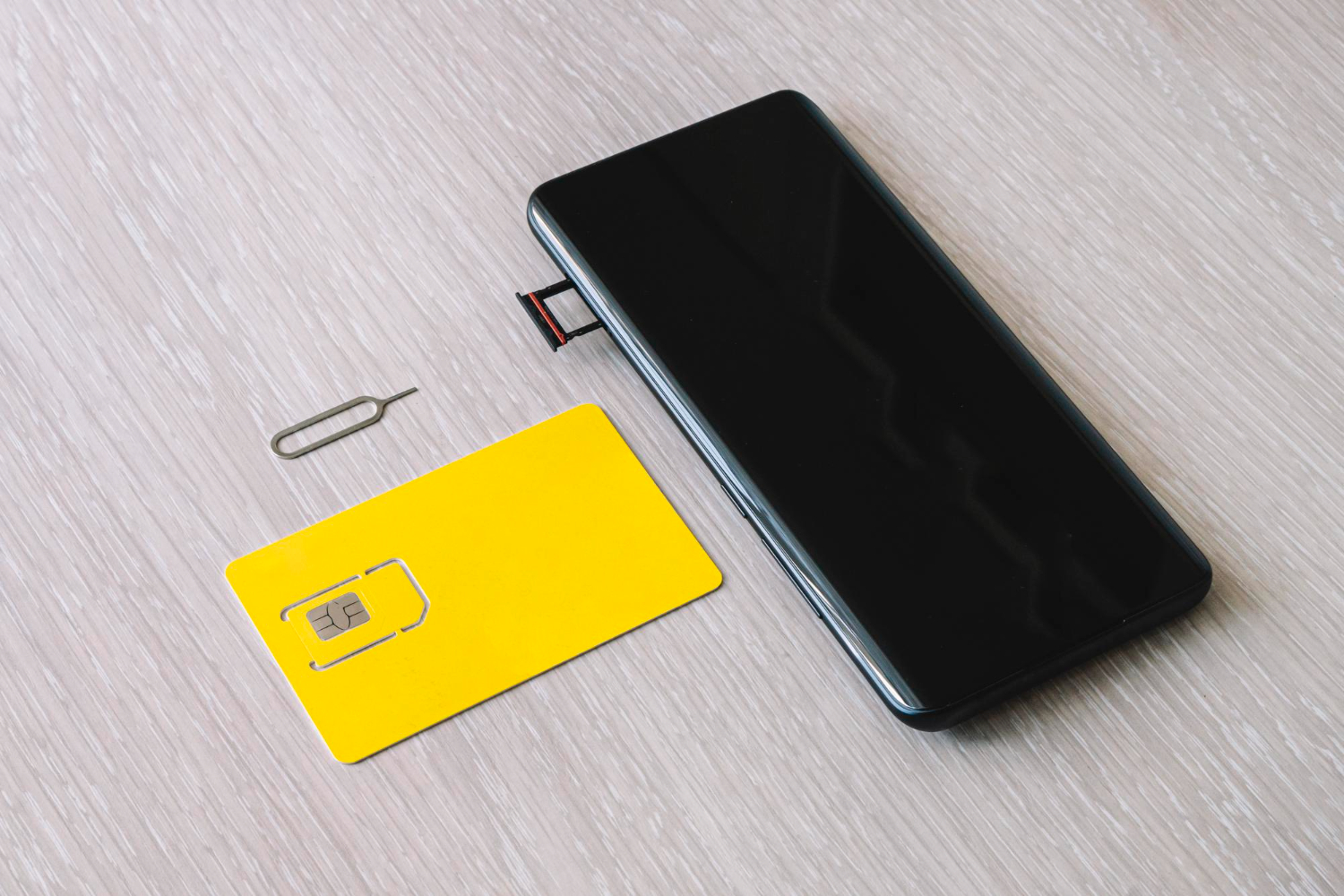
    Before we continue, an eSIM (Embedded SIM) is a SIM card integrated directly into your device. It does not require insertion or removal. An eSIM is remotely programmable, allowing you to activate a mobile plan without handling a physical card.

    Thanks to this technology, you can:

    • Avoid the hassle of buying and inserting a physical SIM card when you travel.
    • Benefit from increased flexibility by easily switching between multiple plans.
    • Enjoy better security, as an eSIM cannot be removed or lost.

    SIM vs eSIM: What’s the Difference?

    Quelle est la différence entre Sim et eSIM

    The main difference between a classic SIM card and an eSIM lies in its format and operation:

    • Physical SIM: Removable card requiring manual handling to be inserted or replaced.
    • eSIM: Integrated into the device and remotely programmable, eliminating the need for physical cards.

    eSIMs make it possible to store several operator profiles on the same device, providing a fluid transition between different networks.

    Will an eSIM work on my device?

    To use an eSIM, your smartphone must be:

    • eSIM compatible: Most recent models (iPhone, Samsung, Google Pixel, etc.) support this technology.
    • Unlocked: An unlocked phone is not restricted to a single operator and can use an eSIM from any provider.

    You can check your device’s compatibility by going to settings and looking for the Add an eSIM option or dial *#06# to see if an EID number appears.

    How to choose an eSIM?

    There are several types of eSIM plans adapted to different needs:

    • National plans: Work only in a specific country.
    • Regional plans: Valid in several countries in the same region (example: Europe plan).
    • Global plans: Usable in several countries worldwide.

    Make sure the plan’s coverage matches your destination before purchasing it.

    Some eSIM terms you should know

    Termes esim Ă  connaitre

    • Data: Volume of data included in the plan (e.g., 5 GB, 10 GB).
    • Validity: Duration of the plan’s use (e.g., 7 days, 30 days).
    • Network: List of partner operators offering coverage.
    • Activation policy: Some plans activate upon installation, others only upon connection to the network.

    eKYC: Electronic Identity Verification

    Some countries require electronic identity verification (eKYC) before authorizing the activation of an eSIM plan. This involves providing identity documents to validate your account. If your destination imposes this requirement, remember to complete this verification before your departure.

    Recharge option

    Many eSIM plans allow you to recharge your data without having to reinstall the eSIM. If your plan does not offer this option, you will need to purchase a new one upon expiration.

    Frequently Asked Questions

    How does a Vostra eSIM work?
    A Vostra eSIM allows you to connect to a mobile network without the need for a physical SIM card. Once activated, it gives you access to mobile services such as data, calls, and SMS (if included in the plan). The eSIM operates entirely digitally, unlike a traditional SIM card, which makes it easier to activate and use, especially for travelers.
    When is the best time to install an eSIM?
    The ideal time to install your eSIM depends on its activation policy. If your eSIM activates immediately after installation, it’s best to wait until you are ready to use it before installing it on your device. However, if it only activates upon connecting to the network at your destination, you can install it any time before your departure.
    When and how to activate an eSIM?

    eSIMs have different activation policies, depending on the operator and the type of plan chosen:

    • Immediate activation: Some eSIMs are activated as soon as they are installed on your device. They then start consuming their plan immediately.
    • Activation upon connection: Other eSIMs only activate when they detect a mobile network in the area covered by the plan.

    Make sure to check your eSIM’s activation policy before installing it.

    Can I use an eSIM with a locked phone?
    No, your phone must be unlocked by your operator to use an eSIM. An unlocked phone means you are not tied to a single operator and have the freedom to change plans, use an eSIM, or a local SIM when you travel. If your device is locked, contact your operator to see if it can be unlocked.
  • Having multiple eSIMs on your phone: why it’s a good idea

    Having multiple eSIMs on your phone: why it’s a good idea

    With the rise of eSIMs, it’s now possible to have multiple digital SIM profiles on a single device. This technology, of course, revolutionizes mobile connectivity, especially for travelers and professionals. But what are the concrete advantages of having multiple eSIMs on one phone? We invite you to discover them!

    What is an eSIM?

    An eSIM, or embedded SIM, is a digital version of the traditional SIM card. Unlike physical cards, it is integrated directly into the device and can be activated remotely via a QR code or an application.

    Among the advantages of an eSIM are:

    • No longer needing to buy and manage physical SIM cards.
    • Instant access to international mobile plans.
    • Easy installation via Wi-Fi, without requiring physical intervention.
    • The ability to store multiple eSIM profiles on a single device.

    eSIMs vs. physical SIM cards: what are the differences?

    Why choose an eSIM over a traditional SIM card? Here are some major differences 👇:

    • Flexibility: An eSIM allows you to quickly switch from one operator to another without changing cards.
    • Simplified storage: No more need to keep and swap multiple SIM cards.
    • Convenience: Ideal for travelers, an eSIM allows you to download a local plan upon landing.

    Avoir une eSIM Vostra, pratique pour voyager

    Managing multiple physical SIM cards can be cumbersome:

    • You have to store them and avoid losing them.
    • Insert and remove them each time.
    • Label them to avoid confusion.

    Whereas with multiple eSIMs, everything is managed digitally, which greatly simplifies the user experience.

    Dual SIM technology: how does it work?

    Modern smartphones support Dual SIM Dual Standby (DSDS) technology, allowing multiple eSIMs to be activated in parallel. Depending on the phone model, you can:

    • Store multiple eSIM profiles on the same device.
    • Use one eSIM and one physical SIM card simultaneously.

    Unlike a traditional SIM card, an eSIM does not occupy a physical slot. This gives you the ability to save multiple international mobile plans and switch between them in just a few clicks.

    Traveling to multiple countries with a Vostra eSIM

    For globe-trotters, eSIMs offer an ideal solution. Rather than buying a new SIM card in each country, you can download a local plan remotely.

    Utiliser une eSIM lors de vos voyages

    With Vostra, you have access to:

    • International plans covering multiple countries.
    • Instant connection upon arrival at your destination.
    • Transparent pricing with no hidden fees.

    Some advantages of multiple eSIMs

    Having multiple eSIMs on a phone offers many benefits:

    • Quick installation: eSIMs download in seconds.
    • Savings: Prepaid plans with no commitment.
    • Flexibility: Easily switch between multiple plans.
    • Fewer constraints: No more need to store and swap physical cards.
    • Optimized connection: Instant access to the best local networks.

    FAQ

    Why should I use multiple eSIMs on the same phone?
    Using multiple eSIMs allows you to juggle different mobile plans without having to physically change SIM cards. This is particularly useful if you travel frequently and want to optimize your connection based on regions, or if you are a professional who needs multiple lines.
    Can I activate multiple eSIMs at the same time?
    Most phones offer the ability to store several eSIMs, but generally, only one eSIM profile can be active at a time. Some recent models allow two eSIM lines to be activated simultaneously.
    How do I switch from one eSIM to another on my phone?
    In your phone settings, go to SIM card management and select the eSIM you wish to activate. The change happens instantly without restarting the device.
    Are there any fees for switching from one eSIM to another?
    No, switching between your registered eSIMs is free. However, make sure you understand the rates of the activated plans to avoid unexpected data charges.
    What is the difference between using multiple eSIMs and an international plan?
    An international plan often incurs high roaming charges, whereas with multiple eSIMs, you can activate a local plan at a lower cost depending on your destination country.
    Do eSIMs work in all countries?
    Yes, provided your provider offers coverage in the country concerned. Vostra offers eSIM plans valid in over 190 destinations worldwide.
  • eSIM vs Roaming vs Local SIM: Which option should you choose for your trip?

    eSIM vs Roaming vs Local SIM: Which option should you choose for your trip?

    Planning a trip abroad often involves considering the best solution to stay connected. Between roaming, local or international SIM cards, and eSIMs, it can sometimes be difficult to find your way. This article guides you to make the most suitable choice for your needs and budget.

    What is roaming?

    Roaming is the service offered by your phone operator to allow the use of your number abroad. This includes calls, SMS, and mobile data, often at increased rates. If your trip is short and you don’t plan to use much data, roaming can be a simple, albeit expensive, solution.

    When is roaming advantageous?

    • For short trips where you use little data.
    • If your operator offers plans with included roaming.

    Be aware, however, of hidden fees and overage charges, which can quickly add up to a heavy bill.

    What is a local SIM card?

    Using a local SIM card

    A local SIM card is a physical card you purchase once you arrive in your destination country. It allows you to get a local number and benefit from advantageous rates for calls and data.

    Advantages of local SIM cards:

    • Generally more competitive rates for calls and data.
    • No long-term commitment.
    • Availability in local stores and airports.

    However, these cards can become impractical if you travel to multiple countries, as they often only work within the area where they are purchased.

    What is an international SIM card?

    International SIM cards are designed for frequent or long-term travelers. They give you the opportunity to use calls, SMS, and data in several countries without having to change cards.

    Advantages:

    • Convenience for multi-country travel
    • Often offers a single solution to stay connected

    On the other hand, they can be more expensive to purchase and often require prior activation or specific recharges.

    Why not choose an eSIM?

    eSIM flexible solution for travel abroad

    • Simple and quick installation: activate your plan in minutes.
    • No physical card needed; you can combine multiple plans.
    • Ideal for multi-destination trips.
    • No risk of losing a physical SIM card.

    With eSIM, you can easily switch between different plans and stay connected worldwide without logistical complications. Being virtual, it is the most modern and flexible solution for travelers.

    Once integrated directly into your phone, you can activate plans via a QR code without needing a physical card. Explore Vostra.world‘s eSIM offers to find the ideal plan for your next adventure.

    FAQ

    Is my phone compatible with eSIM?
    To check compatibility, consult your phone’s settings. Look for « Add eSIM » or use the code *#06# to check for an EID number.
    What are the main advantages of eSIM?
    eSIM is convenient, quick to install, and ideal for multi-country travel. You can combine multiple plans without having to change physical cards.
    Can an eSIM and a physical SIM card be used simultaneously?
    Yes, if your phone is compatible with dual SIM technology, you can use an eSIM while keeping a physical SIM card.


  • SIM cards, eSIM: the best mobile solutions for sailors

    SIM cards, eSIM: the best mobile solutions for sailors

    Accessing reliable mobile coverage can be a challenge for sailors. Areas without terrestrial networks require specific solutions to stay connected. International SIM cards, local SIM cards, and eSIM – we help you choose the one best suited to your needs at sea.

    Staying Connected at Sea: The Challenges

    Connecting at sea is nothing like typical mobile use on land. Sailors face several obstacles, such as:

    • No network coverage areas: Far from terrestrial antennas, phones cannot pick up a standard signal.
    • Little to no Wi-Fi access: Ships are rarely equipped with reliable or high-performance Wi-Fi networks.
    • High roaming charges: Even with limited coverage, roaming fees can quickly become prohibitive.

    To overcome these challenges, it’s important to choose an adapted mobile solution that takes into account:

    • The country being crossed: Some plans offer global coverage, while others are limited to a specific region.
    • Data volume: Sailors often need a lot of data for video calls or internet browsing.
    • Duration of the trip: A long journey requires a flexible, rechargeable, or adjustable solution.

    Given these needs, several options stand out: international SIM cards, local SIM cards, and eSIM.

    International SIM Cards for Sailors

    International SIM cards, like « Travel SIM » offers, are designed to work in multiple countries or regions. They offer several advantages for sailors:

    • Worldwide compatibility: They provide coverage in many countries without changing cards.
    • Immediate use: Once the card is inserted, it’s ready to use without local configuration.

    However, international SIM cards are not perfect:

    • Included plans are often expensive, especially if you consume a lot of data.
    • Recharge options at sea can be limited, as they require an internet connection.
    • Physical cards can get lost or damaged.

    In summary, international SIM cards are convenient, but they are not always suitable for intensive or long-term use.

    Local SIM Cards: A Limited Solution

    Local SIM cards are purchased directly in the country or region you are traveling in. With them:

    • Costs are generally lower than international SIM cards.
    • A local number facilitates national calls.

    However, these cards have a few drawbacks if you work at sea:

    • They only work in a given country. If you cross multiple borders, you will need to change cards.
    • Recharges can be complicated at sea, as they require an internet connection.
    • They are often designed for short-term stays, not for prolonged trips.

    These limitations make local SIM cards poorly suited for sailors who need a flexible and international solution.

    Why eSIM is Ideal for Sailors

    An eSIM (embedded SIM) is a SIM card integrated directly into your device. Unlike physical cards, it offers the possibility to download a digital plan without physical manipulation. Its strengths 👇 :

    • Worldwide coverage: eSIM plans offer coverage in over 200 countries.
    • Quick activation: Download an eSIM plan online and activate it instantly.
    • Convenience: No more need to change physical cards or visit a local store.
    • Competitive costs: eSIM plans are often more affordable than physical alternatives.

    However

    Your phone must be compatible. Older models do not support this technology. Most recent smartphones, such as iPhones and recent Android devices, do have this feature.

    Final Word

    For sailors, choosing an adapted mobile solution is essential to stay connected at sea without interruption. While international and local SIM cards offer interesting options, eSIM stands out as the most flexible and practical solution. Prepare your trip now with eSIM offers on Vostra.world.

    FAQ

    What is an eSIM?
    An eSIM is a SIM card embedded directly into your phone. It allows you to activate mobile plans without having to insert a physical card.
    Is my phone compatible with an eSIM?
    Recent smartphones support eSIM. Check your settings or consult the list of compatible devices on the Vostra website.
    Can an eSIM replace a physical SIM card?
    Yes, an eSIM performs the same functions as a physical SIM, while offering more flexibility and convenience.
    How do I activate an eSIM at sea?
    Download your eSIM plan via a Wi-Fi connection before you leave. Then, activate it directly from your phone.
  • Can I modify or change my eSIM plan?

    Can I modify or change my eSIM plan?

    Before using an eSIM, it’s essential to check two important things: is your phone unlocked by your current carrier, and is it compatible with eSIM technology? We’ll explain how to verify these essential aspects to take advantage of the many benefits of eSIMs.

    How to check if your phone is unlocked?

    To use an eSIM with a carrier of your choice, your phone must be unlocked (i.e., it must not be restricted to a single carrier). A locked device can restrict access to other networks, leading to additional costs or the inability to use foreign eSIMs. Here’s how to check if your device is unlocked:

    • Go to Settings > Connections > SIM Manager.
    • Look for the Carrier Lock section.
    • If your device is unlocked, the message “No SIM restrictions” will appear.

    How to check if your phone is compatible with eSIM technology?

    eSIM compatibility is generally reserved for recent phone models (produced after 2018) that integrate eSIM technology.

    For an iPhone:

    • Go to Settings > Connections > SIM Manager.
    • Scroll to Available SIM (iOS 15 or later versions).
    • If the « Add eSIM » option appears, your device is compatible.

    For an Android device:

    • Dial *#06# and press Call.
    • If an EID (eSIM Identifier) number appears, your device is eSIM compatible.

    You can also check the official list of eSIM compatible phones on the Vostra website for confirmation.

    Can I change my eSIM plan?

    Change your eSIM plan on your mobile

    One of the great strengths of eSIMs lies in their flexibility. Unlike physical SIM cards, you can modify or change your eSIM plan according to your needs effortlessly. For example, you can:

    • Increase the amount of available data if you run out.
    • Change plans when traveling to a new destination.
    • Adapt your eSIM to extend its validity for a longer-than-expected trip.

    To modify your plan, log in to your Vostra account, select your eSIM, and choose the « Recharge » or « Change Plan » option.

    Deactivating and deleting an eSIM

    If you no longer need your eSIM, you can choose to temporarily deactivate it or remove it from your phone. This depends on your needs:

    • If you plan to use this eSIM later, deactivate it to avoid permanent deletion.
    • If the eSIM will no longer be useful, you can delete it from your settings.

    Here’s how to deactivate or delete an eSIM:

    1. Go to Settings > Cellular or Mobile.
    2. Select the eSIM line to deactivate.
    3. Tap Deactivate This Line.

    You can reactivate this eSIM at any time if it remains registered on your device.

    How to change your eSIM plan?

    Here are situations where you might want to change your eSIM plan:

    You’re running out of eSIM data

    If you use your eSIM intensively and your plan is exhausted, easily recharge it via your Vostra account:

    • Go to My eSIMs.
    • Select the active eSIM.
    • Choose the Recharge option and follow the instructions.

    Your validity period expires

    If your eSIM is about to expire, you can extend its validity by recharging or purchasing a new plan.

    You’re changing countries or regions

    If you travel to a different region, you may need to purchase a plan suited to that new destination. Log in to your Vostra account to choose a compatible plan.

    Getting started with a Vostra eSIM

    First steps to use and activate a Vostra eSIM

    Steps to quickly set up your eSIM with Vostra:

    Step 1: Purchase an eSIM

    Go to Vostra.world to choose the eSIM plan that suits your needs.

    Step 2: Install the eSIM

    Scan the QR code received after your purchase:

    • Go to Settings > Mobile Network.
    • Select Add eSIM and scan the code.

    Step 3: Activate the eSIM

    Follow the specific instructions to activate your eSIM according to the chosen destination. Once activated, you are ready to connect!

    Step 4: Connect to a network

    Enable mobile data and roaming in your settings to start using your Vostra eSIM plan.

    FAQ

    How do I check if my phone is eSIM compatible?
    Go to your settings to look for the « Add eSIM » option or use the code *#06# to check the EID number.
    Can I use an eSIM with a physical SIM?
    Yes, most eSIM-compatible devices allow simultaneous use with a physical SIM.
    How do I activate my Vostra eSIM?
    Scan the QR code received after your purchase and configure the eSIM in your network settings.
  • What happens when a SIM card is defective?

    What happens when a SIM card is defective?

    When you get a new phone, the first thing you think about is inserting a physical SIM card or transferring your current card to your new device. But with the evolution of mobile technologies, is this practice still relevant? eSIMs transform this experience by making it entirely digital. Unlike traditional SIM cards, an eSIM is integrated directly into your phone. It requires no physical insertion or replacement to change operators or activate a plan. In a few clicks, you can download a data plan, activate it, and be connected immediately. Will we gradually abandon physical SIM cards?

    How are SIM and eSIM cards similar?

    Whether it’s a physical SIM card or an eSIM, their main function remains the same: to allow your device to access the mobile network. Here are their main uses:

    • Connecting to mobile networks to use cellular data.
    • Accessing messaging and calling services.
    • Identifying your device on your operator’s network.

    In other words, a SIM card acts like a digital license plate, connecting your phone to the mobile network. However, the main difference lies in the format and flexibility of use. As an eSIM is entirely digital, it offers significant advantages over traditional SIM cards.

    Dual SIM and multi-profile management

    Utiliser une double SIM sur son téléphone

    Many recent smartphones are compatible with Dual SIM functionality, allowing you to use a physical SIM card and an eSIM simultaneously, or even multiple eSIMs. Some practical uses of this technology 👇:

    • Add a local plan for mobile data when you travel while keeping your main number.
    • Use one plan dedicated to calls and another exclusively for internet browsing.
    • Manage a personal line and a professional line on the same phone.

    With an eSIM, there’s no need to juggle multiple physical cards or lose them. You can store multiple eSIM profiles and switch between them directly from your phone’s settings.

    Is your phone eSIM compatible?

    To use an eSIM, your device must be compatible and unlocked. Here are a few ways to check:

    • Consult the list of eSIM-compatible devices.
    • Check with your operator if your phone is unlocked.
    • Go to your smartphone settings and search for « eSIM » or « digital SIM card. »
    • Dial *#06# on your phone and see if an EID number appears (which means your phone supports eSIM).

    Why choose an eSIM?

    1. Protection against physical damage

    Since an eSIM is integrated into your phone, it is not at risk of breaking, scratching, or oxidizing like a traditional SIM card.

    2. Enhanced security

    Physical SIM cards can be stolen, cloned, or faked. An eSIM offers better protection against hacking and fraud.

    3. Storage of multiple eSIM profiles

    You can store multiple eSIM plans on your device and switch between them instantly, without having to insert or remove a physical card.

    4. No more roaming fees

    With Vostra, you can buy a local eSIM plan in over 200 countries and avoid excessive roaming fees.

    5. Instant activation

    No more waiting for a physical SIM card: the eSIM activates immediately after purchase by scanning a QR code.

    Common problems with physical SIM cards

    Physical SIM cards are exposed to several risks:

    1. Water damage

    Humidity, splashes, and immersion in water can corrode a SIM card’s connectors, rendering it unusable.

    2. Heat sensitivity

    Prolonged exposure to heat can damage a SIM card’s metal pins and cause malfunctions.

    3. Shipping problems

    SIM cards delivered by operators may be damaged during transport, which, of course, requires reshipment.

    How to tell if your SIM card is faulty?

    • Your phone struggles to pick up a mobile network
    • SMS and calls don’t go through
    • Your device continuously tries to search for a network without success.

    Frequently Asked Questions

    Can a SIM card get damaged over time?
    Yes, a SIM card can deteriorate over the years. Several factors can lead to malfunction, including natural wear and tear, excessive exposure to heat or cold, physical damage due to improper handling, or manufacturing defects. Repeated insertion or removal of the card can also accelerate its deterioration.
    How do I know if my SIM card is faulty?
    If your phone displays messages such as « No SIM card » or « Invalid SIM, » or if you experience recurring connection problems despite a functional network, it is possible that your SIM card is damaged or out of order.
    How to clean a SIM card?
    To clean a SIM card, use a soft, lint-free cloth. For a deeper clean, apply a small amount of isopropyl alcohol to the cloth before gently wiping the card. Make sure the SIM card is completely dry before reinserting it into your phone. Avoid using water, abrasive materials, or harsh solvents that could damage it.
    What is a SIM card used for?
    A SIM (Subscriber Identity Module) card allows mobile devices to identify themselves on a cellular network. It contains essential information such as the user’s identification number, network authentication data, and sometimes stored contacts. Thanks to it, you can make calls, send messages, and access the internet via mobile data.
    What is the lifespan of a SIM card?
    A SIM card is designed to last several years, but its longevity can be affected by various factors. Exposure to extreme temperatures, excessive handling, or manufacturing defects can reduce its lifespan and lead to premature malfunction.
  • Using your iPhone abroad: tips and advice to avoid unpleasant surprises

    Using your iPhone abroad: tips and advice to avoid unpleasant surprises

    Before setting off on your next great adventure, take the time to properly prepare your iPhone. A few simple settings will allow you to travel with peace of mind, ensuring your security, connectivity, and tranquility. International journeys can hold their share of surprises, so it’s better to anticipate. Discover below the essential steps to follow before your departure to avoid any issues once you’re there.

    6 things to do with your iPhone before going abroad

    You’re about to pack your bags for an international getaway, and your iPhone is naturally part of the trip. But before you go through customs, take a few minutes to prepare your precious high-tech companion: here are our six essential tips to fully enjoy your iPhone abroad.

    1. Make sure your iPhone is unlocked

    A locked phone can become a real headache abroad, preventing you from using local SIM cards or even eSIM plans. If your iPhone is locked by your carrier, contact them without delay to have it unlocked.

    Generally, stating that you are going abroad and wish to have a local number is sufficient. And if your carrier doesn’t cooperate, other solutions exist, which you can turn to.

    2. Turn off data roaming before takeoff

    To avoid unpleasant surprises, disable data roaming before leaving national territory. Better yet, completely turn off mobile data during your trip, at least during transit, to prevent any unwanted connection to a foreign network.

    • Go to Settings
    • Tap Mobile Data
    • Open Data Roaming and turn it off
    • Go back to Mobile Data and turn it off as well

    3. Use Wi-Fi services to your advantage

    Wi-Fi can be your best ally for saving your mobile data and avoiding hefty bills.

    • Native Apple Apps: iMessage, FaceTime… Your integrated tools already facilitate calls and messages via Wi-Fi.
    • Facebook Messenger: No need for an active Facebook account to chat freely.
    • WhatsApp, Telegram, Line: Perfect for calling and sending secure messages across the world.
      Even if you opt for a local SIM card or an eSIM plan, Wi-Fi remains the ideal solution for reducing your data consumption.

    4. Choose an eSIM plan tailored to your needs

    Choisir un forfait adapté Esim Vostra avec son iphone

    Simplify your connection with an eSIM plan that offers you access to local data at advantageous rates, directly from your smartphone. Purchase your plan in advance and activate it effortlessly upon arrival.

    Although you won’t have a local number (requiring Dual SIM functionality or a messaging/calling app), your phone will remain fully operational, thus avoiding costly roaming charges.

    5. Update your Multi-Factor Authentication (MFA)

    Protect your accounts with robust multi-factor authentication. Most 2FA methods rely on SMS, which can be problematic abroad if you don’t have phone service. Avoid being locked out by updating your security options before you leave.

    A few tips:

    • Add a backup email address.
    • Use a Google Voice number or temporarily forward your number to Google.
    • Opt for an app-based authenticator like Google Authenticator or LastPass Authenticator.

    6. Monitor and reset your data usage

    Keep control of your data usage while traveling, as measurement methods can vary from country to country. Quickly identify data-hungry apps and adjust your settings to avoid overages.

    To reset your data usage statistics on an iPhone:

    1. Go to « Settings »
    2. Select « Mobile Data »
    3. Tap « Reset Statistics »

    This way, you will have a clear view of your data consumption throughout your stay.

    Get ready to travel stress-free

    Just as you meticulously plan your itinerary and budget, also prepare your iPhone for a successful trip. Make sure you can use local SIM cards or eSIM plans, and update your security settings.

    Leave nothing to chance:

    • Stay connected with a suitable plan thanks to a Vostra eSIM, simple and quick to obtain.
    • Save time, money, and stress by preparing your phone before you leave.

    Discover mobile data plans available for your next destination on our website now.

  • Using your phone abroad: Dos and don’ts

    Using your phone abroad: Dos and don’ts

    Smartphones simplify our daily lives, offering us instant access to information and communication at all times. When abroad, your phone becomes a valuable ally for optimizing your travel experience and staying connected with loved ones back home. To travel with peace of mind and remain connected in all circumstances, here are our best tips for making the most of your smartphone abroad.

    Do: Disable Data Roaming

    Before leaving the country, whether by plane, train, or boat, take the time to cut it off at the source: immediately disable data roaming and mobile data on your phone. The goal? To prevent your device from continuously trying to connect, which can unexpectedly inflate your phone bill.

    But stay on your guard! Some applications, especially those that engage in automatic synchronization (Google, iCloud, Dropbox, etc.), can secretly reactivate mobile data. Therefore, carefully review your app list before departure, uninstall those that are not essential, or limit their data access.

    Take the opportunity to reset your data counters to zero. This way, during your trip, you can monitor your consumption in real-time: any data-hungry application will immediately stand out, alerting you to unwanted usage.

    Don’t: Rely on Airplane Mode

    Airplane mode, contrary to what you might think, does not disable data roaming or mobile data! While airplane mode does cut all radio connections (cellular, Bluetooth, Wi-Fi), applications that don’t require a constant network connection will continue to consume your data.

    The best solution? Directly disable data roaming, or even better, opt for a prepaid plan tailored to your destination. This way, you’ll avoid any financial slip-ups related to your mobile usage.

    Do: Upgrade Your Phone’s Security

    When traveling, your smartphone is the object most likely to be lost or stolen. Statistics prove it: it’s the number one portable device for disappearances during travel. Before you fly, take the time to strengthen its security:

    • Set up and test multi-factor authentication methods accessible even without calls or SMS.
    • Install a VPN to protect your data when connecting to public Wi-Fi networks abroad.
    • Opt for a password manager to secure all your sensitive information.
    • Ensure that your security patches and updates are performed before departure.
    • Configure a geolocation application to easily find your phone if it gets lost.

    Don’t: Neglect Your Protective Case

    The security of your data is essential, but that of your device is just as important. A sturdy protective case and a screen protector, especially if you’re the adventurous type, will save you a lot of hassle.

    When climbing a steep trail or running after a train, a simple fall can be enough to crack the screen or damage a vital component. By properly equipping your phone, you spare yourself stress and unpleasant surprises during your getaway.

    Do: Opt for a Prepaid Data Plan (eSIM)

    Choisir un forfait de données avec la carte esim Vostra

    Stop wasting your time changing SIM cards or desperately searching for Wi-Fi. Today, you can access ultra-convenient and affordable data plans thanks to eSIMs. Platforms like Vostra make everything simple: a quick download, activation in a few clicks, and you’re ready to browse online from practically anywhere!

    Whether it’s checking maps, booking a hotel, or finding a good local spot, having a stable connection transforms a complicated trip into a stress-free adventure.

    If your smartphone dates from after 2018 and isn’t an entry-level model, it’s probably eSIM compatible. Check the list of compatible devices and enjoy instant connectivity.

    Don’t: Depend on Wi-Fi

    Avoid relying on Wi-Fi, especially when traveling abroad. While internet access is more widespread in developed countries and tourist areas, there’s no guarantee of connection stability, speed, or even availability.

    Turning to a prepaid eSIM plan ensures you a reliable connection, anywhere in the world. Download, activate, and top up if needed: it’s that simple. This way, you’ll avoid untimely disconnections and enjoy permanent access to everything you need online, without depending on a random hotspot.

    Do: Back Up and Protect Your Data Before Departure

    Before hitting the road, remember to keep a secure copy of your data in the cloud. This way, it will remain accessible and protected, even in case of loss or theft during your travels. Also consider a factory reset to erase all your sensitive information. Two major reasons motivate this precaution:

    1. Border and Customs Controls: Border security agents, especially in the United States or abroad, may be authorized to search your devices. In some countries like China, there are even reports of spyware being installed that can extract your SMS, personal data, and social media activity.
    2. Risky Public Wi-Fi Networks: Open Wi-Fi connections, for example in airports, are increasingly attracting cybercriminals, always on the lookout for sensitive data. Even with a VPN, you never know who is truly observing your traffic.

    If you’re hesitant to reset your phone before you leave, make sure to do so as soon as you return. Consider your device potentially compromised after using dubious networks abroad and take the necessary measures to limit the risks.

    Don’t: Trust Public Wi-Fi

    Ne pas se connecter au wifi public

    Do not leave automatic Wi-Fi connection enabled while traveling. Even without intentionally connecting to a network, your data can be exposed to theft. Be vigilant and disable this feature:

    • On iPhone:
      • Go to « Settings »
      • Tap « Wi-Fi »
      • Select « Ask to Join Networks » and activate this option
    • On Android:
      • Go to « Settings »
      • Tap « Network & Internet »
      • Tap « Wi-Fi »
      • Go to « Wi-Fi preferences »
      • Disable « Connect to open networks »

    A connected and secure trip is possible. With a few precautions, you can use your smartphone abroad with complete peace of mind. Whether it’s managing your mobile data, securing your device, or adopting a well-configured operating system, prepare the ground for connected, enjoyable, and stress-free holidays.

    Looking for mobile data solutions tailored to your travels? Check out the offers available on the Vostra store.