Catégorie : – English

  • How to simplify your travels by eliminating roaming charges?

    How to simplify your travels by eliminating roaming charges?

    When abroad, your phone can quickly incur exorbitant charges, whether you monitor your usage or not. Indeed, most travelers have already faced phone bills well beyond their expectations. And who hasn’t heard of those unexpected and dreaded roaming fees?

    Fortunately, there are several tips to reduce roaming costs while traveling. Whether you’re going for a long stay abroad or a weekend trip across the border to visit family, here are four essential strategies to avoid unexpected phone bills.

    Four tips to reduce your roaming costs when traveling

    When traveling abroad, several options are available to reduce roaming costs. There is no one-size-fits-all solution, but we’re revealing four effective strategies to consider. Each has specific advantages, so choose the one that best suits your next journey.

    1. Consult your provider in advance

    Before you leave, check with your provider about available options for international data. Some providers even offer free roaming. While these offers aren’t always included in the most economical plans, they can be very advantageous if you travel frequently.

    Additionally, some providers offer free roaming data for certain countries or globally, even if the speed may be limited to 2G. If this meets your needs, this option is worth considering.

    Finally, other providers offer temporary data packages. Rates may vary depending on the country, region, or duration of your stay. Don’t hesitate to ask many questions to find the solution best suited for your trip.

    2. Rely on local Wi-Fi connectivity

    Many travelers prefer to completely forgo mobile data and rely on available Wi-Fi hotspots in the area. This economical tip works very well in many urban areas but may be less effective in rural or isolated regions.

    To do this, disable mobile data in your phone’s settings. Avoid relying on Airplane mode, as some background services might continue to use data. For added security, some prefer to remove their SIM card from their phone. Make sure you have a safe place to store it.

    Without access to mobile data, your phone will only work on available Wi-Fi networks. Emergency services will remain accessible, and you can use GPS if you have downloaded local maps via Google Maps. Take advantage of this solution to facilitate your travels by:

    • Looking for cafes offering free Wi-Fi.
    • Accessing free Wi-Fi in public libraries or other municipal buildings.
    • Considering a coworking subscription if you work as a freelancer.
    • Being careful about unsecured Wi-Fi networks, especially open networks in unusual areas.

    3. Opt for a local SIM card

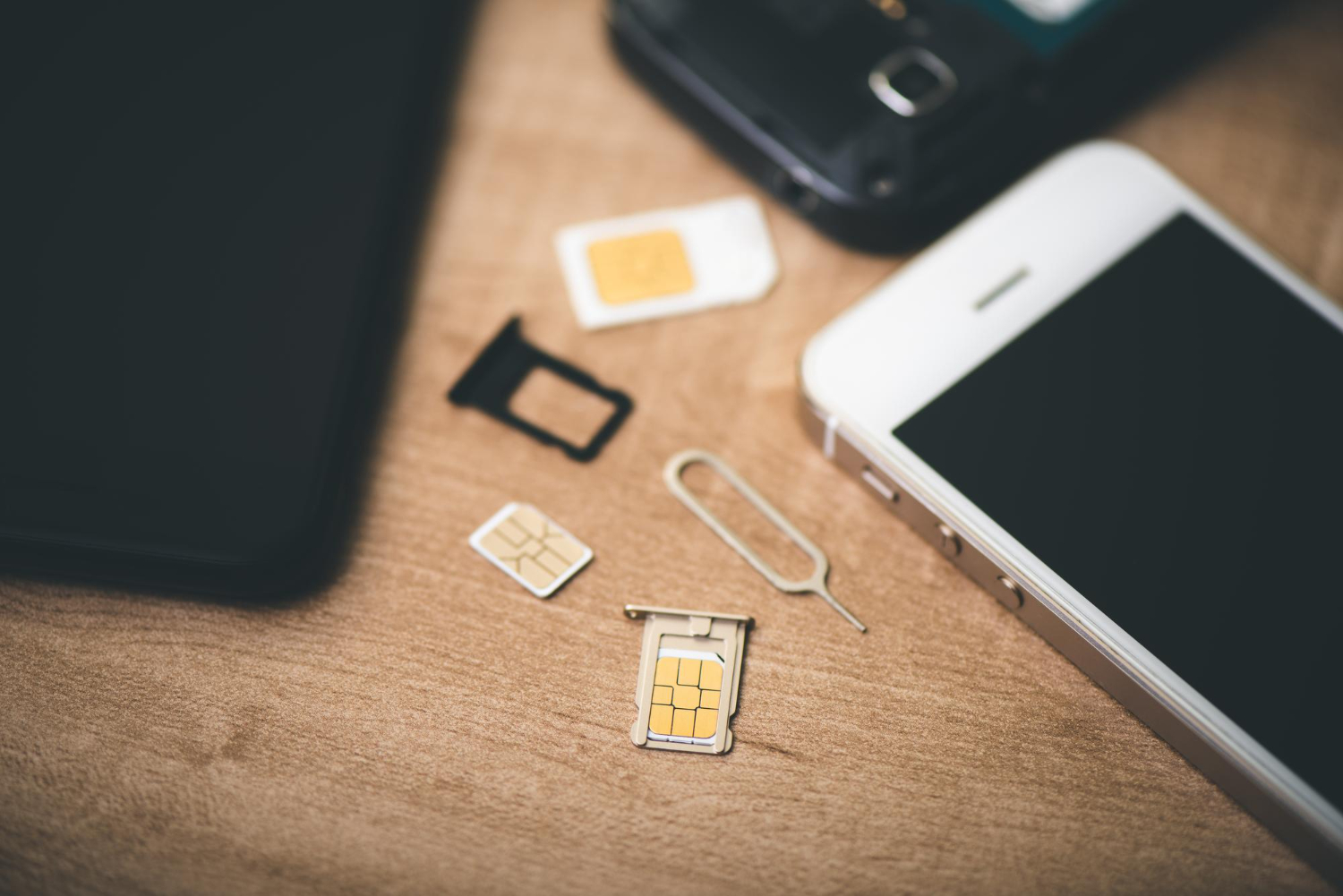
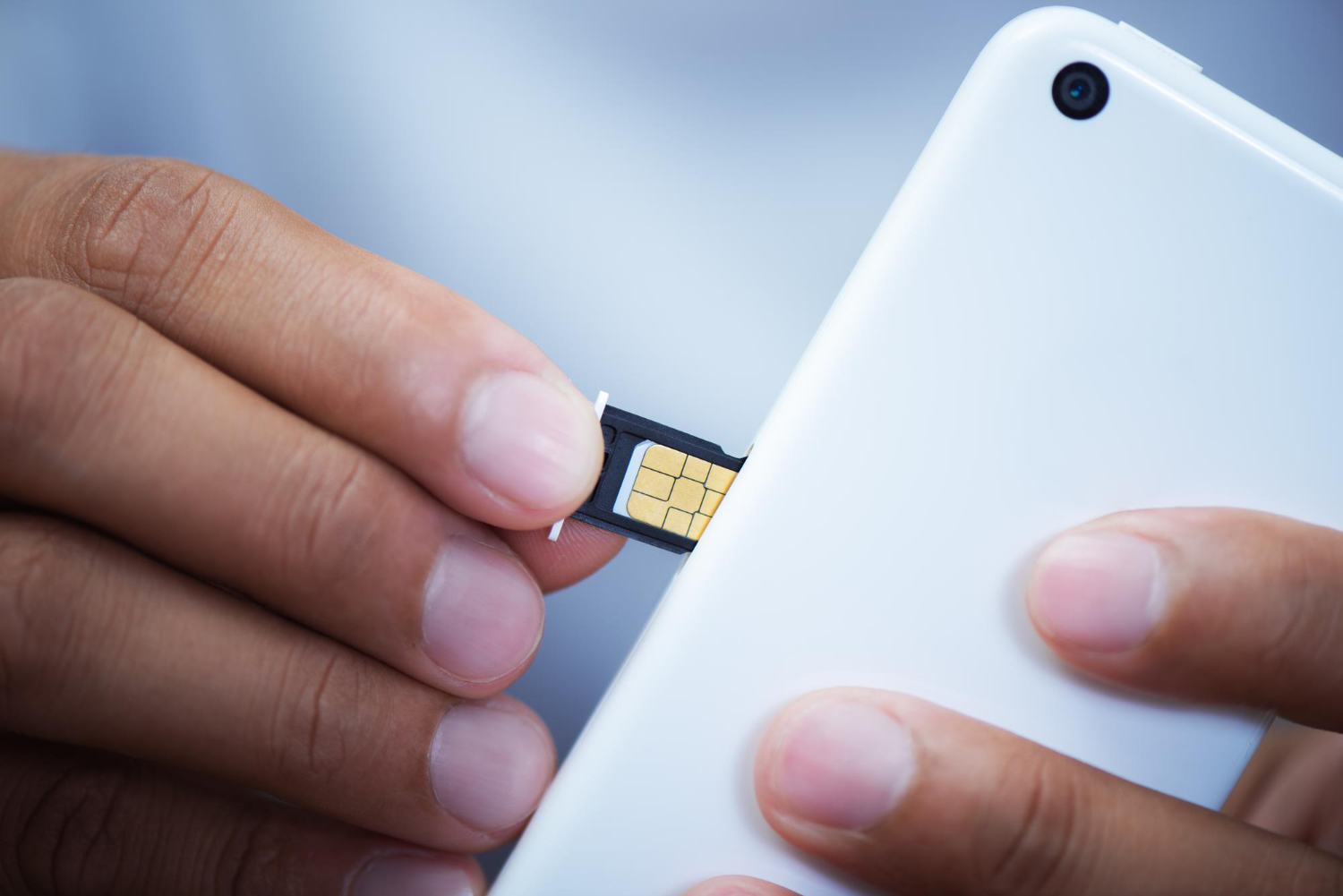
    Many seasoned travelers opt for local SIM cards during their stays abroad. Buy a SIM card directly on site and insert it into your phone to get a local number and access mobile data via local networks.

    Used wisely, this solution proves to be both economical and practical for staying connected throughout your trip.

    Staying connected throughout your trip with a local Sim card

    However, if this option seems too easy or too advantageous, it’s important to remain vigilant. While purchasing a local SIM card generally goes smoothly, some pitfalls can arise:

    • The SIM card may not offer the promised services.
    • Hidden fees may be applied.
    • You might acquire a card incompatible with your device.

    These risks are amplified in case of a language barrier or if you purchase from unauthorized resellers. It is therefore essential to gather information before making a purchase.

    4. Switch to eSIM

    Is your device compatible with eSIM technology? eSIM, or embedded SIM, is a tiny chip integrated directly into your phone. To activate it, you simply download a data plan from a provider or via an online platform. Once configured, you immediately benefit from mobile connectivity and data without having to handle a physical card.

    The advantages of eSIM are numerous:

    • Flexibility: Download multiple data plans and easily switch between them as needed during your travels.
    • Savings: Access local plans at competitive rates thanks to partnerships between online platforms and providers.
    • Dual SIM: Use your eSIM alongside your national SIM card without having to remove it. Simply deactivate your local SIM’s data while continuing to use calls and messages from your main number. Additionally, keeping your usual number facilitates authentications and other services requiring your personal number.

    Save on roaming charges during your travels with Vostra

    Roaming charges can quickly add up, but you don’t have to bear them on every trip. Apply these effective strategies to reduce your roaming costs while maintaining optimal connectivity during your stays abroad.

    From Wi-Fi hotspots to adopting eSIMs, there are many ways to manage your connectivity while traveling. Don’t fall into the trap of expensive data plans and avoid spending your vacation stressing about the bill awaiting you upon your return. Instead, opt for one of these practical tips and fully enjoy your adventure worry-free.

    Visit the Vostra platform now to find the most economical eSIM plans and stay connected wherever you are in the world.
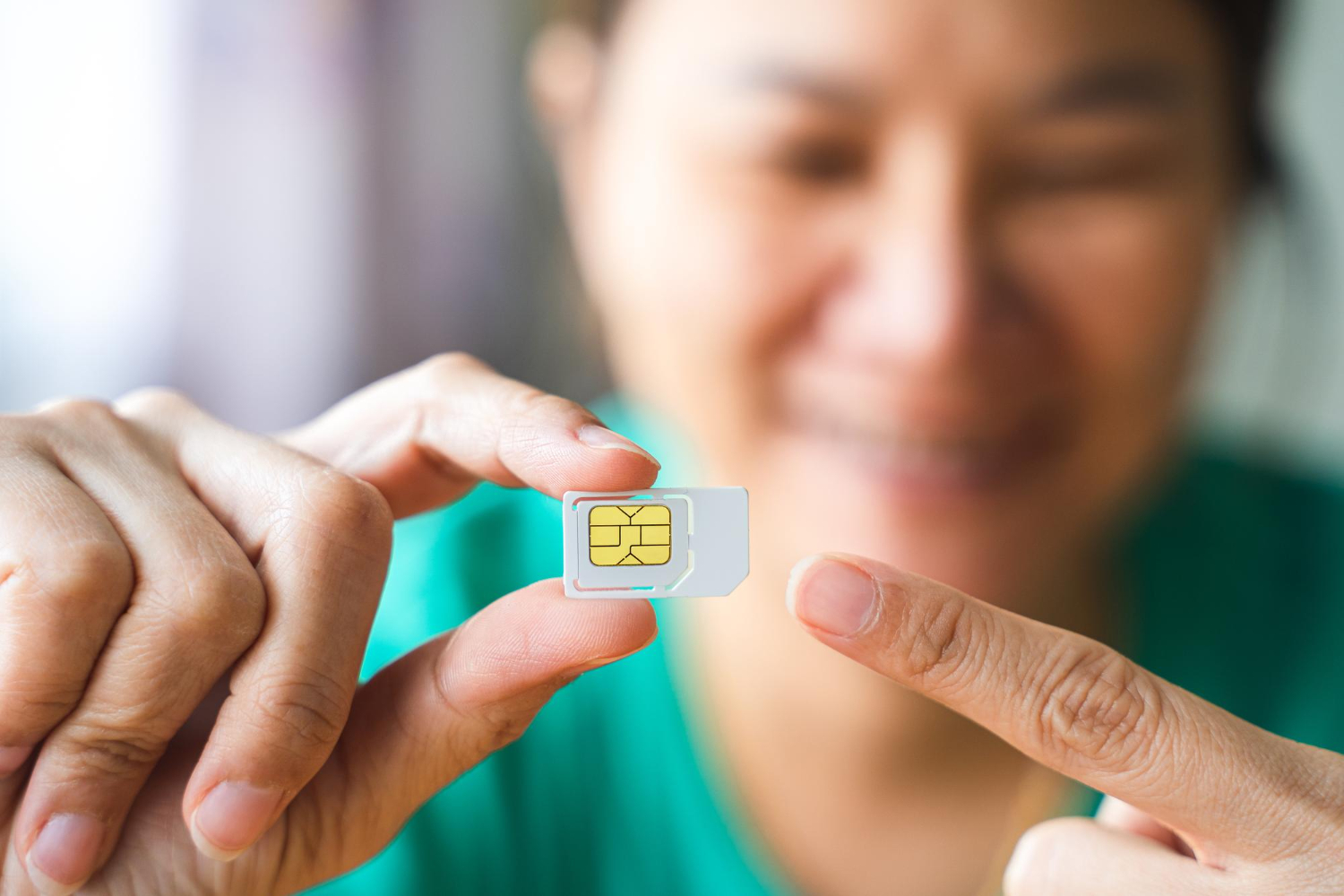

  • SIM cards, eSIM: the best mobile solutions for sailors

    SIM cards, eSIM: the best mobile solutions for sailors

    Accessing reliable mobile coverage can be a challenge for sailors. Areas without terrestrial networks require specific solutions to stay connected. International SIM cards, local SIM cards, and eSIM – we help you choose the one best suited to your needs at sea.

    Staying Connected at Sea: The Challenges

    Connecting at sea is nothing like typical mobile use on land. Sailors face several obstacles, such as:

    • No network coverage areas: Far from terrestrial antennas, phones cannot pick up a standard signal.
    • Little to no Wi-Fi access: Ships are rarely equipped with reliable or high-performance Wi-Fi networks.
    • High roaming charges: Even with limited coverage, roaming fees can quickly become prohibitive.

    To overcome these challenges, it’s important to choose an adapted mobile solution that takes into account:

    • The country being crossed: Some plans offer global coverage, while others are limited to a specific region.
    • Data volume: Sailors often need a lot of data for video calls or internet browsing.
    • Duration of the trip: A long journey requires a flexible, rechargeable, or adjustable solution.

    Given these needs, several options stand out: international SIM cards, local SIM cards, and eSIM.

    International SIM Cards for Sailors

    International SIM cards, like « Travel SIM » offers, are designed to work in multiple countries or regions. They offer several advantages for sailors:

    • Worldwide compatibility: They provide coverage in many countries without changing cards.
    • Immediate use: Once the card is inserted, it’s ready to use without local configuration.

    However, international SIM cards are not perfect:

    • Included plans are often expensive, especially if you consume a lot of data.
    • Recharge options at sea can be limited, as they require an internet connection.
    • Physical cards can get lost or damaged.

    In summary, international SIM cards are convenient, but they are not always suitable for intensive or long-term use.

    Local SIM Cards: A Limited Solution

    Local SIM cards are purchased directly in the country or region you are traveling in. With them:

    • Costs are generally lower than international SIM cards.
    • A local number facilitates national calls.

    However, these cards have a few drawbacks if you work at sea:

    • They only work in a given country. If you cross multiple borders, you will need to change cards.
    • Recharges can be complicated at sea, as they require an internet connection.
    • They are often designed for short-term stays, not for prolonged trips.

    These limitations make local SIM cards poorly suited for sailors who need a flexible and international solution.

    Why eSIM is Ideal for Sailors

    An eSIM (embedded SIM) is a SIM card integrated directly into your device. Unlike physical cards, it offers the possibility to download a digital plan without physical manipulation. Its strengths 👇 :

    • Worldwide coverage: eSIM plans offer coverage in over 200 countries.
    • Quick activation: Download an eSIM plan online and activate it instantly.
    • Convenience: No more need to change physical cards or visit a local store.
    • Competitive costs: eSIM plans are often more affordable than physical alternatives.

    However

    Your phone must be compatible. Older models do not support this technology. Most recent smartphones, such as iPhones and recent Android devices, do have this feature.

    Final Word

    For sailors, choosing an adapted mobile solution is essential to stay connected at sea without interruption. While international and local SIM cards offer interesting options, eSIM stands out as the most flexible and practical solution. Prepare your trip now with eSIM offers on Vostra.world.

    FAQ

    What is an eSIM?
    An eSIM is a SIM card embedded directly into your phone. It allows you to activate mobile plans without having to insert a physical card.
    Is my phone compatible with an eSIM?
    Recent smartphones support eSIM. Check your settings or consult the list of compatible devices on the Vostra website.
    Can an eSIM replace a physical SIM card?
    Yes, an eSIM performs the same functions as a physical SIM, while offering more flexibility and convenience.
    How do I activate an eSIM at sea?
    Download your eSIM plan via a Wi-Fi connection before you leave. Then, activate it directly from your phone.
  • What happens to my data if I delete my eSIM?

    What happens to my data if I delete my eSIM?

    You’ve used an eSIM for a trip or business travel and are wondering what to do with it when you return? Deactivate or delete your eSIM. While these two actions seem similar, they have very different implications. In this guide, we explain when to choose one over the other, and how to do it step-by-step.

    How to deactivate an eSIM

    Deactivating an eSIM is an excellent solution if you want to keep your plan for future use. This method allows you to pause the line without deleting it, which is ideal if you are returning to the same region soon or if your plan is still valid.

    Steps to deactivate an eSIM on your phone

    • Go to your device’s settings.
    • Go to the Mobile Data or Mobile Networks section, depending on your device.
    • Select your active eSIM line.
    • Tap the Deactivate this line option or an equivalent command.

    Once deactivated, your eSIM remains installed on your phone, but it no longer uses data or network. This can be useful if you plan to reactivate this line on a future trip or to avoid accidentally consuming data.

    Why deactivate instead of delete?

    Choose to deactivate your eSIM if:

    • You plan to reuse this plan on a future trip to the same region.
    • Your plan is still valid, but you don’t need it immediately.
    • You want to avoid having to download the eSIM card again.

    Please note: deactivation does not extend the validity of your plan. If it expires while the line is deactivated, you will need to purchase a new plan or top it up, depending on the options offered by your provider.

    When and why to delete an eSIM

    Guide pour savoir comment supprimer son eSIM

    Deleting an eSIM is a permanent action that erases the plan from your device. It also involves the loss of data associated with that plan. So, before you take the plunge, here’s what you need to know:

    When is it necessary to delete an eSIM?

    • The eSIM plan has expired and cannot be topped up.
    • You no longer need this line and want to free up space on your device.
    • You are changing regions or providers for a new eSIM plan.

    In some cases, such as a lack of space on your device, deleting an inactive eSIM simplifies the management of your mobile networks.

    What to keep in mind before deleting an eSIM

    • eSIM plans are limited to a validity period. If you delete an expired eSIM, you will not be able to reactivate it.
    • You cannot transfer a deleted eSIM to another device, even if it is still valid.
    • Deletion is irreversible: you will need to purchase a new plan if you need it again.

    What happens if I delete my eSIM?

    Deleting an eSIM can have significant consequences, especially if it is still valid or if you are traveling. Here’s what it entails:

    • You will lose access to your plan, even if it is still active.
    • You will need to purchase a new eSIM plan to restore your connectivity.
    • You could be without a connection if you don’t have an alternative solution (Wi-Fi or physical SIM card).

    Steps to delete an eSIM

    • Open your phone’s settings.
    • Go to the Mobile Data section.
    • Select the eSIM line you wish to delete.
    • Click the Delete this plan option and confirm your choice.

    Before deleting an eSIM, make sure you have backed up all important information or have a backup plan to stay connected.

    For reliable and easily rechargeable eSIM plans, explore the offers available on Vostra.world and stay connected wherever you are.

    FAQ

    Can I reactivate an eSIM after deleting it?
    No, a deleted eSIM cannot be reactivated. You will need to purchase a new plan or contact your operator to get another one.
    Does deleting an eSIM free up space on my phone?
    Yes, deleting an eSIM can free up a small amount of space on your device, especially if you manage multiple plans.
    How do I check if my eSIM plan is still valid?
    You can check the validity of your plan in your phone’s settings or via your provider’s app. On Vostra, log in to your account to check your balance and validity period.
  • Using an eSIM: Impact on Battery Life and Energy-Saving Tips

    Using an eSIM: Impact on Battery Life and Energy-Saving Tips

    With the growing popularity of eSIMs, some questions remain regarding their impact on mobile device battery life. One of the most frequent concerns is whether using an eSIM consumes more battery. In this article, we demystify this myth and provide practical tips to maximize your battery’s lifespan, especially when you’re traveling.

    Using your eSIM in the right region

    It is crucial to ensure that your eSIM plan matches the region you are in. For example, an eSIM designed for Europe will not work if you are traveling in North America or Asia.

    This is due to differences in available phone networks and frequencies used in different geographical areas.

    Utiliser une eSIM en Europe

    To avoid compatibility issues and ensure optimal use, here are some tips to apply 👇:

    • Choose an eSIM plan suited to your destination when purchasing.
    • Activate your eSIM before departing or upon arrival in the target region.
    • Ensure your device is configured to automatically select compatible networks in the area you are traveling to.

    By following these steps, you will avoid unnecessary interruptions and maximize your device’s energy efficiency, as a phone constantly trying to connect to an incompatible network can consume more power.

    These tips extend your battery’s lifespan

    When using an eSIM while traveling, it’s important to adopt certain habits that will help reduce your device’s energy consumption without compromising your user experience.

    • Reduce your screen brightness: A very bright screen is one of the biggest power consumers.
    • Activate airplane mode: When there’s no network or you don’t need a connection, this prevents constant signal searching.
    • Limit automatic updates: These use data and consume battery, especially when roaming.
    • Disable unnecessary services: Location, Bluetooth, or vibrations can be turned off when not needed.
    • Use power-saving mode: This mode automatically adjusts several settings to extend your battery’s lifespan.
    • Close unused apps: Some continue to consume resources in the background.
    • Avoid heavy downloads: Large videos or files can quickly drain your battery.
    • Use a portable charger: An external battery can be a practical solution, especially during long journeys or in poorly served areas.

    These simple actions make a big difference in your device’s battery life, especially if you are on the go and using an eSIM to stay connected.

    The real impact of eSIM on battery

    eSIM et impact sur votre téléphone mobile

    Contrary to popular belief, eSIMs do not consume more battery than physical SIM cards. Here’s why:

    • Integrated technology: eSIMs are directly integrated into the device’s hardware, eliminating the need for physical support. This reduces their impact on energy consumption.
    • Optimized data management: eSIMs use modern protocols to transmit and receive data, making them more efficient than traditional SIM cards.

    In summary, the eSIM does not represent an additional drain on your battery. However, other factors such as network coverage level or intensive use of certain applications can have a significant impact.

    Discover Vostra’s exclusive eSIM solutions for hassle-free travel to over 200 destinations. Click here to learn more.

    FAQ

    Does an eSIM consume more battery than a physical SIM?
    No, the eSIM is designed to be as efficient, if not more so, than a traditional SIM. It is integrated into the phone’s hardware and does not use more power than necessary to function.
    What should I do if my battery drains quickly with an eSIM?
    Make sure you have disabled unnecessary features (like location or excessive notifications) and are using power-saving mode. If you are on the go, a portable charger can also be useful.
    What are the advantages of an eSIM for travel?
    The eSIM offers increased flexibility to choose and activate plans tailored to your destination without changing a physical SIM card. It is also more convenient, as it prevents the loss or damage of a card.
  • Can I modify or change my eSIM plan?

    Can I modify or change my eSIM plan?

    Before using an eSIM, it’s essential to check two important things: is your phone unlocked by your current carrier, and is it compatible with eSIM technology? We’ll explain how to verify these essential aspects to take advantage of the many benefits of eSIMs.

    How to check if your phone is unlocked?

    To use an eSIM with a carrier of your choice, your phone must be unlocked (i.e., it must not be restricted to a single carrier). A locked device can restrict access to other networks, leading to additional costs or the inability to use foreign eSIMs. Here’s how to check if your device is unlocked:

    • Go to Settings > Connections > SIM Manager.
    • Look for the Carrier Lock section.
    • If your device is unlocked, the message “No SIM restrictions” will appear.

    How to check if your phone is compatible with eSIM technology?

    eSIM compatibility is generally reserved for recent phone models (produced after 2018) that integrate eSIM technology.

    For an iPhone:

    • Go to Settings > Connections > SIM Manager.
    • Scroll to Available SIM (iOS 15 or later versions).
    • If the « Add eSIM » option appears, your device is compatible.

    For an Android device:

    • Dial *#06# and press Call.
    • If an EID (eSIM Identifier) number appears, your device is eSIM compatible.

    You can also check the official list of eSIM compatible phones on the Vostra website for confirmation.

    Can I change my eSIM plan?

    Change your eSIM plan on your mobile

    One of the great strengths of eSIMs lies in their flexibility. Unlike physical SIM cards, you can modify or change your eSIM plan according to your needs effortlessly. For example, you can:

    • Increase the amount of available data if you run out.
    • Change plans when traveling to a new destination.
    • Adapt your eSIM to extend its validity for a longer-than-expected trip.

    To modify your plan, log in to your Vostra account, select your eSIM, and choose the « Recharge » or « Change Plan » option.

    Deactivating and deleting an eSIM

    If you no longer need your eSIM, you can choose to temporarily deactivate it or remove it from your phone. This depends on your needs:

    • If you plan to use this eSIM later, deactivate it to avoid permanent deletion.
    • If the eSIM will no longer be useful, you can delete it from your settings.

    Here’s how to deactivate or delete an eSIM:

    1. Go to Settings > Cellular or Mobile.
    2. Select the eSIM line to deactivate.
    3. Tap Deactivate This Line.

    You can reactivate this eSIM at any time if it remains registered on your device.

    How to change your eSIM plan?

    Here are situations where you might want to change your eSIM plan:

    You’re running out of eSIM data

    If you use your eSIM intensively and your plan is exhausted, easily recharge it via your Vostra account:

    • Go to My eSIMs.
    • Select the active eSIM.
    • Choose the Recharge option and follow the instructions.

    Your validity period expires

    If your eSIM is about to expire, you can extend its validity by recharging or purchasing a new plan.

    You’re changing countries or regions

    If you travel to a different region, you may need to purchase a plan suited to that new destination. Log in to your Vostra account to choose a compatible plan.

    Getting started with a Vostra eSIM

    First steps to use and activate a Vostra eSIM

    Steps to quickly set up your eSIM with Vostra:

    Step 1: Purchase an eSIM

    Go to Vostra.world to choose the eSIM plan that suits your needs.

    Step 2: Install the eSIM

    Scan the QR code received after your purchase:

    • Go to Settings > Mobile Network.
    • Select Add eSIM and scan the code.

    Step 3: Activate the eSIM

    Follow the specific instructions to activate your eSIM according to the chosen destination. Once activated, you are ready to connect!

    Step 4: Connect to a network

    Enable mobile data and roaming in your settings to start using your Vostra eSIM plan.

    FAQ

    How do I check if my phone is eSIM compatible?
    Go to your settings to look for the « Add eSIM » option or use the code *#06# to check the EID number.
    Can I use an eSIM with a physical SIM?
    Yes, most eSIM-compatible devices allow simultaneous use with a physical SIM.
    How do I activate my Vostra eSIM?
    Scan the QR code received after your purchase and configure the eSIM in your network settings.
  • Never run out of data again: recharge your eSIM in one click

    Never run out of data again: recharge your eSIM in one click

    Traveling means discovering, exploring, and sharing. But running out of mobile data can quickly turn a pleasant experience into a source of stress. Thanks to eSIMs, recharging your data has become simpler than ever. How can you monitor your usage, recharge your eSIM, and optimize its use to stay connected with peace of mind during your travels? We’ll give you the answer!

    How to monitor your eSIM data?

    Proactive data management is an excellent way to avoid unpleasant surprises. With an eSIM, monitoring your consumption is quick and easy thanks to widgets and notifications on your devices. Here’s how to do it:

    Monitor your data on iPhone

    1. Press and hold your finger on the home screen to enter Edit Home Screen mode.
    2. Tap the « + » icon in the top left corner of the screen to add a widget.
    3. Scroll through the options and select your eSIM’s dedicated app, such as the Vostra app.
    4. Choose a widget from the available options (small, medium, or large), then tap Add Widget.
    5. Long-press the widget again to configure it to your preferences.

    Configure notifications for iPhone

    Receive automatic alerts when your data reaches a critical threshold:

    1. Go to Settings on your iPhone.
    2. Navigate to Notifications, then select the Vostra app.
    3. Choose a suitable alert style (for example, banners or sounds).
    4. Enable the Show Alerts option.

    Configure notifications for Android

    Android users can also receive notifications by following these steps:

    1. Open Settings, then go to Notifications.
    2. Navigate to App settings.
    3. Select the Vostra app and enable notifications.

    How does an eSIM recharge work?

    Recharger votre eSIM pour rester toujours connecté

    Imagine you’re traveling to London and using an eSIM with a 3 GB plan valid for one week. After using your data to browse social media, look for places to visit, and share memories, you notice your usage reaches 90% of your plan. Don’t panic! A recharge is enough to extend your connectivity.

    Here’s how it works:

    1. Open your eSIM management app (Vostra).
    2. Access your active plan to check your usage.
    3. Purchase a top-up plan in a few clicks.

    In a few seconds, you’re connected again, ready to continue your adventures.

    What if your eSIM doesn’t have a top-up option?

    Some eSIM plans do not allow direct top-ups. If this happens, here are two solutions:

    • Download a new eSIM: With Vostra, you can quickly buy and activate a new eSIM to continue your trip without interruption.
    • Plan for more data: Before you leave, evaluate your data needs to avoid surprises.

    But how does an eSIM plan work?

    Unlike traditional SIM cards, eSIMs are completely digital. Once activated, an eSIM allows you to connect to a mobile network in minutes, without having to insert a physical card.

    This way, you get fast and convenient mobile connectivity, wherever you are in the world.

    eSIM plans vary based on several criteria:

    • The volume of data included.
    • The validity period (for example, 7 days or 30 days).
    • The geographical coverage (local, regional, or global).

    With an eSIM, you’ll no longer have to pay high roaming fees or look for a local SIM card upon arrival. Everything is done online, before or during your trip.

    How to recharge your eSIM

    Recharging your eSIM with Vostra is a simple process:

    1. Log in to the Vostra app.
    2. Go to the My eSIMs section.
    3. Select the eSIM you wish to recharge.
    4. Click Recharge and choose a suitable top-up plan.

    If needed, you can also download a new eSIM. This option is ideal if your current plan does not include a top-up.

    3 steps to streamline your data usage

    Quelques astuces simples pour ne plus manquer de données eSIM lors de vos voyages

    Here are a few simple tips to avoid running out of data while traveling:

    • Download your eSIM before you leave: This ensures you’re connected as soon as you arrive, without wasting time.
    • Plan for enough data: If you plan on streaming, sharing large files, or using data-intensive apps, purchase a plan suited to your needs.
    • Opt for a regional or global plan: If you’re traveling to multiple countries, choose an eSIM with broad coverage to avoid additional fees.

    FAQ

    Is my phone compatible with an eSIM?
    Most smartphones are. However, check your phone’s settings to see if it includes the « Add eSIM » option. You can also dial *#06# to check for an EID number.
    What if I run out of data while traveling?
    Log in to the Vostra app to recharge your eSIM or download a new eSIM suitable for your region.
    Can I use an eSIM with a physical SIM card?
    Yes, many phones allow you to use an eSIM in addition to a physical SIM card.
  • How to set up an eSIM hotspot on your device

    How to set up an eSIM hotspot on your device

    eSIMs have revolutionized mobile connectivity by offering an alternative to physical SIM cards, particularly for travelers and professionals on the go. However, it is often necessary to extend this connection to other devices, such as a laptop, tablet, or a second smartphone.

    In this guide, we explain how to efficiently share your eSIM connection and what precautions to take to avoid excessive data consumption or slowdowns.

    What You Need to Consider When Sharing Data

    Before activating connection sharing, it’s important to understand the implications and limitations associated with this feature.

    • Increased Data Consumption: When you use your phone as a hotspot, all connected devices will consume your eSIM plan. Simple web browsing uses little data, but video streaming, software updates, or downloading large files can quickly deplete your plan.
    • Limited Range: Connection sharing works within a restricted radius. In Wi-Fi mode, the range is generally 5 to 10 meters, but it can be affected by obstacles (walls, metal objects). Via Bluetooth, the range is even shorter, often around 2 to 3 meters.
    • Battery Impact: Operating your phone as a router puts a significant strain on the device. More power is needed to maintain the connection, leading to rapid battery drain. It is recommended to plug in your phone when using connection sharing for extended periods.
    • Network Speed and Stability: Your connection speed will depend on the network your eSIM is connected to. Performance can vary depending on the region, operator, and network load. If you are in an area with a weak signal, connection sharing will, of course, be slower and less stable.

    Connection Sharing with a Vostra eSIM

    Partage de connexion avec une eSIM Vostra

    eSIMs offered by Vostra use partner mobile networks in several countries, meaning your connection can switch between different operators depending on your location. Here are some factors to consider:

    • Variable Networks and Speeds: Depending on the country you are in, your Vostra eSIM will connect to a different operator, which can influence connection speed. Some countries offer 5G, while others are limited to 4G or even 3G in certain rural areas.
    • Quality of Service: The stability of connection sharing depends on local network coverage. In large cities, the connection will generally be fast, whereas in isolated regions, it may be slower.

    💡 Tip: Before activating connection sharing, check the signal strength and network quality via your phone settings.

    What is a Mobile Hotspot?

    A mobile hotspot transforms your smartphone into a router, allowing other devices to use its Internet connection. This feature is very useful when traveling, especially for professionals who need to connect to a laptop without available Wi-Fi.

    There are three main methods for sharing a connection:

    • Via Wi-Fi: The most common and fastest, allowing multiple devices to connect.
    • Via Bluetooth: Consumes less battery but offers a slower connection.
    • Via USB: Provides a stable and fast connection while charging your phone.

    How to Set Up a Hotspot: SIM and eSIM

    Différentes méthodes de configurer un point d’accès eSIM

    Via Wi-Fi Connection

    Sharing via Wi-Fi is the most common method, as it allows you to connect multiple devices simultaneously with a satisfactory speed.

    Setup Steps:

    • Open your phone’s Settings.
    • Go to Network & Internet then Hotspot & tethering.
    • Activate Wi-Fi Hotspot and set a name and password.
    • On the device to be connected, search for and select your Wi-Fi network.
    • Enter the password and confirm the connection.

    🔋 Tip: To optimize battery life, remember to deactivate connection sharing when you are no longer using it.

    Via Bluetooth Connection

    Sharing via Bluetooth is a more energy-efficient alternative, although the speed is more limited.

    Setup Steps:

    • Activate Bluetooth on your phone and the target device.
    • Pair the two devices via the list of available Bluetooth devices.
    • In your phone’s settings, activate Bluetooth tethering.

    📌 Info: This method is useful if you want to save battery, but it is not recommended for activities requiring high bandwidth, such as streaming.

    Via a USB Cable

    USB tethering is ideal for a fast and stable connection, especially for a laptop.

    Setup Steps:

    • Plug your phone into your PC with a USB cable.
    • In your phone’s settings, activate USB tethering.
    • Your computer will automatically use the phone’s mobile connection.

    Limitations of Connection Sharing

    • Operator Restrictions: Some eSIM plans limit connection sharing or impose additional fees.
    • Rapid Data Depletion: Monitor your consumption to avoid overages.
    • Battery Heating and Wear: Prolonged use of connection sharing can damage your phone’s battery.

    By choosing the right method and monitoring your consumption, you can optimize your experience. Discover Vostra plans for unlimited connectivity anywhere in the world!

    FAQ

    How do I know if my phone is compatible with an eSIM and connection sharing?
    Consult the list of compatible devices on Vostra or check your phone’s settings.
    Why is my connection slow in sharing mode?
    This can be due to a weak network, overconsumption by connected devices, or a limitation imposed by the operator.
  • What happens when a SIM card is defective?

    What happens when a SIM card is defective?

    When you get a new phone, the first thing you think about is inserting a physical SIM card or transferring your current card to your new device. But with the evolution of mobile technologies, is this practice still relevant? eSIMs transform this experience by making it entirely digital. Unlike traditional SIM cards, an eSIM is integrated directly into your phone. It requires no physical insertion or replacement to change operators or activate a plan. In a few clicks, you can download a data plan, activate it, and be connected immediately. Will we gradually abandon physical SIM cards?

    How are SIM and eSIM cards similar?

    Whether it’s a physical SIM card or an eSIM, their main function remains the same: to allow your device to access the mobile network. Here are their main uses:

    • Connecting to mobile networks to use cellular data.
    • Accessing messaging and calling services.
    • Identifying your device on your operator’s network.

    In other words, a SIM card acts like a digital license plate, connecting your phone to the mobile network. However, the main difference lies in the format and flexibility of use. As an eSIM is entirely digital, it offers significant advantages over traditional SIM cards.

    Dual SIM and multi-profile management

    Utiliser une double SIM sur son téléphone

    Many recent smartphones are compatible with Dual SIM functionality, allowing you to use a physical SIM card and an eSIM simultaneously, or even multiple eSIMs. Some practical uses of this technology 👇:

    • Add a local plan for mobile data when you travel while keeping your main number.
    • Use one plan dedicated to calls and another exclusively for internet browsing.
    • Manage a personal line and a professional line on the same phone.

    With an eSIM, there’s no need to juggle multiple physical cards or lose them. You can store multiple eSIM profiles and switch between them directly from your phone’s settings.

    Is your phone eSIM compatible?

    To use an eSIM, your device must be compatible and unlocked. Here are a few ways to check:

    • Consult the list of eSIM-compatible devices.
    • Check with your operator if your phone is unlocked.
    • Go to your smartphone settings and search for « eSIM » or « digital SIM card. »
    • Dial *#06# on your phone and see if an EID number appears (which means your phone supports eSIM).

    Why choose an eSIM?

    1. Protection against physical damage

    Since an eSIM is integrated into your phone, it is not at risk of breaking, scratching, or oxidizing like a traditional SIM card.

    2. Enhanced security

    Physical SIM cards can be stolen, cloned, or faked. An eSIM offers better protection against hacking and fraud.

    3. Storage of multiple eSIM profiles

    You can store multiple eSIM plans on your device and switch between them instantly, without having to insert or remove a physical card.

    4. No more roaming fees

    With Vostra, you can buy a local eSIM plan in over 200 countries and avoid excessive roaming fees.

    5. Instant activation

    No more waiting for a physical SIM card: the eSIM activates immediately after purchase by scanning a QR code.

    Common problems with physical SIM cards

    Physical SIM cards are exposed to several risks:

    1. Water damage

    Humidity, splashes, and immersion in water can corrode a SIM card’s connectors, rendering it unusable.

    2. Heat sensitivity

    Prolonged exposure to heat can damage a SIM card’s metal pins and cause malfunctions.

    3. Shipping problems

    SIM cards delivered by operators may be damaged during transport, which, of course, requires reshipment.

    How to tell if your SIM card is faulty?

    • Your phone struggles to pick up a mobile network
    • SMS and calls don’t go through
    • Your device continuously tries to search for a network without success.

    Frequently Asked Questions

    Can a SIM card get damaged over time?
    Yes, a SIM card can deteriorate over the years. Several factors can lead to malfunction, including natural wear and tear, excessive exposure to heat or cold, physical damage due to improper handling, or manufacturing defects. Repeated insertion or removal of the card can also accelerate its deterioration.
    How do I know if my SIM card is faulty?
    If your phone displays messages such as « No SIM card » or « Invalid SIM, » or if you experience recurring connection problems despite a functional network, it is possible that your SIM card is damaged or out of order.
    How to clean a SIM card?
    To clean a SIM card, use a soft, lint-free cloth. For a deeper clean, apply a small amount of isopropyl alcohol to the cloth before gently wiping the card. Make sure the SIM card is completely dry before reinserting it into your phone. Avoid using water, abrasive materials, or harsh solvents that could damage it.
    What is a SIM card used for?
    A SIM (Subscriber Identity Module) card allows mobile devices to identify themselves on a cellular network. It contains essential information such as the user’s identification number, network authentication data, and sometimes stored contacts. Thanks to it, you can make calls, send messages, and access the internet via mobile data.
    What is the lifespan of a SIM card?
    A SIM card is designed to last several years, but its longevity can be affected by various factors. Exposure to extreme temperatures, excessive handling, or manufacturing defects can reduce its lifespan and lead to premature malfunction.
  • 10 common problems with SIM cards

    10 common problems with SIM cards

    SIM cards have long been essential for using a mobile phone, enabling access to mobile networks for making calls, sending messages, and connecting to the internet. But despite their usefulness, they present numerous problems, especially for travelers or those who wish to switch operators easily.

    Below, we will explore the drawbacks of traditional SIM cards and explain why the eSIM is a simpler, more flexible, and more economical alternative.

    10 Problems with SIM Cards

    1. Transferring a SIM Card

    When you change phones, you need to remove your SIM card and insert it into the new device. If the formats are not compatible (nano, micro, standard), you will need to buy an adapter or request a new card from your operator. This process can be complicated, especially when traveling or in an emergency.

    2. Changing Operators

    Switching from one operator to another with a physical SIM card can be restrictive. If your phone is locked by an operator, you won’t be able to use another SIM card without having it unlocked, which incurs additional costs and waiting times.

    3. SIM Card Malfunctions

    SIM cards are fragile and can easily be damaged by humidity, heat, or frequent handling. A damaged card prevents your phone from connecting to the network, making access to calls, SMS, and the internet impossible until it’s replaced.

    4. Limited Wireless Service

    SIM cards are tied to a specific operator, and their network coverage is limited to certain geographical areas. If you travel to a region where your operator has poor coverage, you risk having a weak or non-existent signal.

    5. Costly Roaming Plans

    When you use your SIM card abroad, your operator often applies high roaming charges. Some international plans cost between €10 and €15 per day, which can quickly drive up your bill.

    6. Surprise Fees

    Sometimes unexpected charges appear on your bill, especially if your phone automatically connects to a foreign network without you being aware. These fees can be very high and difficult to dispute.

    7. Finding SIM Card Providers While Traveling

    Upon arrival in a foreign country, you will often need to look for a store that sells local SIM cards. This can be a tedious process, especially if you don’t speak the local language or if you arrive late at night.

    8. Keeping Track of Multiple SIM Cards

    Frequent travelers often have to juggle multiple SIM cards for different countries. This means keeping them safe, labeling them correctly, and changing them regularly, which can be a source of stress and confusion.

    9. Finding a SIM Ejector Tool When You Need It

    To remove a SIM card, you need a specific tool (SIM ejector tool). This small accessory is easy to lose and difficult to replace. While you can use a paper clip as a workaround, it can damage your phone.

    10. Replacing a SIM Card

    If your SIM card is lost or damaged, you will need to contact your operator to get a new one. This process can take several days, during which you will not be able to use your phone line.

    Why eSIM is a Better Alternative

    While SIM cards have long been indispensable, technological advancements now offer more efficient and economical alternatives. With an eSIM, you can switch between multiple operators without changing cards. This allows you to choose the most advantageous offer at any time, without waiting for a new SIM to be shipped.

    This way, you avoid queues in stores and immediately benefit from a mobile connection upon landing, if you’re traveling.

    With an eSIM, you can subscribe to affordable international plans and avoid the exorbitant roaming fees of traditional operators. Vostra offers plans tailored for travelers, with coverage in over 100 countries.

    FAQ

    Is my phone compatible with eSIM?
    To check, go to your phone’s settings and look for the « Add an eSIM » option. You can also consult the list of compatible devices on Vostra.world.
    How do I activate an eSIM with Vostra?
    After your purchase, you will receive a QR code to scan from your phone’s settings. Then, follow the instructions to complete the activation.
    What are the benefits of an eSIM for travel?
    An eSIM helps avoid high roaming charges and allows you to easily switch operators. You can instantly activate a local plan without looking for a physical SIM card.
  • Packing your backpack: The essential checklist for a worry-free trip

    Packing your backpack: The essential checklist for a worry-free trip

    Ready to take the plunge and embark on your first adventure? Even before you set foot on the road, smart packing is essential. In this comprehensive guide, we’ll show you how to assemble gear that’s light, practical, and perfectly suited to your needs.

    Choosing the right backpack

    Your backpack will be your faithful companion from the first to the last mile of your journey. To find the one that will accompany you unfailingly, consider key criteria such as size, weight, robustness, and comfort. Opt for a model with adjustable straps, good back support, and multiple compartments to keep your essentials within reach and well-organized.

    In terms of capacity, the ideal range is between 40 and 70 liters. Remember that it’s best not to fill it to the brim: choose a bag with a little extra space. This way, it will be easier to gain comfort and carry souvenirs you collect throughout your adventure.

    How to organize your backpack?

    For light and stress-free travel, organization is key. Carefully roll your clothes to maximize available space and consider investing in packing cubes for impeccable structure.

    Place heavier items at the bottom of the bag to balance the weight and make your long walks more comfortable. Don’t clutter yourself with superfluous items: prioritize essentials and remember, when traveling, simplicity is your best ally.

    Everything you need in your backpack: the list of essential items to pack

    You now master the art and manner of preparing your backpack. The next step? Selecting the essentials that will accompany you on your journey.

    Astuces pour ranger sa valise ou son sac de voyage

    Multifunctional clothing and accessories

    The goal: travel without ever lacking comfort. Opt for quick-drying materials, suitable for various weather conditions. Remember to slip into your bag:

    • A few versatile t-shirts and tops
    • Comfortable hiking pants or shorts
    • A light jacket for cool evenings
    • A windbreaker or waterproof poncho for unexpected showers
    • Sturdy hiking shoes
    • Comfortable socks and underwear
    • A hat or cap to protect you from the sun
    • A swimsuit if your destination allows it

    Health products and toiletries

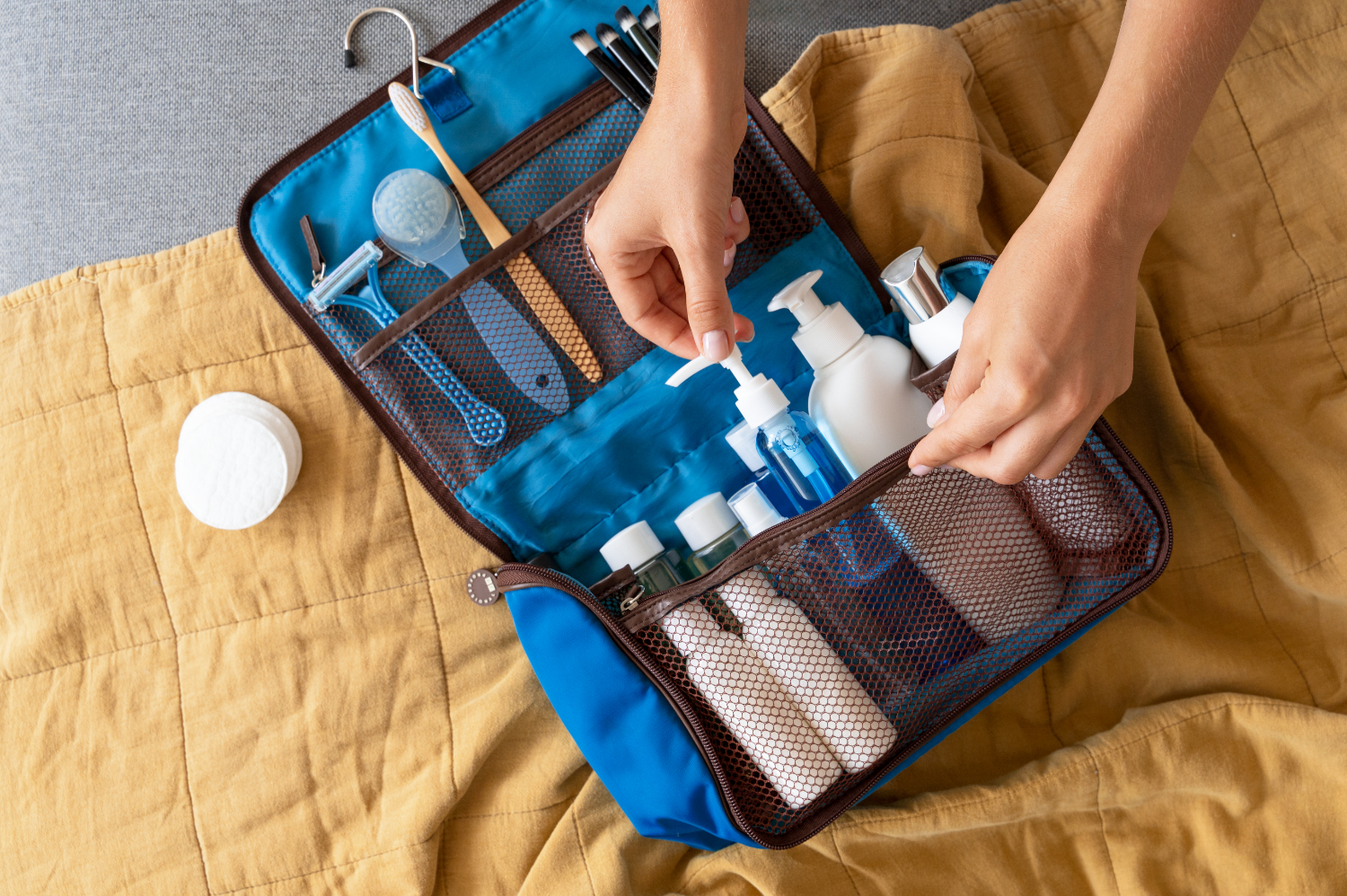
    Apply the 3-1-1 rule for your liquids and prioritize travel sizes to save space. Some must-haves to pack:

    • Toothbrush, toothpaste, and dental floss
    • Shampoo and soap in travel size
    • High-protection sunscreen
    • Insect repellent
    • Wet wipes or hand sanitizer gel
    • Small microfiber towel
    • Personal medications (if necessary)

    Minimalist but effective first-aid kit

    No need to overdo it, unless you’re going into the wilderness far from any assistance. The essentials?

    • Bandages
    • Special blister protections
    • Pain relievers
    • Antiseptic cream
    • Antihistamine
    • Motion sickness tablets
    • Anti-diarrhea pills

    With this checklist, you’re ready to set off with a clear mind, certain you have everything you need without overpacking!

    Technology and connectivity

    In the digital age, staying connected while traveling is no longer a luxury. It’s more of a necessity. Here are a few items to plan for before you go:

    Se connecter avec une carte esim Vostra

    • A universal adapter: Each destination has its own electrical outlet standards. So, to avoid unpleasant surprises and keep all your devices charged, opt for a universal adapter. A simple and practical solution to never run out of power.
    • A Vostra eSIM : No more hassle with physical SIM cards. With an eSIM, instantly enjoy local mobile connectivity wherever you are, without worrying about roaming charges. It’s peace of mind guaranteed, from the beginning to the end of your trip.
    • A power bank: A dead battery in the middle of an adventure is the nightmare of the connected traveler, isn’t it? That’s why slipping a power bank into your bag is an excellent idea. You’ll be able to recharge your smartphone, tablet, or camera wherever you are.

    Essential tips to lighten your bag and travel with peace of mind

    Before you finally pack your backpack, keep these tips in mind:

    • Slip in an ultra-compact, lightweight, and quick-drying travel towel.
    • Say goodbye to heavy paper guides and opt for practical travel apps directly on your smartphone.
    • Leave valuable or sentimental items that you couldn’t replace at home.
    • And to avoid forgetting anything, review your list one last time before hitting the road.

    You are now fully ready to embark on your globe-trotting adventure, with only the bare essentials.

    Need an eSIM for your journey? Discover a wide selection of eSIMs covering over 200 countries and regions worldwide on our website and in the Vostra app, available on Google Play Store or App Store.