Étiquette : Dual SIM

  • Dual SIM: how to use eSIM and SIM card at the same time?

    Dual SIM: how to use eSIM and SIM card at the same time?

    The eSIM is a game-changer for connected travelers. No more juggling traditional SIM cards upon arrival at your destination: everything is done remotely, directly from your smartphone. Discover the real differences between physical SIM cards and eSIMs, and how to use both technologies simultaneously when traveling abroad.

    Differences between physical SIM card and eSIM
    Understand the differences between SIM card and eSIM

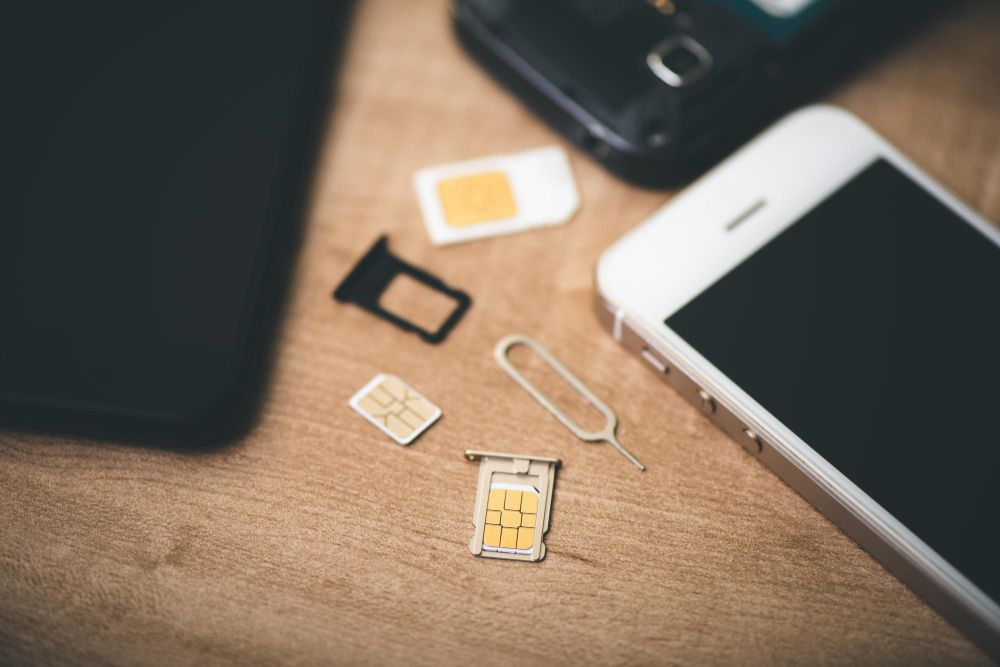
    Unlike traditional SIM cards, eSIMs are digital SIM cards directly integrated into the device. This allows for faster and more secure setup.

    You can install an eSIM without going through a point of sale or waiting for postal delivery. Since the eSIM is embedded in the phone, it cannot be removed or stolen.

    No physical manipulation means fewer technical problems related to wear and tear or poor contacts. eSIMs are more eco-friendly, and therefore more sustainable, as they avoid plastic production and unnecessary shipping.

    Using a SIM card and an eSIM simultaneously: how-to guide

    If your smartphone is Dual SIM compatible, you can use both a physical SIM card and an eSIM. This can be practical for separating professional and personal use, or for activating a local line during a trip while keeping your main line active.

    1. Label your plans

    To avoid confusion, assign a name to each line (e.g., “SIM France” and “eSIM Thailand”).

    On iOS:

    • Open Settings > Cellular.
    • Tap on your eSIM, enter a custom name, then save.

    On Android:

    • Go to Settings > Network & internet > SIM cards.
    • Select your eSIM and name it.

    2. Activate your eSIM

    On iOS:

    • Open Settings > Cellular.
    • Select your eSIM.
    • Activate Turn On This Line and Data Roaming.
    • Choose a supported network if necessary.

    On Android:

    • Go to Settings > Network & internet > Mobile network.
    • Activate the eSIM, Mobile data, and Roaming.

    3. Set your default lines

    Voice calls:

    Choose which card to use for outgoing calls and SMS.

    • iOS: Settings > Cellular > Default Voice Line.
    • Android: Settings > Network > SIM card > Calls/SMS.

    Mobile data:

    Choose the line to use for internet access.

    • iOS: Settings > Mobile data > select eSIM.
    • Android: Settings > Mobile network > select eSIM.

    Switching from an eSIM to a physical SIM card (or vice versa)

    You can temporarily deactivate your eSIM at any time, for example after a trip, and reactivate your usual SIM card for calls and data. This avoids having to reinstall an eSIM profile later.

    Deactivate an eSIM

    • iOS: Settings > Mobile Data > eSIM > deactivate.
    • Android: Settings > Connections > Mobile network > deactivate eSIM.

    Is your phone compatible with eSIMs?

    Using an eSIM-compatible phone while traveling

    Most recent smartphones (since 2018) are compatible with eSIM technology. However, your device must also be unlocked (not tied to a specific carrier).

    To check, consult the official list of compatible models or dial *#06# on your device to see if it displays an EID (eSIM identifier) number.

    Dual SIM smartphones also allow you to combine an eSIM and a physical SIM in parallel. This is ideal for travelers who want a local line while keeping their main number active.
    FAQ

    Can I use my main SIM card for calls while using an eSIM for internet?
    Yes, this is entirely possible if your phone supports dual SIM. You can configure your eSIM to handle mobile data (internet), while keeping your physical SIM card for calls and SMS. Simply set the default lines in your phone’s network settings.
    How many eSIM profiles can I save on a single phone?
    Most modern smartphones allow you to save between 5 and 8 eSIM profiles. However, only one can be active at a time. This allows you to keep multiple international plans and activate them depending on the country you are in.
    What happens if I change phones? Will my eSIM still work?
    The eSIM is linked to a single device. If you change phones, you will generally need to download a new eSIM profile via your carrier or a platform like Vostra. This is quick, but it requires a new activation.
    How do I prioritize one line for calls, and another for internet?
    In your phone’s settings, you can choose which line to use for mobile data, for voice calls, and for SMS. These options are found in the « Mobile network » or « Cellular data » section. You can change these settings at any time.
    How do I delete an eSIM that I no longer use?
    You can delete an eSIM profile in your phone’s settings, in the « Mobile Data » or « Mobile Network » section. Please note that deletion is permanent: if you wish to use it again, you will need to request a new QR code or reactivation via your provider.
  • What happens when a SIM card is defective?

    What happens when a SIM card is defective?

    When you get a new phone, the first thing you think about is inserting a physical SIM card or transferring your current card to your new device. But with the evolution of mobile technologies, is this practice still relevant? eSIMs transform this experience by making it entirely digital. Unlike traditional SIM cards, an eSIM is integrated directly into your phone. It requires no physical insertion or replacement to change operators or activate a plan. In a few clicks, you can download a data plan, activate it, and be connected immediately. Will we gradually abandon physical SIM cards?

    How are SIM and eSIM cards similar?

    Whether it’s a physical SIM card or an eSIM, their main function remains the same: to allow your device to access the mobile network. Here are their main uses:

    • Connecting to mobile networks to use cellular data.
    • Accessing messaging and calling services.
    • Identifying your device on your operator’s network.

    In other words, a SIM card acts like a digital license plate, connecting your phone to the mobile network. However, the main difference lies in the format and flexibility of use. As an eSIM is entirely digital, it offers significant advantages over traditional SIM cards.

    Dual SIM and multi-profile management

    Utiliser une double SIM sur son téléphone

    Many recent smartphones are compatible with Dual SIM functionality, allowing you to use a physical SIM card and an eSIM simultaneously, or even multiple eSIMs. Some practical uses of this technology 👇:

    • Add a local plan for mobile data when you travel while keeping your main number.
    • Use one plan dedicated to calls and another exclusively for internet browsing.
    • Manage a personal line and a professional line on the same phone.

    With an eSIM, there’s no need to juggle multiple physical cards or lose them. You can store multiple eSIM profiles and switch between them directly from your phone’s settings.

    Is your phone eSIM compatible?

    To use an eSIM, your device must be compatible and unlocked. Here are a few ways to check:

    • Consult the list of eSIM-compatible devices.
    • Check with your operator if your phone is unlocked.
    • Go to your smartphone settings and search for « eSIM » or « digital SIM card. »
    • Dial *#06# on your phone and see if an EID number appears (which means your phone supports eSIM).

    Why choose an eSIM?

    1. Protection against physical damage

    Since an eSIM is integrated into your phone, it is not at risk of breaking, scratching, or oxidizing like a traditional SIM card.

    2. Enhanced security

    Physical SIM cards can be stolen, cloned, or faked. An eSIM offers better protection against hacking and fraud.

    3. Storage of multiple eSIM profiles

    You can store multiple eSIM plans on your device and switch between them instantly, without having to insert or remove a physical card.

    4. No more roaming fees

    With Vostra, you can buy a local eSIM plan in over 200 countries and avoid excessive roaming fees.

    5. Instant activation

    No more waiting for a physical SIM card: the eSIM activates immediately after purchase by scanning a QR code.

    Common problems with physical SIM cards

    Physical SIM cards are exposed to several risks:

    1. Water damage

    Humidity, splashes, and immersion in water can corrode a SIM card’s connectors, rendering it unusable.

    2. Heat sensitivity

    Prolonged exposure to heat can damage a SIM card’s metal pins and cause malfunctions.

    3. Shipping problems

    SIM cards delivered by operators may be damaged during transport, which, of course, requires reshipment.

    How to tell if your SIM card is faulty?

    • Your phone struggles to pick up a mobile network
    • SMS and calls don’t go through
    • Your device continuously tries to search for a network without success.

    Frequently Asked Questions

    Can a SIM card get damaged over time?
    Yes, a SIM card can deteriorate over the years. Several factors can lead to malfunction, including natural wear and tear, excessive exposure to heat or cold, physical damage due to improper handling, or manufacturing defects. Repeated insertion or removal of the card can also accelerate its deterioration.
    How do I know if my SIM card is faulty?
    If your phone displays messages such as « No SIM card » or « Invalid SIM, » or if you experience recurring connection problems despite a functional network, it is possible that your SIM card is damaged or out of order.
    How to clean a SIM card?
    To clean a SIM card, use a soft, lint-free cloth. For a deeper clean, apply a small amount of isopropyl alcohol to the cloth before gently wiping the card. Make sure the SIM card is completely dry before reinserting it into your phone. Avoid using water, abrasive materials, or harsh solvents that could damage it.
    What is a SIM card used for?
    A SIM (Subscriber Identity Module) card allows mobile devices to identify themselves on a cellular network. It contains essential information such as the user’s identification number, network authentication data, and sometimes stored contacts. Thanks to it, you can make calls, send messages, and access the internet via mobile data.
    What is the lifespan of a SIM card?
    A SIM card is designed to last several years, but its longevity can be affected by various factors. Exposure to extreme temperatures, excessive handling, or manufacturing defects can reduce its lifespan and lead to premature malfunction.